
Sling TV 2026 guide: plans, pricing, features, pros/cons, and top alternatives compared. Find the best live TV streaming plan for your budget.
Cutting the cable cord is no longer a niche decision — it’s the default choice for millions of learners, freelancers, startups, and small business owners who want live TV without a two-year contract or a $150 monthly bill. Among the crowded field of streaming services, Sling TV continues to stand out in 2026 as one of the most flexible, budget-friendly ways to watch live sports, news, and entertainment.
Whether you’re a solo freelancer who wants background news while you work, a startup founder trying to keep overhead low, or a student who just wants live sports without paying for a full cable bundle, Sling TV offers a pick-your-channels model that few competitors match.
🚀 Start Streaming with Sling TV
In this guide, you’ll get a complete, up-to-date breakdown of what Sling TV is, how much it costs in 2026, what each plan includes, how it stacks up against competitors, and whether it’s the right fit for your specific needs.
What Is Sling TV?
Sling TV is a BEST IPTV streaming service that lets you watch cable-style channels — sports, news, entertainment, and kids’ programming — over the internet, without a satellite dish, cable box, or long-term contract.
Instead of forcing every customer into one expensive “all-in-one” bundle like traditional cable, Sling TV uses a modular, mix-and-match system. You choose a base plan (or two), add optional extras for specific genres, and pay only for what you actually want to watch. It runs on nearly any device: smart TVs, phones, tablets, Roku, Amazon Fire TV, Apple TV, Chromecast, and game consoles.
At its core, Sling TV is built around a simple idea: traditional cable bundles too much you don’t want. Sling lets you unbundle it.
A Quick History Snapshot
Sling TV launched in 2015 as one of the first “skinny bundle” live TV streaming services in the United States. It pioneered the idea of live, linear TV delivered entirely over the internet — years before most competitors entered the market. In 2026, it remains one of the lowest-priced live TV options, even as competitors like YouTube TV and Hulu + Live TV have raised prices closer to traditional cable levels.
How Sling TV Actually Works
Getting started with Sling TV is intentionally simple, which is part of why it appeals to non-technical users, students, and small business owners who don’t want to deal with installation appointments or equipment rentals.
- Pick a base plan — Orange, Blue, Orange & Blue, Essentials, Select, or Essentials & Select.
- Add optional extras — genre packs for kids, lifestyle, comedy, or international content, plus premium networks if needed.
- Choose a device — download the Sling app on a smart TV, streaming stick, phone, tablet, or use a web browser.
- Sign in and start streaming — there’s no equipment to install, no technician visit, and no long-term contract to sign.
Because everything runs through an app rather than a physical box, you can add or remove channels, upgrade or downgrade plans, or cancel entirely from your account settings in a couple of clicks.
Who Owns Sling TV?
Sling TV is owned and operated by Dish Network, one of the longest-standing pay-TV providers in the United States. That ownership matters for two reasons: it gives Sling access to established relationships with major content owners and broadcasters, and it means Sling has decades of experience in live TV delivery and customer support infrastructure — something newer streaming-only entrants don’t have.
🚀 Start Streaming with Sling TV
Why Sling TV Matters in 2026
Streaming prices have crept upward across almost every platform. Several competitors now charge $80–$95 per month for a full live TV bundle — not far from what cable used to cost. Against that backdrop, Sling TV’s positioning has become more relevant, not less.
Here’s why it matters right now:
- Price sensitivity is at an all-time high. With inflation affecting household and business budgets alike, a $20–$66/month live TV option is genuinely competitive.
- Freelancers and small businesses need predictable, low-overhead tools. No contracts, no credit checks, and the ability to cancel anytime make Sling easier to justify as a business or personal expense.
- Sling introduced new ultra-low-cost tiers. Plans like Sling Essentials and Sling Select start at $19.99/month, giving cord-cutters an entry point well below the traditional Orange/Blue plans.
- Flexible short-term options now exist. Day Passes let you pay for a single day, three days, or a week of access — ideal for watching one big game or event without a monthly commitment.
- A genuinely free tier exists. Sling Freestream now offers hundreds of ad-supported channels with no credit card required, competing directly with Pluto TV and Tubi.
Key Benefits of Sling TV
1. Pick-Your-Channels Flexibility
Unlike rigid all-in-one bundles, Sling lets you choose between Orange, Blue, Essentials, Select, or a combo — then customize further with add-on packs for kids’ content, lifestyle channels, or international programming.
2. No Contracts or Credit Checks
You can sign up, use the service for a month, and cancel without penalty. This is especially useful for startups and small businesses that need to control monthly software and subscription costs.
3. Multi-Device Streaming
Watch on smart TVs, phones, tablets, streaming sticks, and set-top boxes — useful for teams, shared households, or businesses running content across multiple screens (like a waiting room or breakroom TV).
4. Cloud DVR Included
Most paid plans include cloud DVR storage, so you can record live TV and watch on your own schedule instead of being tied to a broadcast time slot.
5. A Genuine Free Option
Sling Freestream requires no payment information at all, making it a zero-risk way to test the platform before committing to a paid tier.
6. Short-Term Day Passes
Only care about one game, one debate, or one award show? Day Passes let you pay for access without a recurring subscription — a rare model in the streaming world.
7. Transparent, Predictable Billing
There are no hidden equipment rental fees, no installation charges, and no early termination fees. What you see on the pricing page is generally what you pay, aside from regional tax and occasional promotional pricing.
8. Lightweight Bandwidth Requirements
Compared to some competitors, Sling TV is often cited as being relatively bandwidth-friendly, which matters for freelancers and small offices working on shared or limited internet connections where video conferencing and cloud tools are also competing for bandwidth.
9. Scalable as Your Needs Change
You can start with the free Freestream tier, move up to a $19.99 skinny bundle as your budget allows, and later add Orange, Blue, or the full combo — all without switching providers or losing your account history.
Top Live TV Streaming Providers Compared
Sling TV doesn’t operate in a vacuum. To understand where it fits, it helps to see how it lines up against the other major live TV streaming services learners, freelancers, and small businesses commonly consider in 2026.
Sling TV
The budget leader. Modular plans, low entry price, smaller channel count than premium competitors, but unmatched flexibility for cost-conscious users.
YouTube TV
A larger channel lineup with unlimited cloud DVR and multiple simultaneous streams, but priced significantly higher than Sling’s core plans.
🚀 Start Streaming with Sling TV
Hulu + Live TV
Bundles live TV with the full Hulu on-demand library and (in some regions) Disney+ — convenient, but comes at a premium price point.
fuboTV
Originally sports-focused, now a broader entertainment bundle. Strong for sports fans, but pricing sits closer to traditional cable.
DirecTV Stream
A cable-like channel lineup delivered over the internet, aimed at users who want the closest experience to traditional satellite TV, at a matching price.
Philo
An ultra-budget, entertainment-only option with no live sports or major news networks — a strong niche pick, but far more limited than Sling.
Sling TV Plans: Comparison Table
| Plan | Monthly Price | Channel Count | Simultaneous Streams | Best For |
|---|---|---|---|---|
| Sling Freestream | Free | 600+ (ad-supported) | Varies | Testing the platform, casual background viewing |
| Sling Essentials | $19.99/mo | 10+ | 1 | Entertainment-focused skinny bundle |
| Sling Select | $19.99/mo | 10+ | 1 | News and lifestyle without sports |
| Sling Essentials & Select | $34.99/mo | 15+ | 1–3 | Balanced sports-lite + news bundle |
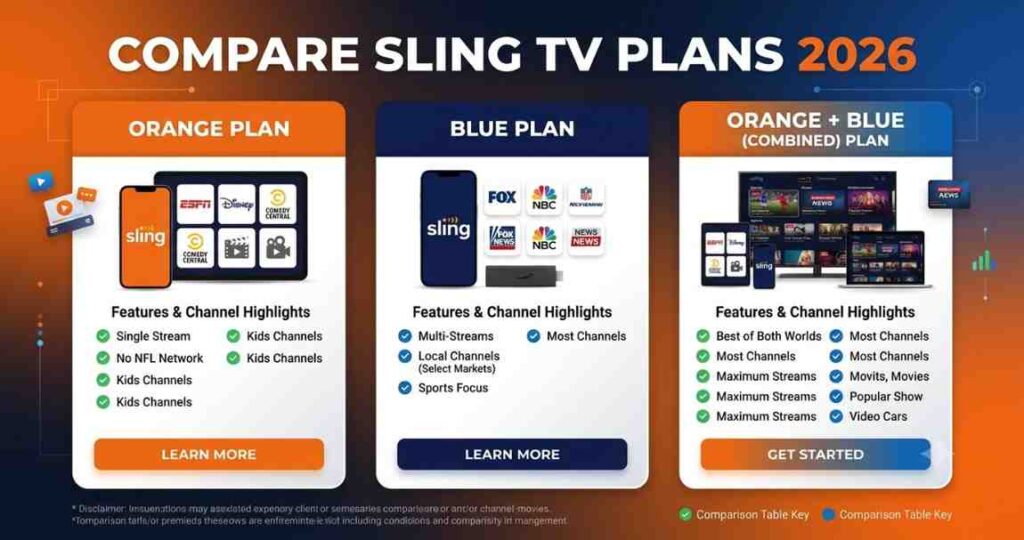
| Sling Orange | $45.99/mo | 30+ | 1 | ESPN, Disney-owned channels, sports & family |
| Sling Blue | $45.99/mo | 40+ | 3 | Local news, entertainment, multiple screens |
| Sling Orange & Blue | $60.99/mo | 50+ | 4 | Households wanting the fullest coverage |
Pricing and channel counts can shift by region and promotion. Always confirm current rates on Sling’s official site before subscribing.
🚀 Start Streaming with Sling TV
Sling TV Features
Live TV Streaming
Watch major networks, sports channels, and news live, exactly as they air — no need to wait for on-demand availability.
Cloud DVR
Paid plans include 50 hours of cloud DVR storage, upgradeable to 200 hours with the Cloud DVR Plus add-on, so you can record and watch on your own schedule.
On-Demand Library
Beyond live channels, Sling offers an on-demand catalog of shows and movies that updates based on current network partnerships.
Multiple User Profiles
Different household or team members can maintain their own viewing history and recommendations within one account.
Day Passes
Get full access to a plan’s channel lineup for a single day, three days, or a week — useful for one-off events like championship games or award shows.
Pay-Per-View Style Access
Sling has introduced short-term, pay-per-view-style access to portions of its lineup, breaking away from the traditional “monthly subscription only” model.
Cross-Device Compatibility
Stream on smart TVs (Roku, Fire TV, Apple TV, Android TV, Samsung, LG), phones, tablets, web browsers, and game consoles.
Add-On Packs
Expand any base plan with genre-specific add-ons — kids’ programming, lifestyle, comedy, international channels, and premium networks.
Sub-feature: Sling Freestream
A free, ad-supported layer of the platform with 600+ channels and no credit card required. It functions as both a standalone free product and an entry point into paid plans.
Sub-feature: Student and Prepay Discounts
Verified students can get a discount for their first several months, and prepaying for three months on any base plan can reduce the effective monthly cost.
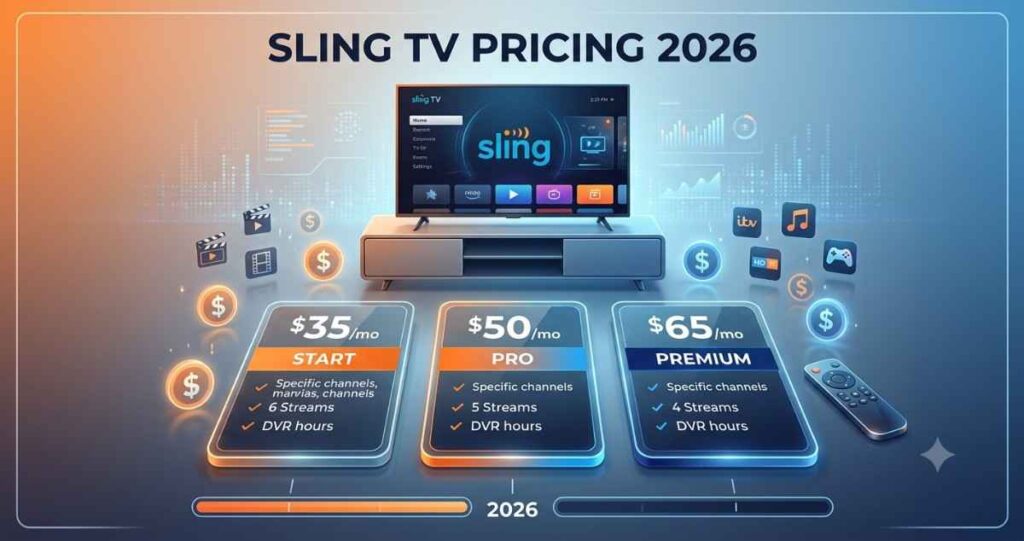
Sling TV Pricing Table (2026)
| Plan | Price | Notes |
|---|---|---|
| Sling Freestream | $0/mo | No credit card required |
| Sling Essentials | $19.99/mo | Entertainment-focused |
| Sling Select | $19.99/mo | News and lifestyle focused |
| Sling Essentials & Select | $34.99/mo | Combined bundle |
| Sling Orange | $45.99/mo (Day Pass from $4.99) | Includes ESPN, ESPN2, ESPN3 |
| Sling Blue | $45.99/mo | Includes local NBC/FOX in select markets |
| Sling Orange & Blue | $60.99/mo | Full combined coverage |
| Cloud DVR Plus (add-on) | Additional monthly fee | Expands storage to 200 hours |
Prices reflect standard 2026 rates reported at time of writing and are subject to change. Promotional pricing, regional variation, and limited-time discounts (including student deals) may apply — always check Sling’s official pricing page for the current rate.
Use Cases: Who Actually Uses Sling TV?
For Learners and Students
Students on tight budgets can use Sling Freestream or the $19.99 Essentials/Select tier to keep up with news and entertainment without committing to a full cable-equivalent bill. Verified student discounts add further savings.
For Freelancers
Freelancers working from home often want background news or sports without paying for premium channels they’ll never watch. A single-stream Orange or Blue plan covers that need at a fraction of cable’s cost, and it can be canceled instantly if income slows down.
For Startups and Small Businesses
Small businesses — cafés, salons, waiting rooms, co-working spaces — can use Sling Blue or the Orange & Blue combo to run live sports or news on a shared screen without signing a commercial cable contract. The no-contract structure keeps monthly overhead predictable.
For Sports Fans on a Budget
Sling Orange’s ESPN access makes it one of the cheapest ways to watch major sports without paying for a full premium bundle.
For One-Off Events
Day Passes are ideal for someone who wants to watch a single game, debate, or awards show without paying for an entire month.
Real-World Scenario: The Freelance Writer
A freelance writer working from a home office wants CNN or Fox News playing quietly in the background while they work, plus occasional NFL games on weekends. Sling Blue covers the news requirement, while Sling Orange or the Orange & Blue combo adds NFL Network coverage — all for less than a single premium cable news add-on package would cost through traditional providers.
Real-World Scenario: The Bootstrapped Startup
A small startup running a shared office space wants a TV in the common area for morale breaks and occasional news updates, without signing a commercial cable agreement that locks them into a 12–24 month term. Sling’s month-to-month billing and multi-stream support on Blue or the combo plan solve this without a long-term commitment.
Real-World Scenario: The College Student
A student living off-campus wants live sports for game nights with roommates but doesn’t need a full cable package. Sling Orange, split among a few roommates, becomes a low per-person cost for ESPN access, and the student discount stretches the budget even further.
🚀 Start Streaming with Sling TV
Best For: Matching Plans to Needs
| If you want… | Best Plan |
|---|---|
| A completely free option | Sling Freestream |
| The cheapest paid entry point | Sling Essentials or Select |
| ESPN and sports coverage | Sling Orange |
| Local news and multiple streams | Sling Blue |
| Maximum channel coverage | Sling Orange & Blue |
| A one-time event only | Day Pass |
| Long-term savings | 3-Month Prepay |
Pros and Cons of Sling TV
Pros
- Lower starting price than nearly every major live TV competitor
- Customizable channel bundles — pay only for what you actually watch
- No contracts or credit checks — cancel anytime
- Multi-device streaming across nearly every major platform
- Cloud DVR included, upgradeable for more storage
- A genuinely free ad-supported tier (Sling Freestream)
- Short-term Day Passes for one-off events
- Student discounts and prepay options for extra savings
- Simple account management — friendly for non-technical users
Cons
- Base plans (Orange, Blue) offer fewer channels than premium competitors like YouTube TV or Hulu + Live TV
- Sling Orange is limited to one simultaneous stream
- Local channel availability (NBC/FOX via Blue) is limited to select markets
- Combining Orange and Blue to get full coverage pushes the price close to pricier competitors
- Occasional carriage disputes with major networks can result in temporary channel loss
- Smaller on-demand library compared to Hulu + Live TV
Best Sling TV Alternatives
If Sling TV’s channel lineup doesn’t quite fit your needs, here are the strongest alternatives worth comparing:
YouTube TV
Best for households that want the largest channel count, unlimited cloud DVR, and multiple simultaneous streams — at a higher monthly price. Its strength is breadth: nearly every major broadcast and cable network is included in the base package, and local channels are widely available across markets. The tradeoff is cost — YouTube TV’s base price sits well above Sling’s Orange or Blue plans, and there’s no way to unbundle it into a cheaper tier.
Hulu + Live TV
Best for users who also want a large on-demand streaming library bundled with live channels. This makes it a strong pick for households that already lean on Hulu’s on-demand catalog and want to add live TV without juggling a second app. Pricing is comparable to YouTube TV and noticeably higher than Sling’s core plans.
fuboTV
Best for sports-first households that want extensive live sports coverage as the primary focus, including regional sports networks and international soccer coverage that some competitors lack. Historically positioned as a sports-streaming specialist, it has broadened into a general entertainment bundle, with pricing closer to premium cable than Sling’s budget tiers.
DirecTV Stream
Best for users who want an experience closest to traditional satellite/cable, including a large regional sports and premium channel lineup, plus optional premium network add-ons similar to a legacy satellite package. It’s a solid choice for households transitioning away from DirecTV satellite service who want a familiar channel lineup without the dish.
Philo
Best for entertainment-only viewers who don’t need live sports or major broadcast news and want the lowest possible price for a full entertainment bundle. Philo skips sports and major broadcast networks entirely, which keeps its price low but makes it a poor fit for sports fans or news-focused viewers — a gap Sling Orange and Blue fill directly.
Free Ad-Supported Options (Pluto TV, Tubi)
Best for users who want zero-cost, ad-supported content and are comfortable with a smaller live channel selection than Sling Freestream offers. These platforms are strong supplements to a paid plan rather than full replacements, since they generally lack live sports and major news networks.
Quick Alternative Comparison
| Service | Starting Price | Best Known For | Weakness vs. Sling |
|---|---|---|---|
| YouTube TV | Higher-priced, no skinny tier | Largest channel count, unlimited DVR | No budget entry point |
| Hulu + Live TV | Higher-priced | On-demand library + live TV | No modular plan structure |
| fuboTV | Mid-to-high priced | Sports depth, regional networks | Pricier than Sling Orange |
| DirecTV Stream | Higher-priced | Cable-like full lineup | Closer to cable pricing |
| Philo | Low priced | Cheapest full entertainment bundle | No sports or major news |
| Pluto TV / Tubi | Free | Zero-cost ad-supported content | Limited live channel depth |
Future Trends: Where Sling TV and Live TV Streaming Are Heading
1. Continued Growth of Free, Ad-Supported Tiers
Sling Freestream’s rapid expansion mirrors an industry-wide trend: streaming platforms are building larger free tiers to compete with FAST (Free Ad-Supported Streaming TV) services like Pluto TV and Tubi.
2. More Flexible, Non-Subscription Pricing
Day Passes and pay-per-view-style access signal a broader shift away from rigid monthly subscriptions toward pay-for-what-you-use models.
3. AI-Driven Personalization
Expect more personalized home screens, smarter channel recommendations, and AI-assisted search across live and on-demand content.
4. Ongoing Price Pressure from Rising Content Costs
As sports rights and content licensing costs rise industry-wide, expect gradual price increases across all live TV streaming platforms, including Sling — making its budget positioning even more valuable by comparison.
5. Carriage Disputes Will Continue
As has happened periodically across the industry, disputes between streaming platforms and content owners can lead to temporary channel blackouts. This is a structural industry risk, not unique to Sling.
6. Consolidation of Skinny Bundles
Expect more competitors to introduce their own low-cost, skinny-bundle tiers (similar to Sling Essentials and Select) as they compete for budget-conscious cord-cutters.
7. Bundling With Other Subscriptions
Streaming providers across the industry are increasingly bundling live TV with unrelated services — internet plans, mobile carriers, or other streaming apps — to increase perceived value without raising headline prices. Sling and its competitors are likely to lean further into cross-promotional bundling through 2026 and beyond.
8. Greater Emphasis on Cross-Platform Account Management
Expect simpler self-service tools for upgrading, downgrading, and pausing plans, reducing the need to contact customer support for routine account changes — a trend already visible in Sling’s current app-based account management.
Conclusion
Sling TV in 2026 remains one of the smartest choices for anyone who wants live TV without the high price tag or long-term contract of traditional cable — or the rising costs of premium streaming bundles. Its strength lies in flexibility: you can start completely free with Sling Freestream, ease into a $19.99/month skinny bundle, or build a fuller package with Orange, Blue, or the Orange & Blue combo as your needs grow.
For learners, freelancers, and small business owners in particular, that flexibility matters. You’re not locked into paying for channels you’ll never watch, and you can scale your subscription up or down as your budget changes month to month. If your priority is live sports, Orange is the clear pick. If it’s local news and multiple screens, Blue fits better. And if you’re not ready to commit to anything at all, Freestream costs nothing to try.
Before subscribing, compare your must-have channels against the comparison table above, check for current promotions, and decide whether a monthly plan, prepay discount, or short-term Day Pass best matches how you actually watch TV.
FAQ’s About Sling TV
How much does Sling TV cost per month?
Sling TV plans start at $19.99/month for Essentials or Select, with Orange and Blue at $45.99/month each, and the Orange & Blue combo at $60.99/month. A free ad-supported tier, Sling Freestream, is also available at $0/month.
Is Sling TV really free?
Sling Freestream is a genuinely free, ad-supported tier with hundreds of channels and no credit card required. Sling’s other plans (Orange, Blue, Essentials, Select) are paid subscriptions.
Does Sling TV have ESPN?
Yes. ESPN, ESPN2, and ESPN3 are included with the Sling Orange plan.
Can I get local channels like NBC and FOX with Sling TV?
Local NBC and FOX affiliates are available through Sling Blue, but only in select markets. Coverage varies by location, so check availability for your area before subscribing.
Does Sling TV require a contract?
No. Sling TV operates on a month-to-month basis with no long-term contracts and no credit checks, and you can cancel at any time.
What is a Sling TV Day Pass?
A Day Pass gives you full access to a plan’s channel lineup for a single day, three days, or a week, without committing to a monthly subscription — ideal for one-off events like a championship game.
Can I switch Sling TV plans later?
Yes, you can upgrade, downgrade, or cancel your Sling TV plan at any time without penalty.
How many devices can I stream Sling TV on at once?
This depends on your plan. Sling Orange supports one stream at a time, Sling Blue supports three, and the Orange & Blue combo supports up to four simultaneous streams.