
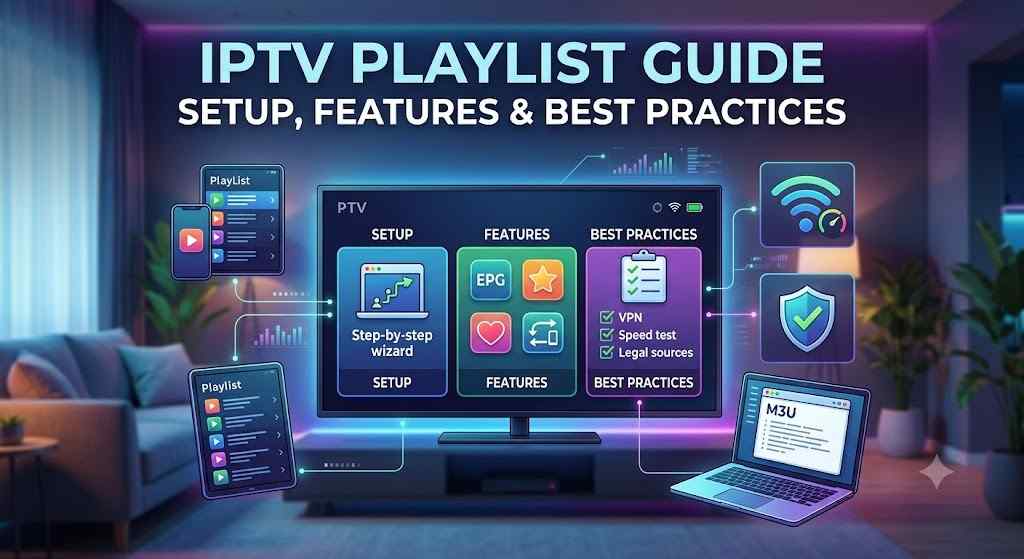
Learn everything about IPTV playlists, how they work, supported formats, setup steps, compatibility, features, and expert tips in this complete guide.
Introduction
IPTV, or Internet Protocol Television, has become one of the fastest-growing ways to watch television content worldwide. Unlike traditional broadcasting methods, IPTV delivers television programming through an internet connection, giving viewers more flexibility and control over what they watch.
An IPTV playlist is one of the most important components of this system. It acts as a directory that tells your IPTV player where to find available streams. Instead of manually adding every channel, users simply load a playlist into a compatible application, and the channels become available within seconds.
What is an IPTV Playlist?
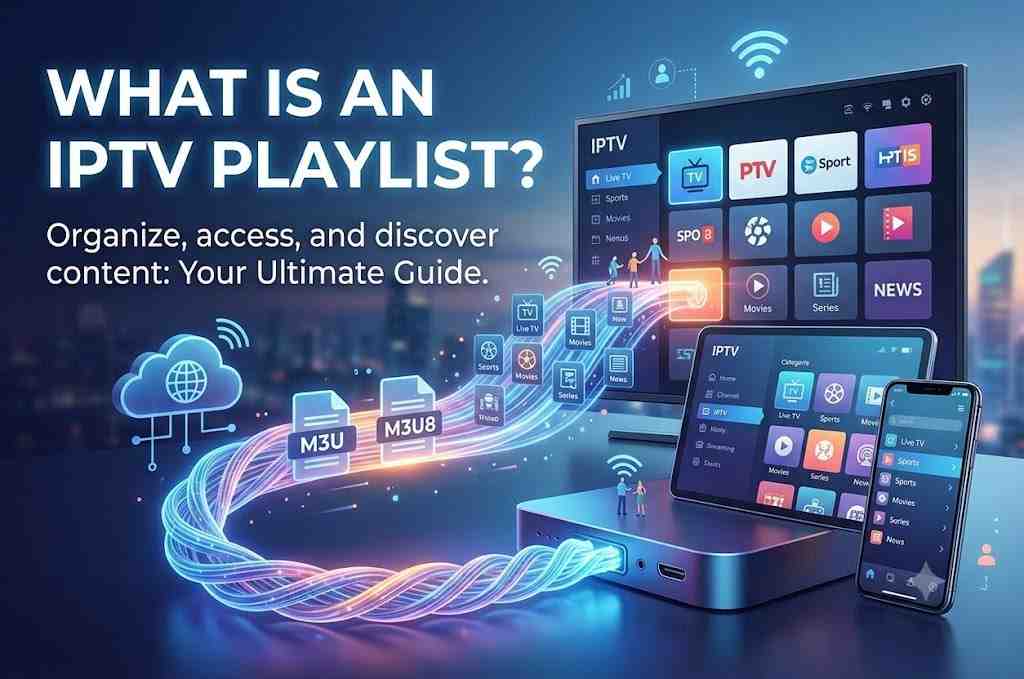
An IPTV playlist is a collection of streaming links arranged in a structured format that allows IPTV applications to access television channels, video-on-demand libraries, radio stations, or other multimedia content over the internet.
Think of it as a digital channel guide. Instead of storing the actual video, the playlist contains references that tell your IPTV player where each stream is located.
The most widely used playlist format is M3U, although formats like M3U8 and Xtream-compatible configurations are also commonly supported by many IPTV applications.
A playlist may include:
- Live TV channels
- Movies
- TV series
- Sports channels
- News channels
- Entertainment
- Music channels
- Children’s programming
- Documentary content
- International channels
Example of an IPTV Playlist
A typical IPTV playlist may organize content like this:
| Category | Example Content |
|---|---|
| News | National and international news channels |
| Sports | Football, basketball, cricket, motorsports |
| Entertainment | Movies, TV shows, lifestyle content |
| Kids | Educational and animated programming |
| Music | Music videos and radio streams |
| International | Channels from different countries |
The playlist itself doesn’t usually contain the media—it points your IPTV player to the streaming sources, making it easier to browse and access available content.
Why is IPTV Playlist Popular?
IPTV playlists have become increasingly popular because they simplify how users access and organize streaming content. As internet speeds improve and more devices support IPTV apps, playlists offer a convenient way to manage a large library of channels.
Growing Demand for Internet-Based Television
Many households are shifting toward internet-based entertainment because it offers:
- Greater flexibility
- Multi-device access
- On-demand viewing
- Personalized content organization
- Easier updates compared to traditional TV services
This trend has made IPTV playlists an important part of many streaming setups.
Easy Content Organization
Instead of manually entering individual stream links, users can load a single playlist that organizes channels into categories such as:
- Sports
- Movies
- Kids
- News
- Entertainment
- International
- Music
This improves navigation and saves time.
Multi-Device Compatibility
One of the biggest reasons for the popularity of IPTV playlists is their broad compatibility. The same playlist can often be used across different devices with supported IPTV applications.
Common compatible devices include:
- Smart TVs
- Android TV boxes
- Amazon Fire TV devices
- Smartphones
- Tablets
- Windows PCs
- Mac computers
- Linux systems
Easy Updates
Many IPTV playlists can be updated automatically or replaced with newer versions, allowing users to refresh channel listings without manually reconfiguring every stream.
Future Growth
As broadband access continues to expand globally and more consumers adopt internet-based entertainment, IPTV playlists are expected to remain a practical solution for organizing streaming content across multiple platforms.
How Does an IPTV Playlist Work?
Understanding how an IPTV playlist works is surprisingly simple once you know the basic process.
Step 1: Obtain a Playlist
The user adds a playlist file or URL into a compatible IPTV player. The playlist acts as a directory containing references to available streams.
Step 2: IPTV Player Reads the Playlist
The IPTV application scans the playlist and displays available categories, channels, or media libraries in an organized interface.
Step 3: Select Content
Users browse through categories such as News, Sports, Movies, or Entertainment and choose the content they want to watch.
Step 4: Connect to the Stream
When a channel is selected, the IPTV player connects to the streaming source referenced in the playlist and begins playback.
Step 5: Playback
The content is streamed over the internet directly to the user’s compatible device, with playback quality depending on the internet connection and the source stream.
Key Features of IPTV Playlists
Organized Channel Categories
Most IPTV playlists group channels into logical categories, making it easier to find the content you’re looking for.
Typical categories include:
- Sports
- Movies
- Entertainment
- Kids
- News
- Music
- International
- Lifestyle
Wide Format Support
Many IPTV players support common playlist formats such as:
- M3U
- M3U8
- URL-based playlists
- XMLTV (for electronic program guides)
This flexibility allows users to import playlists into a variety of compatible applications.
Favorites Management
Many IPTV applications let users mark favorite channels, creating a personalized list for quicker access without browsing the full playlist.
Electronic Program Guide (EPG) Support
Some playlists work alongside an Electronic Program Guide (EPG), allowing viewers to see current and upcoming programs in a familiar TV guide layout.
Search Functionality
Large playlists may contain thousands of channels. Built-in search features help users quickly locate channels or content by name instead of scrolling through long lists.
Multi-Language Support
Many IPTV playlists include content in multiple languages, making them suitable for users around the world.
Automatic Playlist Refresh
Some IPTV players can automatically reload updated playlists, ensuring that channel lists remain current without requiring manual imports.
High Device Compatibility
A well-formatted IPTV playlist can often be used across multiple supported devices, allowing users to maintain a consistent viewing experience whether they’re on a Smart TV, smartphone, tablet, or desktop computer.
Benefits of IPTV Playlists
Choosing a well-organized IPTV playlist can make streaming more enjoyable, efficient, and personalized. Whether you’re a casual viewer or someone who watches TV every day, the right playlist offers several practical advantages.
Easy Access to Entertainment
Instead of entering individual stream links, a playlist brings all available channels together in one place. After importing the playlist into a compatible IPTV player, you can browse categories and start watching within minutes.
Organized Viewing Experience
A quality IPTV playlist groups content into logical categories, making navigation much easier.
Common categories include:
- Sports
- Movies
- TV Series
- News
- Kids
- Music
- Documentary
- Lifestyle
- International Channels
This organization saves time and creates a cleaner viewing experience.
Supports Multiple Devices
One IPTV playlist can often be used across several devices, allowing you to enjoy your content wherever you are.
Examples include:
- Smart TVs
- Android TV devices
- Amazon Fire TV
- Smartphones
- Tablets
- Windows PCs
- macOS computers
- Linux systems
Easy Playlist Updates
Many IPTV playlists can be refreshed automatically or replaced with updated versions. This helps keep channel lists organized without requiring users to manually add every stream again.
Personalized Experience
Many IPTV applications allow users to:
- Create favorite channel lists
- Hide unwanted categories
- Reorder channels
- Customize layouts
- Save recently watched content
These features make daily viewing faster and more convenient.
Better Content Discovery
Large playlists often include channels from multiple countries and categories. Users can easily discover new entertainment, educational, sports, and lifestyle content they might not have found otherwise.
Flexible Viewing
Unlike traditional television schedules, IPTV supports internet-based streaming that can be accessed on different devices and in different locations, depending on the service and your internet connection.
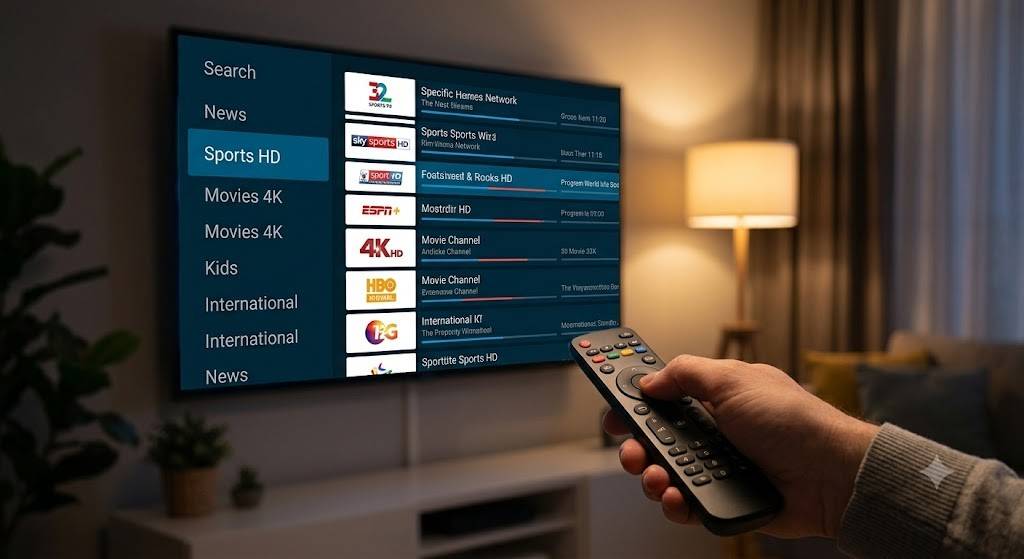
Why Choosing the Right IPTV Playlist Matters
Not every IPTV playlist offers the same experience. The quality, organization, compatibility, and update frequency can all affect how enjoyable your streaming experience is.
Choosing the right playlist helps reduce common issues like missing channels, outdated links, or poor organization.
Better Channel Organization
A well-maintained playlist separates content into meaningful categories instead of placing hundreds or thousands of channels into one long list.
This makes navigation faster and less frustrating.
Improved Compatibility
Some playlists are designed to work with a wider range of IPTV players and devices. Choosing a compatible format minimizes setup problems and ensures a smoother experience.
Faster Navigation
A properly organized playlist lets you quickly:
- Find channels
- Search by category
- Locate favorite content
- Browse international programming
Instead of scrolling endlessly, everything is easier to access.
Easier Maintenance
Reliable playlists are updated regularly to reflect changes in available streams and channel organization, helping users avoid broken or outdated entries.
Better User Experience
A clean playlist can improve:
- Loading speed
- Category organization
- Search functionality
- Favorites management
- Overall usability
How to Choose the Best IPTV Playlist
Selecting the right IPTV playlist involves more than simply choosing one with the largest number of channels. A good playlist should be organized, reliable, compatible with your devices, and easy to maintain.
Buying Guide
When evaluating an IPTV playlist, consider the following factors:
Playlist Format
Choose a format supported by your IPTV player, such as:
- M3U
- M3U8
- XMLTV (for EPG support)
Always verify compatibility before importing.
Channel Categories
Look for playlists that organize content into clear sections, such as:
- Sports
- Entertainment
- Movies
- Kids
- News
- International
- Music
- Documentaries
Well-structured categories improve navigation.
Update Frequency
Regular updates help ensure that playlists stay organized and reflect changes over time.
Device Compatibility
Before choosing a playlist, confirm that it works with the devices you plan to use.
EPG Support
If you like browsing schedules, select playlists that support an Electronic Program Guide (EPG).
Search Functionality
Large playlists should be easy to search, especially if they include thousands of entries.
Expert Checklist
Before using any IPTV playlist, ask yourself:
✔ Is it compatible with my IPTV player?
✔ Does it support my devices?
✔ Is it organized into categories?
✔ Does it include EPG support?
✔ Is it easy to update?
✔ Can I create favorite channel lists?
✔ Does it load quickly?
✔ Is navigation simple?
✔ Does it work reliably with my internet connection?
Expert Tips
Experienced IPTV users often recommend the following practices:
- Keep a backup copy of your playlist.
- Organize favorite channels for faster access.
- Update playlists periodically.
- Use a stable internet connection.
- Choose IPTV players with robust playlist management features.
- Remove unused playlists to keep your interface clean.
- Test compatibility before relying on a new playlist.
Common Mistakes to Avoid
Many beginners encounter issues because they overlook a few simple details.
Avoid these common mistakes:
Importing Unsupported Formats
Always verify that your IPTV player supports the playlist format before importing.
Ignoring Device Compatibility
A playlist may work well on one platform but require additional configuration on another.
Using Poorly Organized Playlists
Large, unstructured playlists can make it difficult to locate channels and reduce the overall user experience.
Forgetting Updates
Older playlists may become outdated over time. Refreshing your playlist periodically can help maintain an organized channel list.
Overloading the Player
Importing multiple oversized playlists simultaneously can slow down some IPTV applications.
Best Features to Look For
When comparing IPTV playlists, focus on features that improve usability rather than simply looking for the highest number of channels.
Clean Category Structure
The best playlists organize channels into logical groups that are easy to browse.
Examples include:
- Live TV
- Sports
- Movies
- Kids
- Music
- News
- International
- Documentaries
EPG Integration
Electronic Program Guide support allows viewers to see current and upcoming programming, creating a familiar TV-guide experience.
Favorites System
A favorites feature enables users to save frequently watched channels for one-click access.
Fast Loading
Well-organized playlists typically load faster because they avoid unnecessary duplication and outdated entries.
Search and Filtering
Advanced IPTV players provide search tools and filters that help users quickly locate specific channels or categories.
Multi-Language Support
Global users often prefer playlists that include channels in different languages, making them more versatile for multilingual households.
Automatic Updates
Some IPTV players can automatically refresh playlists, reducing the need for manual imports.
Cross-Platform Compatibility
A playlist that works across multiple devices provides greater flexibility and convenience.
Device Compatibility
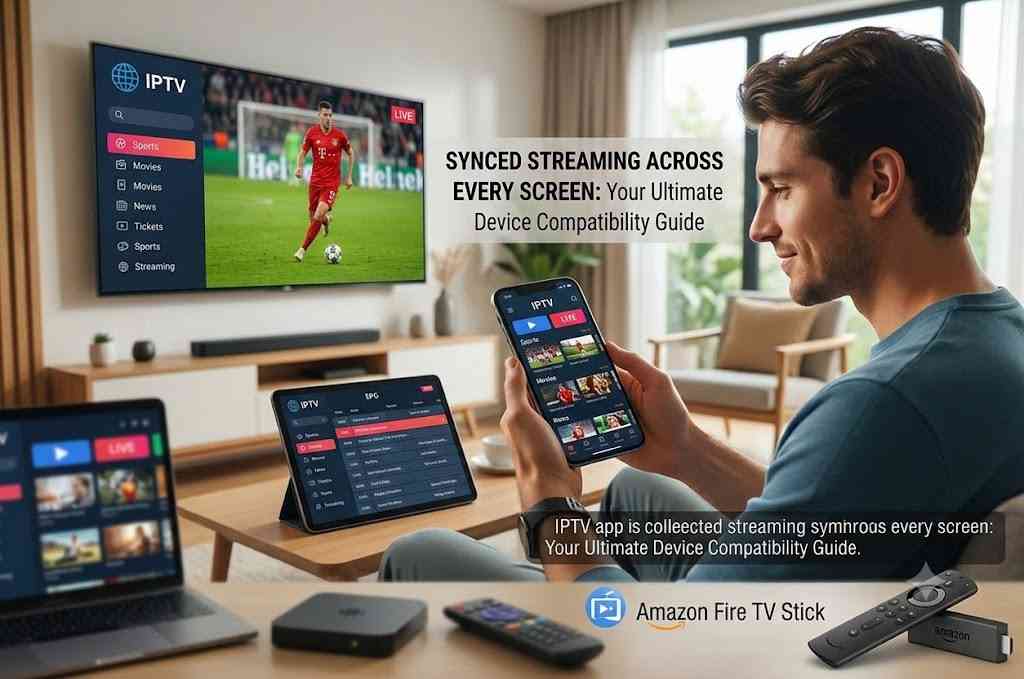
One of the biggest strengths of IPTV playlists is their compatibility with a wide range of devices and operating systems.
Device Compatibility Table
| Device | Supported | Notes |
|---|---|---|
| Smart TV | ✅ Yes | Compatible with many IPTV apps |
| Android TV | ✅ Yes | Excellent support |
| Amazon Fire TV | ✅ Yes | Popular streaming platform |
| Android Phones | ✅ Yes | Wide app availability |
| iPhone & iPad | ✅ Yes | Supported by compatible IPTV players |
| Windows PC | ✅ Yes | Desktop IPTV software available |
| macOS | ✅ Yes | Supported by several IPTV applications |
| Linux | ✅ Yes | Compatible with selected media players |
| Tablets | ✅ Yes | Smooth mobile viewing experience |
Operating Systems
IPTV playlists are commonly supported on:
- Android
- Android TV
- iOS
- iPadOS
- Windows
- macOS
- Linux
- Fire OS
Popular IPTV Platforms
Many IPTV applications support importing playlists, making it easy to use the same playlist across different devices, provided the format is compatible.
Regional Guide
IPTV usage varies by region, but playlists are commonly used worldwide with compatible applications and internet connections.
United States
Users in the United States often prefer playlists that include:
- Local news
- National entertainment
- Sports
- Family programming
- International content
High-speed broadband availability supports smooth streaming in many areas.
United Kingdom
UK users frequently look for playlists featuring:
- Entertainment
- News
- Sports
- Lifestyle
- International programming
Smart TVs and streaming devices are widely used for IPTV playback.
Canada
Canadian viewers often appreciate playlists that include:
- English-language channels
- French-language content
- Sports
- News
- Family entertainment
Reliable internet infrastructure makes IPTV accessible across much of the country.
Other Important Markets
IPTV playlists are also widely used in regions such as:
- Europe
- Australia
- New Zealand
- Asia
- Middle East
- Latin America
Many playlists include multilingual categories to serve international audiences.
Pricing Guide
The cost of using IPTV playlists depends on the associated service or content source. Some playlists are available at no additional cost, while others are provided as part of a paid IPTV subscription.
IPTV Playlist Pricing Comparison
| Option | Typical Cost | Best For |
|---|---|---|
| Public Playlist | Free | Learning and testing compatible players |
| Premium IPTV Service | Monthly or Annual Subscription | Users seeking curated channel lists, regular updates, and additional features |
| Custom Playlist | Varies | Advanced users who prefer personalized organization |
Quick Comparison Table
| Feature | Basic Playlist | Premium Playlist |
|---|---|---|
| Channel Categories | Limited | Extensive |
| Favorites | Sometimes | Usually Included |
| EPG Support | Limited | Commonly Available |
| Updates | Occasional | More Frequent |
| Multi-Device Compatibility | Yes | Yes |
| Organization | Basic | Advanced |
| Search Features | Limited | Enhanced |
| User Experience | Good | Excellent |
Installation & Setup Guide
Setting up an IPTV playlist is usually straightforward. While the exact steps may vary depending on your IPTV application and device, the overall process is similar across most platforms.
Step 1: Choose a Compatible IPTV Player
Install an IPTV player that supports playlist formats such as M3U or M3U8 on your preferred device.
Popular platforms include:
- Smart TVs
- Android TV
- Amazon Fire TV
- Android smartphones
- iPhone and iPad
- Windows PCs
- macOS
- Linux
Step 2: Obtain Your Playlist
Depending on your setup, your playlist may be provided as:
- An M3U file
- An M3U8 file
- A playlist URL
Keep the playlist information available before opening your IPTV application.
Step 3: Import the Playlist
Open your IPTV player and locate the option to:
- Add Playlist
- Import Playlist
- Load M3U
- Add URL
Choose the appropriate option and import your playlist
Step 4: Wait for Synchronization
The IPTV player will read the playlist and organize available content into categories.
Depending on the playlist size, this process may take a few seconds or several minutes.
Step 5: Configure the Electronic Program Guide (Optional)
If your playlist supports an Electronic Program Guide (EPG), add the EPG source within your IPTV player’s settings.
Benefits include:
- TV schedules
- Current program information
- Upcoming broadcasts
- Easier navigation
Step 6: Organize Favorites
After your playlist has loaded:
- Mark favorite channels
- Remove unwanted categories (if supported)
- Create custom groups
- Rearrange channels for easier browsing
This improves your daily viewing experience.
Step 7: Start Watching
Browse your organized categories, select a channel, and begin streaming using your internet connection.
Common Problems & Solutions
Even a well-configured IPTV playlist can occasionally encounter issues. Fortunately, most problems have simple solutions.
Problem 1: Playlist Won’t Load
Possible Causes
- Incorrect playlist URL
- Unsupported format
- Corrupted file
- Internet connection issues
Solutions
- Verify the playlist source.
- Check that your IPTV player supports the playlist format.
- Restart the application.
- Confirm your internet connection is stable.
Problem 2: Channels Are Missing
Possible Causes
- Outdated playlist
- Incomplete synchronization
- Category filters enabled
Solutions
- Refresh the playlist.
- Allow synchronization to finish.
- Disable unnecessary filters.
- Re-import the playlist if needed.
Problem 3: Buffering During Playback
Possible Causes
- Slow internet connection
- Network congestion
- Device performance limitations
Solutions
- Use a faster internet connection.
- Connect via Ethernet when possible.
- Close background applications.
- Restart your router if necessary.
Problem 4: EPG Not Displaying
Possible Causes
- Missing EPG source
- Incorrect EPG settings
- Synchronization delay
Solutions
- Verify the EPG configuration.
- Refresh the guide.
- Restart the IPTV application.
Problem 5: App Crashes
Possible Causes
- Outdated application
- Insufficient device memory
- Large playlist size
Solutions
- Update the IPTV application.
- Restart the device.
- Close unused apps.
- Remove unused playlists if necessary.
Problem 6: Slow Navigation
Possible Causes
- Very large playlist
- Older hardware
- Limited device memory
Solutions
- Organize favorite channels.
- Remove unused categories.
- Restart the IPTV player regularly.
Safety & Best Practices
Using IPTV responsibly is just as important as setting it up correctly. Following best practices can improve reliability, protect your privacy, and help you stay within legal and service requirements.
Use Authorized Content Sources
Only access playlists and streams that you have permission to use. Different countries have different copyright laws, so ensure your viewing complies with local regulations.
Protect Your Personal Information
Choose IPTV applications from trusted developers and avoid entering personal information into unknown or unverified apps.
Keep Applications Updated
Software updates often include:
- Security improvements
- Bug fixes
- Better compatibility
- Performance enhancements
Enable updates whenever possible.
Secure Your Home Network
A secure internet connection helps protect your devices.
Best practices include:
- Strong Wi-Fi passwords
- Updated router firmware
- WPA2 or WPA3 encryption
- Secure administrator credentials
Maintain Playlist Organization
Avoid importing multiple duplicate playlists. Instead:
- Delete unused playlists.
- Organize favorites.
- Keep categories clean.
- Refresh playlists periodically.
Monitor Internet Speed
Smooth IPTV playback depends on a reliable internet connection.
General recommendations:
| Streaming Quality | Recommended Internet Speed |
|---|---|
| SD | 5 Mbps or higher |
| HD | 10 Mbps or higher |
| Full HD | 20 Mbps or higher |
| 4K | 30 Mbps or higher |
Actual requirements may vary depending on the streaming service and network conditions.
Backup Important Playlists
If you’ve customized playlists or organized favorites, keep backups where possible so they can be restored if needed.
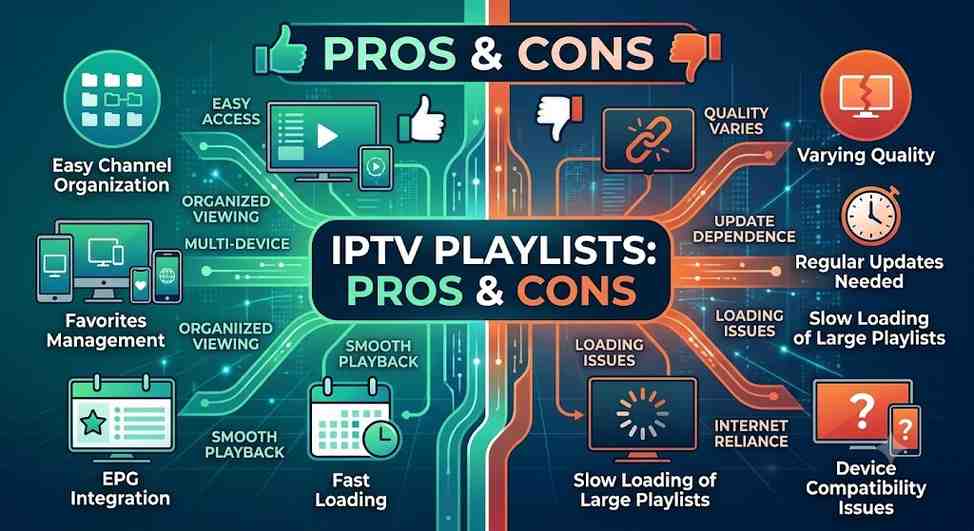
Pros & Cons
IPTV Playlist Comparison Table
| Pros | Cons |
|---|---|
| Easy channel organization | Playlist quality varies |
| Supports many devices | Some playlists require regular updates |
| Simple to import | Large playlists may load more slowly |
| Favorites management | Device compatibility may differ by app |
| Search functionality | Internet quality affects playback |
| Supports EPG integration | Setup steps vary between applications |
| Flexible viewing across platforms | Some advanced features depend on the IPTV player |
| Easy to update | Not all playlists are well organized |
Best Alternatives
If an IPTV playlist doesn’t fully meet your needs, there are several alternative methods for organizing and accessing streaming content.
1. Xtream Codes Login
Instead of importing an M3U playlist, some IPTV services allow users to sign in with:
- Username
- Password
- Server URL
This can simplify setup and automatic updates.
Best For:
- Beginners
- Users who prefer automatic configuration
2. XMLTV with EPG
An XMLTV guide enhances your IPTV experience by providing detailed scheduling information.
Benefits include:
- Program listings
- Upcoming shows
- TV guide interface
- Improved browsing
3. Media Server Software
Applications that organize local and internet-based media can provide a centralized entertainment experience, especially for users who manage both personal media libraries and streaming sources.
4. Built-in IPTV Provider Apps
Some IPTV providers offer their own applications with features such as:
- Automatic updates
- Favorites synchronization
- Built-in EPG
- Simplified account management
Alternative Comparison Table
| Alternative | Ease of Setup | Best For | Supports EPG |
|---|---|---|---|
| M3U Playlist | Easy | Most users | Yes |
| Xtream Login | Very Easy | Beginners | Yes |
| XMLTV Guide | Moderate | Program schedules | Yes |
| Provider App | Easy | Subscribers | Usually Yes |
Expert Tips
Want a smoother IPTV experience? These expert recommendations can help you get the most out of your playlist.
1. Keep Favorites Organized
Save your most-watched channels into favorites instead of browsing large channel lists every time.
2. Update Playlists Regularly
Refreshing your playlist helps keep categories organized and reduces the likelihood of outdated entries.
3. Use a Stable Internet Connection
Whenever possible:
- Use Ethernet instead of Wi-Fi.
- Reduce network congestion.
- Restart your router occasionally.
A stable connection generally results in smoother playback.
4. Enable EPG
An Electronic Program Guide makes it much easier to browse live television schedules and discover upcoming programs.
5. Remove Unused Categorie
Deleting categories you never use can make navigation faster and reduce clutter.
6. Keep Your IPTV Player Update
New versions often improve:
- Stability
- Security
- Compatibility
- Performance
7. Learn Keyboard or Remote Shortcut
Many IPTV applications support shortcuts for:
- Channel switching
- Searching
- Favorites
- Full-screen mode
- Playback controls
Using these shortcuts can make navigation much faster.
8. Test Changes Before Relying on Them
If you import a new playlist or modify settings, test them before making them part of your regular setup. This helps ensure compatibility and a smoother viewing experience.

Final Verdict
An IPTV playlist is a key part of modern internet-based television, helping users organize and access live channels, movies, series, and other multimedia content through compatible IPTV applications. Whether you’re watching on a Smart TV, smartphone, tablet, or desktop computer, a well-structured playlist can simplify navigation and create a more enjoyable viewing experience.
Choosing the right playlist involves more than simply looking for the largest channel count. Compatibility, organization, regular updates, EPG support, and ease of use all contribute to a smoother experience. By selecting a playlist that matches your devices and streaming needs, you’ll spend less time troubleshooting and more time enjoying your favorite content.
Remember to follow best practices by keeping your IPTV player updated, organizing your favorites, maintaining a reliable internet connection, and only using playlists and content that you are authorized to access. These habits can improve performance, protect your privacy, and help ensure a consistent streaming experience.
Whether you’re just getting started or looking to optimize an existing setup, understanding how IPTV playlists work gives you the knowledge to make informed decisions and get the most out of your IPTV experience.
Frequently Asked Questions (FAQs)
1. What is an IPTV playlist?
An IPTV playlist is a file or URL that contains links to streaming sources for live TV channels, movies, series, or other multimedia content. It allows compatible IPTV players to organize and play available streams in one interface.
2. What is the difference between an M3U and an M3U8 playlist?
An M3U playlist is a standard text-based playlist format, while M3U8 is a Unicode version of the same format that supports UTF-8 character encoding. Both are widely used by IPTV applications.
3. Which devices support IPTV playlists?
Most modern IPTV players support playlists on:
Smart TVs
Android TV
Amazon Fire TV
Android smartphones
iPhone and iPad
Windows PCs
macOS
Linux
Tablets
Always check your specific app’s compatibility before importing a playlist.
4. Do IPTV playlists require an internet connection?
Yes. IPTV streams are delivered over the internet, so a stable internet connection is essential for smooth playback.
5. Can I use one IPTV playlist on multiple devices?
In many cases, yes. If your IPTV player supports the playlist format and your content provider allows multi-device use, the same playlist can be imported on multiple compatible devices.
6. How do I update an IPTV playlist?
Many IPTV applications include a Refresh or Reload Playlist option. Some services also provide automatically updated playlists that synchronize when the app starts.
7. Why are some channels missing from my playlist?
Missing channels may be caused by:
An outdated playlist
Incomplete synchronization
Category filters
Changes made by the content source
Refreshing or re-importing the playlist often resolves the issue.
8. What internet speed is recommended for IPTV streaming?
While requirements vary, these speeds generally provide a good experience:
Streaming Quality
Recommended Speed
SD
5 Mbps
HD
10 Mbps
Full HD
20 Mbps
4K UHD
30 Mbps or higher
A wired Ethernet connection can provide greater stability than Wi-Fi.
9. Can I organize channels into favorites?
Yes. Most IPTV players allow you to create a favorites list, making it easier to access frequently watched channels.
10. What is an Electronic Program Guide (EPG)?
An Electronic Program Guide (EPG) displays information about current and upcoming TV programs, similar to the guide found on traditional cable or satellite television.
11. Are IPTV playlists compatible with Smart TVs?
Yes. Many Smart TVs support IPTV players that can import M3U or M3U8 playlists, although supported formats and features vary by application.
12. How can I reduce buffering while streaming?
To improve streaming performance:
Use a fast and stable internet connection.
Connect with Ethernet when possible.
Close unnecessary background applications.
Keep your IPTV player updated.
Restart your router periodically.
13. Can IPTV playlists include international channels?
Yes. Many playlists organize content by country or region, making it easier to browse international programming where available.
14. What’s the difference between an IPTV playlist and an IPTV player?
An IPTV playlist contains the information needed to locate available streams, while an IPTV player is the software or application that reads the playlist and plays the content.
15. How often should I refresh my IPTV playlist?
If your playlist changes frequently, refreshing it every few days or whenever updates are available helps keep channel listings current.
16. Can I customize my IPTV playlist?
Many IPTV applications allow you to:
Rename playlists
Reorder channels
Hide categories
Create favorites
Customize viewing layouts
Available features depend on the IPTV player you use.
17. Is an IPTV playlist the same as a streaming service?
No. A playlist is simply a list of streaming references or links. It is not a streaming service itself and does not host or deliver content.
18. What should I do if my playlist stops working?
Try these troubleshooting steps:
Check your internet connection.
Refresh the playlist.
Verify the playlist URL or file.
Restart the IPTV player.
Update the application.
Contact your service provider if applicable.