
Website : Mediumtoday
Reading Time: 18–20 Minutes
Table of Contents
- Introduction
- What Makes an IPTV Service Legal?
- Why Families Should Choose Legal IPTV Services
- Best Legal IPTV Services in 2026
- YouTube TV
- Hulu + Live TV
- Sling TV
- Fubo
- Philo
- DIRECTV STREAM
- Feature Comparison
- Pricing Comparison
- Device Compatibility
- How to Choose the Right IPTV Service
- Pros and Cons
- Conclusion
- FAQs
Introduction
Streaming television has changed the way families watch live channels, movies, sports, and on-demand content. Instead of relying on traditional cable or satellite subscriptions, many households now prefer Legal IPTV Services that deliver television over the internet.
Choosing a licensed IPTV provider offers more than convenience. It helps ensure reliable streaming, access to authorized content, regular app updates, and customer support. Unlike unauthorized IPTV services, legal providers have agreements with content owners and broadcasters, reducing the risk of service interruptions or copyright issues.
This guide compares some of the best legal IPTV services available in 2026. You’ll learn about their features, pricing, supported devices, and the types of viewers each service suits best.
👉✅Get Your Free Demo Today👈
What Makes an IPTV Service Legal?
Not every IPTV service operates under the same licensing model. A legal IPTV provider has the rights to distribute television channels, movies, and other programming.
A legal IPTV service typically offers:
- Licensed live TV channels
- Authorized on-demand content
- Official applications
- Transparent subscription pricing
- Customer support
- Secure payment methods
- Published terms of service
By contrast, unauthorized IPTV services often advertise thousands of premium channels for unusually low prices without demonstrating the necessary licensing agreements. Such services may disappear without notice, deliver inconsistent quality, or expose users to security risks.
Choosing a legal provider supports content creators and helps ensure a safer, more reliable viewing experience.
Why Families Choose Legal IPTV Services
Many families have moved away from cable because legal IPTV platforms provide flexibility and a wide range of entertainment options.
Benefits include:
- Watch on multiple devices
- Cloud DVR for recording programs
- Personalized user profiles
- Parental controls
- Kids’ programming
- Live sports
- News channels
- On-demand movies and TV shows
- High-definition and, where available, 4K streaming
Many providers also allow simultaneous streaming, making it easier for different family members to watch different content at the same time.
👉✅Get Your Free Demo Today👈
Best Legal IPTV Services in 2026
1. YouTube TV
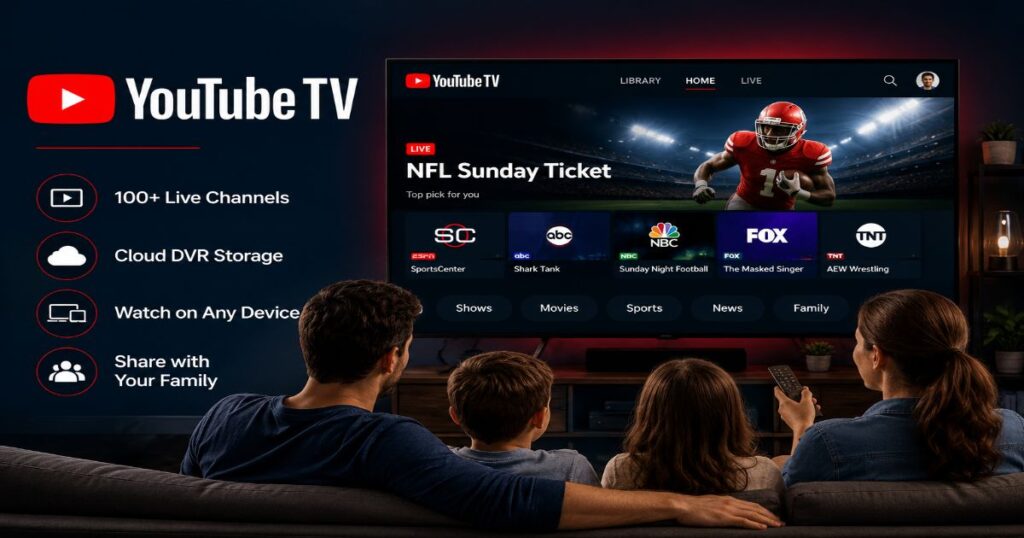
YouTube TV remains one of the most comprehensive legal IPTV services available in the United States.
Best For
Families looking for a wide selection of live TV channels, unlimited cloud DVR, and an easy-to-use interface.
Key Features
- Large lineup of live channels
- Unlimited Cloud DVR (subject to provider policies)
- Local channels in many markets
- Sports coverage
- News programming
- Entertainment channels
- Family sharing options
- Multiple simultaneous streams (depending on plan)
Supported Devices
- Android TV
- Google TV
- Apple TV
- Roku
- Amazon Fire TV
- Smart TVs
- Android smartphones
- iPhone
- Web browsers
Pros
- Excellent user interface
- Reliable streaming quality
- Strong sports coverage
- Extensive cloud DVR
- Frequent feature updates
Cons
- Higher monthly cost than some competitors
- Regional sports availability varies
- Channel availability depends on location
2. Hulu + Live TV
Hulu + Live TV combines live television with a large on-demand content library, making it attractive for families that enjoy both live broadcasts and streaming shows.
Best For
Viewers who want live TV alongside access to Hulu’s streaming catalog.
Key Features
- Live television
- On-demand movies and TV shows
- Disney+ bundle (depending on subscription)
- ESPN+ bundle (depending on subscription)
- Cloud DVR
- Personalized recommendations
Supported Devices
- Apple TV
- Roku
- Fire TV
- Android TV
- Smart TVs
- Xbox
- PlayStation
- Mobile devices
Pros
- Large entertainment library
- Strong value through bundled services
- Family-friendly content
- Good app experience
Cons
- Interface can feel busy
- Premium add-ons increase monthly cost
- Local channel availability varies
3. Sling TV
Sling TV is often recommended for viewers seeking a more affordable entry into legal live TV streaming.
Best For
Budget-conscious users who want flexibility in channel selection.
Key Features
- Multiple package options
- Entertainment channels
- Sports add-ons
- International programming
- Cloud DVR options
- Customizable subscriptions
Pros
- Lower starting price
- Flexible channel packages
- Easy to customize
- Good device compatibility
Cons
- Fewer included local channels than some competitors
- Popular channels may require add-on packages
- DVR storage varies by plan
👉✅Get Your Free Demo Today👈
4. Fubo
Fubo is a licensed live TV streaming service known for its extensive sports coverage while also offering entertainment, news, and family programming.

Best For
Sports fans who also want access to general entertainment and local television channels.
Key Features
- Extensive sports channel lineup
- Local broadcast channels in many areas
- Cloud DVR
- Multiple simultaneous streams (plan dependent)
- On-demand library
- 4K streaming for select events and supported devices
Supported Devices
- Amazon Fire TV
- Roku
- Apple TV
- Android TV
- Google TV
- Samsung Smart TV
- LG Smart TV
- iPhone and iPad
- Android phones and tablets
- Web browsers
Pros
- Excellent sports coverage
- Wide channel selection
- Reliable streaming quality
- User-friendly interface
- Supports multiple devices
Cons
- Higher monthly cost than some competitors
- Regional sports availability varies
- Some premium channels require additional packages
5. Philo
Philo focuses on affordable entertainment and lifestyle programming. It is designed for viewers who don’t need sports or many local channels.
Best For
Families looking for an affordable entertainment-focused streaming service.
Key Features
- Entertainment and lifestyle channels
- Unlimited DVR with storage limits based on provider policies
- Multiple simultaneous streams
- On-demand content
- Easy-to-use interface
Supported Devices
- Roku
- Apple TV
- Fire TV
- Android TV
- Chromecast
- Samsung Smart TVs (supported models)
- Android devices
- iPhone and iPad
- Web browsers
Pros
- One of the most affordable legal IPTV services
- Easy setup
- Great entertainment selection
- Family-friendly channels
Cons
- No major sports channels
- Limited local channels
- Not ideal for viewers who primarily watch live sports
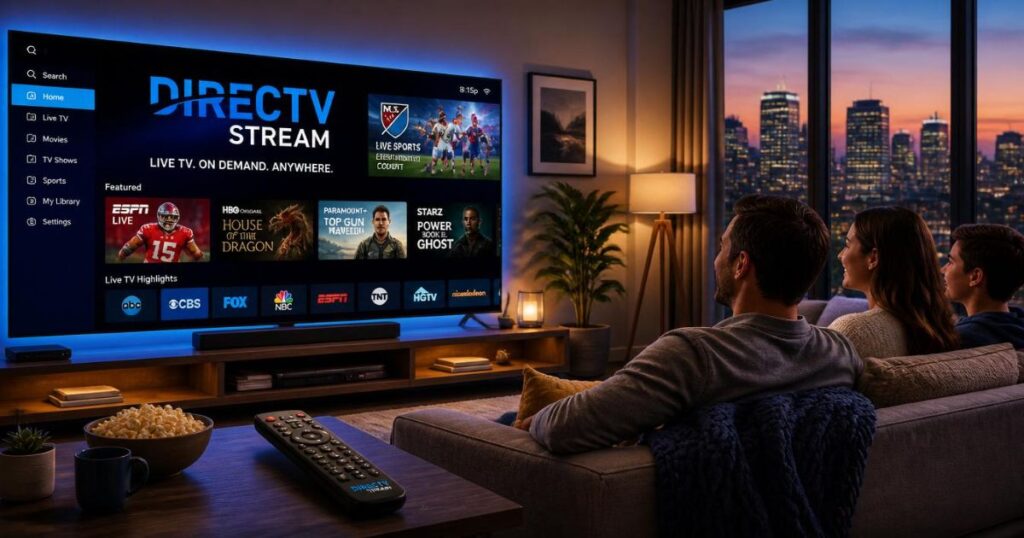
6. DIRECTV STREAM
DIRECTV STREAM is designed for viewers who want a cable-like experience without installing traditional cable equipment.
Best For
Households that want a broad channel lineup, including regional sports and premium add-ons.
Key Features
- Large selection of live TV channels
- Regional sports networks in select plans
- Cloud DVR
- Premium channel add-ons
- Multiple streaming options
Supported Devices
- Fire TV
- Roku
- Apple TV
- Android TV
- Google TV
- Smart TVs
- Mobile devices
- Web browsers
Pros
- Comprehensive channel lineup
- Strong sports offerings
- Good streaming quality
- Familiar TV guide interface
Cons
- More expensive than many competitors
- Package selection can be confusing
- Regional availability may vary
Comparison Table
| Service | Best For | Live TV | Cloud DVR | Sports | Family Content | Multiple Streams |
|---|---|---|---|---|---|---|
| YouTube TV | Overall value | ✔ | ✔ | Excellent | Excellent | Yes |
| Hulu + Live TV | Entertainment | ✔ | ✔ | Very Good | Excellent | Yes |
| Sling TV | Budget users | ✔ | Optional/Plan-based | Good | Good | Yes |
| Fubo | Sports fans | ✔ | ✔ | Excellent | Good | Yes |
| Philo | Entertainment | ✔ | ✔ | Limited | Excellent | Yes |
| DIRECTV STREAM | Cable replacement | ✔ | ✔ | Excellent | Very Good | Yes |
Features and availability vary by subscription plan and region.
Pricing Overview
Monthly pricing changes regularly due to promotions, regional fees, and package updates. Instead of relying on outdated numbers, compare providers based on overall value.
| Service | Budget Level |
| Philo | Budget-friendly |
| Sling TV | Budget to Mid-range |
| Hulu + Live TV | Mid to Premium |
| YouTube TV | Premium |
| Fubo | Premium |
| DIRECTV STREAM | Premium |
Always check the provider’s official website for current pricing, trial offers, taxes, and available bundles before subscribing.
👉✅Get Your Free Demo Today👈
Device Compatibility
Most leading legal IPTV services support popular streaming platforms.
Smart TVs
- Samsung Smart TV
- LG Smart TV
- Android TV
- Google TV
Streaming Devices
- Amazon Fire TV Stick
- Roku
- Apple TV
- Chromecast
Mobile Devices
- Android smartphones
- Android tablets
- iPhone
- iPad
Computers
- Windows
- macOS
- Linux (supported browsers)
Gaming Consoles
Some providers also support platforms such as Xbox or PlayStation. Compatibility differs by service and may change over time.
How to Choose the Right Legal IPTV Service
The best IPTV service depends on your viewing habits rather than simply the number of channels offered.
Consider Your Budget
Choose a service that fits your monthly entertainment budget. Remember to account for premium channel add-ons if you plan to subscribe to them.
Think About What You Watch
Different providers focus on different audiences.
- Sports fans may prefer Fubo or YouTube TV.
- Entertainment-focused households may enjoy Philo.
- Viewers wanting a balance of live TV and on-demand content may like Hulu + Live TV.
- Those replacing traditional cable may appreciate DIRECTV STREAM.
Check Device Support
Before subscribing, confirm that the service supports every device your household uses.
Look for Family Features
Useful family-friendly features include:
- Multiple user profiles
- Simultaneous streaming
- Parental controls
- Kids’ programming
- Cloud DVR
Review Local Channel Availability
Local stations differ by market. Verify that your preferred local news and broadcast channels are included in your area.
Expert Tips
- Start with a free trial if one is available.
- Compare channel lineups instead of choosing solely by price.
- Make sure your internet connection can support HD or 4K streaming.
- Review simultaneous streaming limits if several family members watch at the same time.
- Check whether premium channels require separate subscriptions.
- Revisit your subscription every year, as plans and pricing may change.
Common Mistakes to Avoid
- Choosing a service without checking local channel availability.
- Paying for sports packages you won’t use.
- Assuming every provider includes unlimited DVR.
- Ignoring device compatibility.
- Confusing licensed IPTV providers with unauthorized IPTV services.
- Overlooking parental controls when children will use the service.
By comparing features carefully, you can choose a legal IPTV service that matches your family’s viewing habits while providing reliable access to licensed content.
👉✅Get Your Free Demo Today👈
Final Thoughts
Legal IPTV services continue to be a practical choice for families looking to enjoy live television and on-demand entertainment through an internet connection. Today’s licensed providers offer features such as cloud DVR, multi-device support, personalized profiles, and flexible subscription options that make them a compelling alternative to traditional cable.
When comparing services, don’t focus only on the number of channels. Consider the content your family actually watches, the devices you own, your monthly budget, and whether features like parental controls or simultaneous streaming are important to your household.
Because pricing, channel lineups, supported devices, and promotional offers can change, it’s always a good idea to review the latest information on each provider’s official website before making a decision.
Authoritative External Sources
When referencing facts or helping readers verify current information, consider linking to official resources such as:
- Official websites of YouTube TV, Hulu, Sling TV, Fubo, Philo, and DIRECTV STREAM.
- The U.S. Federal Communications Commission (FCC) for consumer information.
- Streaming device manufacturers such as Roku, Apple, Amazon, and Google.
- Official support documentation from each IPTV provider.
Content Accuracy & Updates
This article is based on the latest publicly available information available at the time of writing.
Channel lineups, subscription prices, supported devices, cloud DVR features, and regional availability may change over time. Always verify the latest details with the provider before subscribing.
This guide distinguishes licensed IPTV services from unauthorized providers and does not recommend or promote illegal streaming services.
Editorial Note
We review this content regularly to keep it accurate, relevant, and helpful.
Email: purvangwebix@gmail.com
If you discover outdated information or would like to suggest improvements, please contact your editorial team using your website’s preferred contact method.
Your feedback helps maintain trustworthy, reader-focused content.
Frequently Asked Questions
What are legal IPTV services?
Legal IPTV services are licensed streaming platforms that deliver live TV channels and on-demand content over the internet. They obtain distribution rights from broadcasters and content owners, helping ensure reliable service and compliance with copyright laws.
Are legal IPTV services safe to use?
Generally, yes. Licensed IPTV providers usually offer secure apps, regular software updates, encrypted payment systems, and customer support. They are typically more reliable than unauthorized services, which may expose users to security, privacy, or service interruption risks.
Which legal IPTV service is best for families?
The best choice depends on your household’s viewing habits.
YouTube TV is well suited for families wanting a broad selection of live channels and cloud DVR.
Hulu + Live TV combines live television with a large on-demand library.
Philo is a budget-friendly option for entertainment-focused households.
Which IPTV service is best for sports?
Sports fans often choose services such as Fubo, YouTube TV, or DIRECTV STREAM, depending on the leagues, regional sports networks, and local channel availability in their area.
Do legal IPTV services include local channels?
Many providers offer local ABC, CBS, FOX, NBC, and PBS stations where licensing agreements and regional availability allow. Channel lineups vary by ZIP code, so it’s important to verify availability before subscribing.
Can I watch legal IPTV on multiple devices?
Yes. Most licensed IPTV services support streaming on Smart TVs, Fire TV, Roku, Apple TV, Android TV, smartphones, tablets, and web browsers. The number of simultaneous streams depends on your subscription plan.
Do legal IPTV services offer DVR?
Many providers include cloud DVR, though storage capacity, recording retention, and playback features differ by service and plan. Check the latest plan details before subscribing.
Is IPTV better than traditional cable?
For many households, IPTV offers greater flexibility because you can stream on multiple compatible devices without installing cable equipment. However, the better option depends on your budget, preferred channels, internet reliability, and viewing habits.
What internet speed is recommended for IPTV?
For a smooth experience, many providers recommend approximately:
Streaming Quality
Recommended Speed
SD
3–5 Mbps
HD
5–10 Mbps
Full HD
10–20 Mbps
4K UHD
25 Mbps or higher
These are general guidelines. Actual requirements may vary depending on the provider, your home network, and the number of devices streaming simultaneously.