
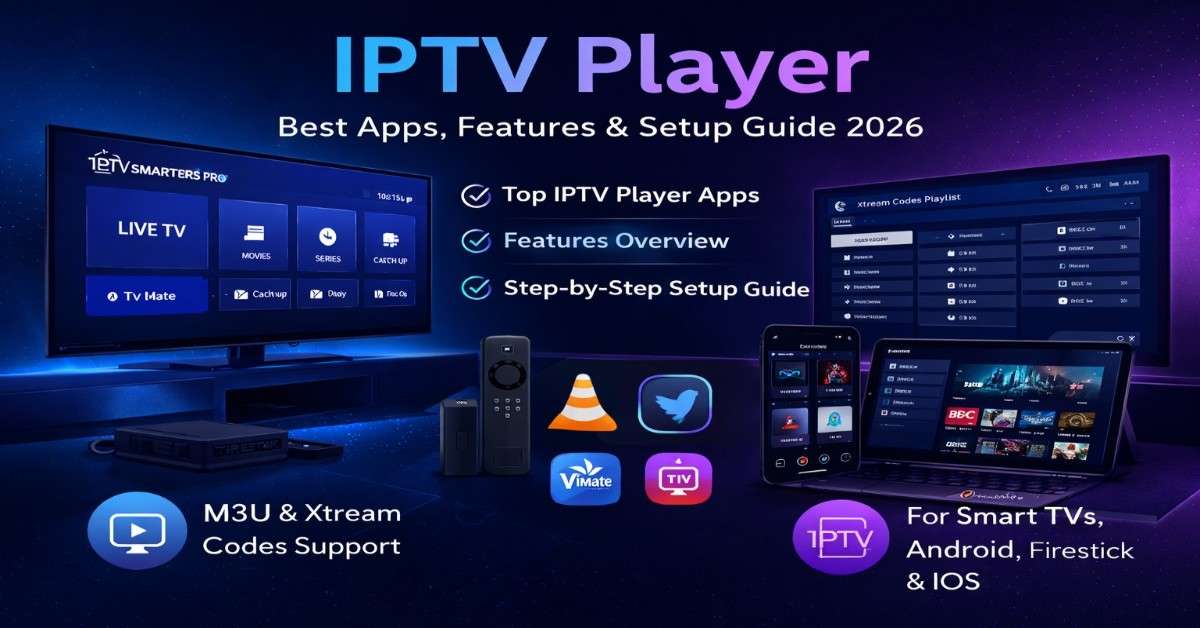
The rise of IPTV (Internet Protocol Television) has transformed the way people stream live TV, movies, and on-demand content. At the center of this experience is the —a powerful tool that allows users to access IPTV content smoothly across multiple devices.
In this comprehensive guide, we’ll explore everything you need to know about IPTV players, including how they work, their features, benefits, setup process, and how to choose the best one for your needs.

Overview
An player is software or an application that enables users to stream IPTV content using playlists such as M3U URLs or Xtream Codes API.
Unlike traditional streaming apps, players do not provide content. Instead, they act as a media player interface that connects to IPTV service providers.
What is an IPTV Player?
An player is a media application designed specifically to stream live TV channels, video-on-demand (VOD), and catch-up TV from IPTV services.
These players decode and display content delivered over the internet using IPTV protocols.
Key Functions
- Load IPTV playlists (M3U, M3U8)
- Support Xtream Codes login
- Stream live TV and VOD
- Manage channel lists and EPG (Electronic Program Guide)
How IPTV Player Works
Players work by connecting to an IPTV provider using a playlist or login credentials.
Process:
- User installs an IPTV player
- Adds M3U URL or Xtream Codes
- Player fetches channel list and content
- Streams content via internet connection
The player itself does not host or store any content—it simply plays what is provided.
Key Features
1. Playlist Support
Supports M3U and M3U8 playlist formats for easy content integration.
2. EPG Integration
Displays TV schedules and program guides for a better user experience.
3. Multi-Screen Viewing
Allows watching multiple channels simultaneously (in supported apps).
4. External Player Support
Supports integration with third-party video players like VLC or MX Player.
5. Catch-Up TV
Enables users to watch previously aired programs.
6. Parental Controls
Restricts access to certain channels or content.
Benefits of Using Players
Flexible Streaming
Watch content anytime, anywhere using internet-enabled devices.
Multi-Device Compatibility
Works across smartphones, tablets, Smart TVs, PCs, and streaming devices.
Customizable Experience
Users can organize playlists, create favorites, and personalize settings.
Cost-Effective
Many IPTV players are free or offer affordable premium versions.
Types of IPTV Players
1. Mobile Players
Designed for Android and iOS smartphones.
2. Smart TV Players
Optimized for large screens and remote navigation.
3. Desktop Players
Available for Windows and macOS users.
4. Web-Based Players
Run directly in browsers without installation.
Best IPTV Player Apps (2026)
Here are some of the most popular players:
1. IPTV Smarters Pro
- User-friendly interface
- Supports Xtream Codes & M3U
- Multi-screen support
2. TiviMate
- Advanced UI for Android TV
- EPG support
- Premium features available
3. VLC Media Player
- Free and open-source
- Supports M3U streaming
- Cross-platform compatibility
4. Perfect Player
- Lightweight and fast
- Advanced customization options
5. GSE Smart IPTV
- Available on Android & iOS
- Supports multiple formats
- Built-in player
IPTV Player vs IPTV App
| Feature | IPTV Player | IPTV App |
|---|---|---|
| Content | No content | Provides content |
| Usage | Requires IPTV subscription | Works independently |
| Flexibility | High | Limited |
| Customization | Advanced | Basic |
Supported Devices
players are compatible with a wide range of devices:
- Android smartphones & tablets
- iPhones & iPads
- Smart TVs (Samsung, LG, Android TV)
- FireStick & Fire TV
- Windows & macOS computers
IPTV Player Installation Guide
Step-by-Step Setup
- Download player from app store
- Install and open the app
- Choose login method:
- M3U URL
- Xtream Codes API
- Enter IPTV provider details
- Load channels and start streaming
Pricing
| Plan Type | Price Range | Features |
|---|---|---|
| Free Version | Free | Basic features, ads |
| Premium | $5 – $20/year | No ads, advanced features |
| Lifetime | $20 – $50 | One-time payment |
Common Issues and Fixes
Buffering Problems
- Check internet speed
- Use a stable connection
- Switch servers
Playlist Not Loading
- Verify M3U URL
- Check provider status
App Crashing
- Update the app
- Clear cache
IPTV Player Safety & Legal Considerations
Using an player is completely legal. However, legality depends on the IPTV service provider you use.
Tips for Safe Usage
- Use licensed IPTV services
- Avoid pirated content
- Use a VPN for privacy
- Keep apps updated
IPTV Player vs OTT Apps
| Feature | IPTV Player | OTT Apps |
|---|---|---|
| Content Source | External IPTV provider | Built-in platform content |
| Flexibility | High | Limited |
| Cost | Lower | Multiple subscriptions |
| Content Type | Live TV + VOD | Mostly VOD |
Tips to Choose the Best IPTV Player
- Check compatibility with your device
- Look for EPG support
- Ensure smooth UI and performance
- Consider premium features
- Read user reviews
Future of Players
The player market is evolving rapidly with new features and technologies.
Upcoming Trends
- AI-based recommendations
- Cloud synchronization
- 4K and 8K streaming support
- Voice control integration
Final Thoughts
An player is an essential tool for anyone looking to stream IPTV content efficiently. It offers flexibility, customization, and compatibility across devices, making it a preferred choice for modern streaming users.
Whether you are a beginner or an advanced user, choosing the right player can significantly enhance your streaming experience.
FAQs
What is the best IPTV player?
Popular options include IPTV Smarters Pro, TiviMate, and VLC Media Player.
Is IPTV player free?
Many players offer free versions with optional premium upgrades.
Do IPTV players provide channels?
No, they only play content from IPTV providers.
Can I use IPTV player on Smart TV?
Yes, most players support Smart TVs.
Is IPTV player legal?
Yes, but legality depends on the content source.