
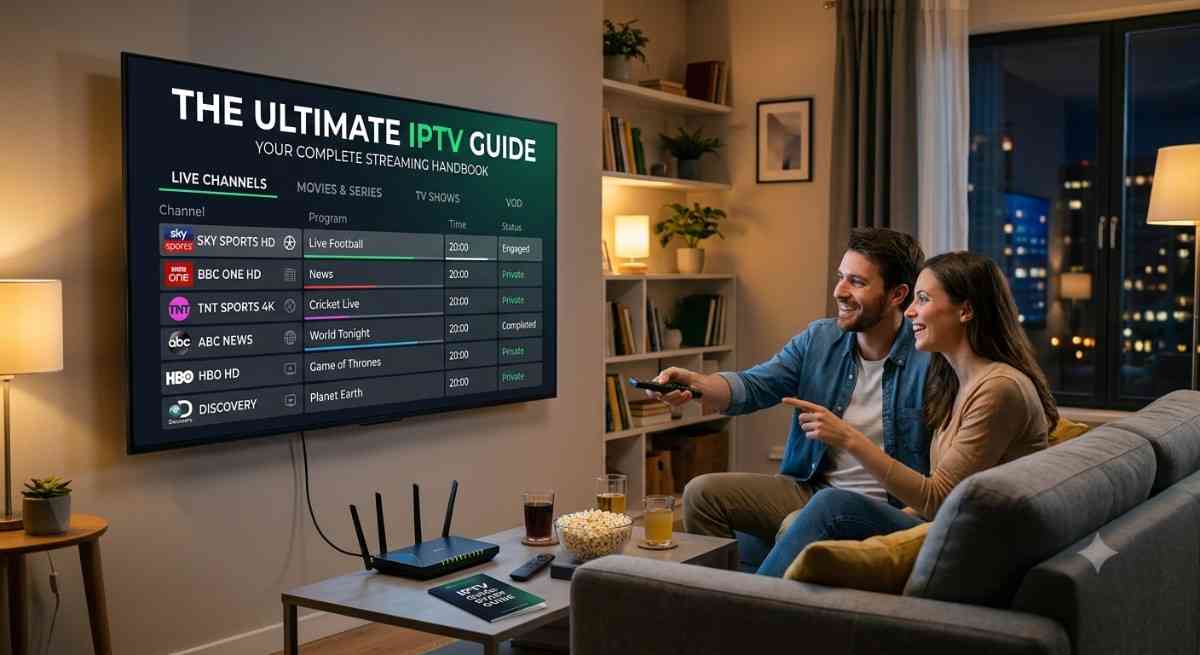
Traditional cable systems and bulky satellite dishes are no longer the only options for home entertainment. Modern broadband networks now let viewers stream live TV, local channels, and extensive on-demand libraries directly over the internet. This IPTV Guide explains how internet-based television works, its key benefits, and what you should know before choosing an IPTV service for your home.
Understanding how internet-delivered television works helps you pick the right devices, choose reliable applications, and build a buffer-free setup for your home. This comprehensive guide breaks down the core concepts, key hardware requirements, and essential setup steps to get you started.
How Internet TV Protocol Works: An IPTV Guide
Internet Protocol Television delivers broadcast programming over internet network protocols rather than through terrestrial radio waves or satellite connections. When you select a stream on your device, video content is transmitted in real-time digital packets directly from cloud servers.
This digital delivery system gives viewers far greater flexibility compared to old broadcasting methods:
- Live Broadcasts: Tune into real-time linear channels for news, live sports, and scheduled entertainment.
- Time-Shifted Media: Watch recent broadcasts you missed using built-in catch-up features.
- Video on Demand (VOD): Browse searchable libraries of movies and TV show series whenever you want.
Because data streams continuously across your network, your internet connection speed directly impacts playback quality. A stable broadband connection ensures your video plays smoothly without unexpected freezing or pixelation.
Essential Hardware and Internet Requirements
Setting up a reliable streaming environment requires matching your network capability with the right hardware.
Broadband Speed Guidelines
- Standard Definition (SD): Minimum 5 Mbps download speed.
- High Definition (HD): Minimum 10 Mbps to 15 Mbps download speed.
- 4K Ultra HD: Minimum 30 Mbps download speed per active device.
Recommended Streaming Devices
Modern smart devices process incoming video feeds quickly and offer user-friendly remote control menus. Popular options include Amazon Firestick, Android TV boxes (like Nvidia Shield or Chromecast), Smart TVs, Apple TV, and standard computers.
Connecting your streaming hardware directly to your router using an Ethernet cable provides the most stable connection. If you rely on Wi-Fi, using a 5 GHz network frequency helps avoid wireless interference from other household electronics.
🚀 Start Your IPTV Free Trial Today
Understanding Player Apps vs. Playlist Sources
A common point of confusion for beginners is the difference between a player application and a channel playlist source.
A media player app (such as TiviMate, IPTV Smarters Pro, or XCIPTV) acts purely as the software interface on your device. It provides the graphical TV guide, playback controls, and category sorting options.
A channel playlist source provides the actual video stream links and broadcast data. These playlists usually import into your player app using an M3U file link or Xtream Codes API login credentials (username, password, and server URL).
Electronic Program Guides (EPG) Explained
An Electronic Program Guide (EPG) is the interactive schedule grid inside your player app. It shows channel logos, program titles, airing times, show descriptions, and upcoming broadcasts.
Most player apps import EPG data automatically when you load your playlist credentials. A well-integrated EPG allows you to set show reminders, schedule cloud DVR recordings, and quickly search across hundreds of channel listings.
If your program schedule appears blank, simply navigate to your app settings menu and select the option to update or refresh EPG data.
✅ Choose the Best IPTV Service for You
Step-by-Step Setup Process
Getting your system up and running involves a straightforward installation sequence:
- Connect your streaming hardware to your television and ensure it has a stable internet connection.
- Open your device app store and install a high-rated media player app.
- Open the player application and navigate to the Add Playlist or Add User menu.
- Choose your login method (M3U URL or Xtream Codes API).
- Carefully enter your playlist web link or account login details.
- Allow the software a few seconds to import channel feeds and EPG guide schedules.
- Create a Favorites list to group your daily channels for faster access.
Troubleshooting Buffering and Playback Issues
Even well-configured systems can encounter playback glitches on occasion. Resolving most streaming errors requires simple network tweaks:
- Switch to Wired Connections: Ethernet cables eliminate signal drops associated with Wi-Fi.
- Adjust Stream Buffer Size: Increase the playback buffer setting inside your app options to give your system a small video reserve.
- Clear App Cache: Clear temporary stored files inside your device settings menu to free up operating memory.
- Restart Network Hardware: Power-cycle your internet modem and router once a month to clear routing bottlenecks.
Mastering these basics gives you complete control over your viewing experience, ensuring smooth, high-definition entertainment on every screen in your home.
Also Read : IPTV Smarters Pro
Summary of Key Takeaways
Transitioning to an internet-based television setup gives you full control over how, when, and where you watch live programming. By understanding the key difference between player software and playlist feeds, choosing suitable streaming devices, and keeping your home network optimized, you can eliminate complex wiring and high monthly hardware rentals.
Taking a structured approach to setting up your Electronic Program Guide and configuring buffer settings guarantees a crisp, reliable viewing experience for your entire household.
Frequently Asked Questions.
What is the main benefit of using an internet TV guide?
An Electronic Program Guide (EPG) organizes hundreds of raw streaming feeds into an intuitive grid menu. It allows you to check upcoming show schedules, set reminders, view show details, and access catch-up or cloud DVR recordings with a single click.
Why is my channel guide not showing any schedule details?
A blank channel schedule usually means the app failed to sync with the EPG URL, or the server source experienced a brief connection drop. You can usually resolve this by navigating to your app settings menu and selecting the option to force an EPG update or refresh.
Do I need a smart TV to use internet television?
No, you do not need a smart TV. You can connect a low-cost streaming media stick or box (such as an Amazon Firestick, Google Chromecast, or Apple TV) to any standard TV equipped with an HDMI port.
How much internet speed do I need for buffer-free viewing?
A consistent download speed of 10 Mbps to 15 Mbps works well for standard HD broadcasts. If you stream live sports or 4K Ultra HD video, aim for a steady broadband speed of 30 Mbps or higher per active screen.
What should I do if channels buffer frequently?
Frequent buffering is typically caused by Wi-Fi signal drops or network congestion. Try connecting your streaming device directly to your router with an Ethernet cable, clearing the player app cache, or increasing the buffer memory size inside your application settings.