
IPTV Smarters Pro Subscription: A Complete Guide to Modern IPTV Streaming
Television habits have changed dramatically. Many viewers no longer want to wait for scheduled programs, pay expensive cable packages, or manage multiple entertainment subscriptions. They want flexibility, more channels, and the ability to watch content wherever they are.
This is where IPTV Smarters has gained attention.
For users searching for the best IPTV experience, IPTV Smarters Pro is often mentioned as a powerful streaming application that organizes live TV channels, movies, series, and other IPTV content in one convenient interface.
However, many beginners misunderstand what IPTV Smarters actually is. It is not a television provider itself. Instead, it is an IPTV player that connects with a compatible IPTV subscription service through login details provided by a provider.
Understanding this difference is essential before purchasing any IPTV subscription.
A good IPTV setup combines three important elements:
- A reliable IPTV provider
- The IPTV Smarters application
- A stable internet connection
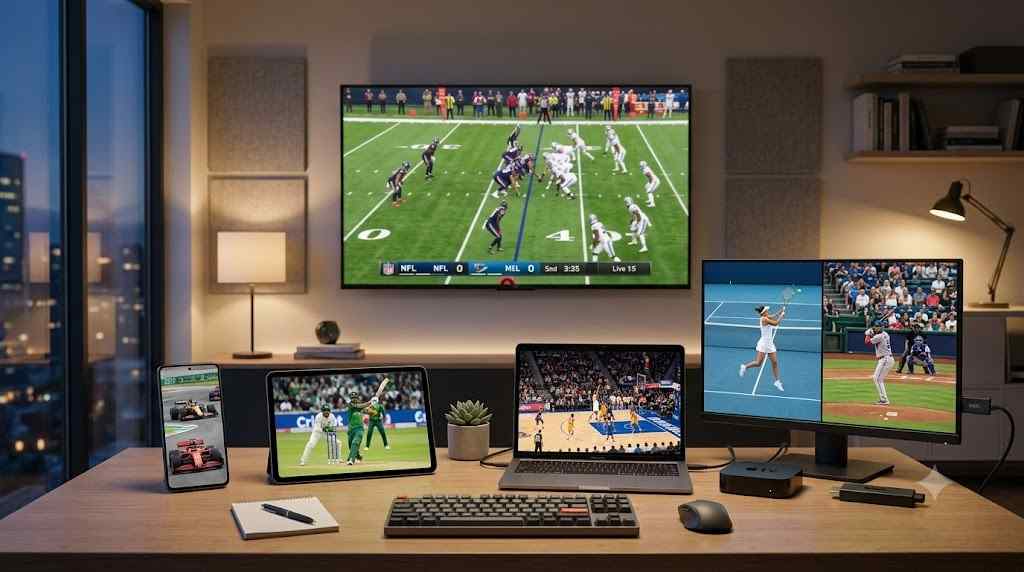
When these parts work together, users can enjoy a smoother entertainment experience across devices such as Smart TVs, Fire TV devices, Android phones, tablets, and computers.
This guide explains everything you need to know about IPTV Smarters Pro subscriptions, including features, setup instructions, advantages, possible drawbacks, and practical advice for choosing a quality IPTV service.

What Is IPTV Smarters Pro?
IPTV Smarters Pro is an IPTV media player application designed to help users access and manage IPTV content from a compatible service provider.
Unlike traditional cable television, IPTV (Internet Protocol Television) delivers channels and video content through an internet connection rather than satellite signals or cable infrastructure.
The application acts like a modern television dashboard.
Instead of switching between different apps or searching through complicated menus, IPTV Smarters provides a structured interface where users can access:
- Live TV channels
- Video-on-demand movies
- TV series libraries
- Electronic program guides (EPG)
- Catch-up television (when supported)
- Multiple playlists
- Parental control options
The software itself does not broadcast channels. Users need IPTV login information, usually provided through:
- M3U playlists
- Xtream Codes API
- Portal connections
This setup allows IPTV Smarters to display content supplied by the IPTV provider.
How IPTV Smarters Differs From IPTV Providers
This is one of the most common areas of confusion.
Think of IPTV Smarters as a streaming platform similar to a media player, while the IPTV provider is the company supplying the channels.
A simple comparison:
| Component | Purpose |
|---|---|
| IPTV Provider | Supplies live channels and content |
| IPTV Smarters Pro | Plays and organizes the content |
| Internet Connection | Transfers the streaming data |
For example, purchasing IPTV Smarters does not automatically give access to thousands of channels. You still need a subscription from a legitimate IPTV service provider.
Why IPTV Smarters Has Become Popular Worldwide
The popularity of IPTV Smarters is connected to changing consumer expectations.
People want entertainment that fits their lifestyle. A viewer in the USA may want international channels, while someone in Europe may want access to content from another country.
Traditional television packages often limit this flexibility.
IPTV Smarters offers a more customizable approach.
Global Entertainment Access
One major advantage of IPTV services is geographic flexibility.
A person living in:
- United States
- United Kingdom
- Canada
- Australia
- Germany
- France
- Italy
- Spain
- Brazil
- Japan
- South Korea
may use IPTV platforms to access content from different regions, depending on the IPTV provider and licensing availability.
International viewers especially appreciate IPTV because it can help them stay connected with programs from their home countries.
For example:
- A Spanish speaker living abroad may want Spanish television channels.
- A sports fan may want international sports coverage.
- A traveler may prefer one entertainment setup across multiple locations.
Main Reasons Users Choose IPTV Smarters
1. Multi-Device Flexibility
Modern viewers rarely watch television from only one device.
A typical household may use:
- Smart TV in the living room
- Smartphone during travel
- Tablet while relaxing
- Laptop while working remotely
IPTV Smarters supports multiple platforms, allowing users to create a more flexible viewing experience.
2. Simple User Interface
Many IPTV beginners struggle with complicated streaming setups.
IPTV Smarters became popular because its interface feels familiar.
Users can browse categories, search content, view channel lists, and organize favorites without advanced technical knowledge.
3. Organized Content Management
Large IPTV playlists can contain thousands of channels.
Without proper organization, finding content becomes frustrating.
IPTV Smarters helps arrange content into sections such as:
- Live television
- Movies
- Series
- Sports
- International channels
This improves navigation and saves time.
4. Better Alternative to Multiple Streaming Apps
Many households subscribe to several platforms:
- One service for movies
- Another for sports
- Another for international content
An IPTV setup can provide a centralized viewing experience, reducing the need to switch between different applications.
How IPTV Smarters Works With IPTV Services
The technology behind IPTV Smarters is relatively simple.
Instead of receiving television signals through a traditional cable line, IPTV sends video data through internet protocols.
The basic process looks like this:
- The IPTV provider hosts television streams.
- The user receives account credentials.
- IPTV Smarters connects to the provider server.
- The application displays available channels and content.
- The user streams content through their internet connection.
IPTV Smarters Login Methods Explained
Most IPTV services provide one of three connection methods.
Xtream Codes API
This is one of the easiest methods for beginners.
Users normally enter:
- Username
- Password
- Server URL
The application automatically loads available channels and categories.
M3U Playlist
An M3U playlist is a file or URL containing channel information.
It may include:
- Channel names
- Streaming links
- Categories
- Program information
Advanced users often prefer this method because it provides more customization.
Portal Connection
Some IPTV systems use a portal-based setup, commonly associated with certain IPTV devices.
This method connects the application directly with the provider’s server environment.
IPTV Smarters Pro Features Explained
The success of IPTV Smarters comes from its combination of simplicity and advanced features.
Below are the features that make it attractive for beginners and experienced IPTV users.
Live TV Streaming
The core feature is live television access.
Users can browse channels in real time and often organize them by categories such as:
- News
- Sports
- Entertainment
- Kids
- International programming
A quality IPTV subscription combined with IPTV Smarters can create an experience similar to a traditional television receiver but with more flexibility.
Electronic Program Guide (EPG)
The Electronic Program Guide provides television scheduling information.
Instead of guessing what is currently playing, users can view:
- Current programs
- Upcoming shows
- Channel schedules
A properly configured EPG makes IPTV navigation much easier.
Video-On-Demand Library
Many IPTV services include movies and television series.
IPTV Smarters can organize this content into categories, making it easier to discover entertainment.
Common sections include:
- Latest movies
- Popular series
- Genres
- Recently added content
Multiple Account Support
Some users manage multiple IPTV subscriptions.
For example:
- Personal subscription
- Backup provider
- Family account
IPTV Smarters allows easier management of different profiles depending on the version and platform.
IPTV Smarters vs Traditional Television Services
The biggest reason users explore IPTV solutions is dissatisfaction with traditional television limitations.
Cable and satellite services have improved over time, but many viewers still experience problems such as expensive packages, limited channel selection, and long-term contracts.
IPTV Smarters provides a different approach by focusing on internet-based streaming and flexible access.
Comparison: IPTV Smarters Setup vs Cable TV
| Feature | IPTV Smarters Setup | Traditional Cable TV |
|---|---|---|
| Delivery Method | Internet streaming | Cable or satellite signals |
| Device Flexibility | Multiple devices | Usually limited receivers |
| International Channels | Often available through providers | May require additional packages |
| Installation | App-based setup | Hardware installation often required |
| Contract Requirement | Depends on provider | Common with many providers |
| Portability | Can travel with compatible devices | Fixed location service |
| Content Organization | Digital categories and search | Traditional channel guide |
The right choice depends on personal preferences.
Someone who watches only local channels may prefer conventional television. However, users who want flexibility, international programming, and multi-device streaming often explore IPTV solutions.
How to Choose the Best IPTV Subscription for IPTV Smarters
Selecting an IPTV provider is the most important decision in creating a reliable streaming experience.
Many beginners focus only on channel quantity. A provider advertising thousands of channels may appear attractive, but channel numbers alone do not guarantee quality.
A smaller, well-maintained service can often provide a better experience than an overloaded platform.
Factors to Evaluate Before Buying IPTV
1. Streaming Stability
A premium IPTV service should prioritize consistent performance.
Look for providers that focus on:
- Stable servers
- Minimal buffering
- Reliable uptime
- Fast channel switching
A service with fewer interruptions usually creates a better experience than one with an extremely large channel list.
2. Device Compatibility
Before purchasing, check whether the IPTV subscription works with your preferred devices.
Common compatible platforms include:
- Android TV
- Amazon Fire TV devices
- Smart TVs
- Smartphones
- Tablets
- Windows computers
- macOS systems
A good IPTV service should clearly explain supported applications and setup methods.
3. Channel Categories
Different viewers have different needs.
A sports enthusiast may prioritize:
- Live sports channels
- International sports coverage
- Pay-per-view availability
A family may care more about:
- Kids channels
- Movies
- Educational programs
A global user may prioritize:
- European channels
- Asian channels
- Latin American content
The “best IPTV” service is not identical for everyone.
4. Customer Support Quality
Technical issues can happen with any streaming platform.
Reliable IPTV providers should offer useful support channels and clear setup instructions.
Good customer support helps with:
- Login problems
- Device configuration
- Playlist errors
- Connection issues
5. Trial Options
A trial period can help users evaluate:
- Streaming quality
- Channel availability
- Application compatibility
- Server performance
Testing before committing to a longer subscription is usually a smarter approach.
IPTV Smarters Pro Installation Guide for Beginners
One reason IPTV Smarters is popular is because setup is relatively straightforward.
The exact installation process depends on your device, but the general steps remain similar.
Step 1: Download IPTV Smarters
Install the IPTV Smarters application from the official app store or the supported platform source for your device.
Available versions may include:
- Android
- iOS
- Smart TV platforms
- Windows
- macOS
Always download applications from trusted sources to reduce security risks.
Step 2: Open the Application
After installation:
- Launch IPTV Smarters.
- Accept required permissions.
- Choose the login method provided by your IPTV provider.
The app itself does not create an account. Your IPTV provider supplies the access information.
Step 3: Add IPTV Account Details
Depending on your subscription, enter:
Xtream Codes Login
Usually requires:
- Username
- Password
- Server address
M3U Playlist
Requires:
- Playlist URL
- Account name
Once connected, the application downloads available content.
Step 4: Customize Your Experience
After loading your IPTV account, personalize settings.
Recommended adjustments:
- Add favorite channels
- Organize categories
- Enable parental controls if needed
- Configure subtitles
- Adjust playback settings
Small improvements can make daily usage much easier.
IPTV Smarters Supported Devices
One of the biggest advantages of IPTV Smarters is device flexibility.
Smart TVs
Many users install IPTV applications directly on smart televisions.
Popular platforms include:
- Android TV devices
- Samsung Smart TVs (depending on app availability)
- LG Smart TVs (depending on supported versions)
A large-screen viewing experience is one of the main reasons IPTV users choose Smart TV compatibility.
Amazon Fire TV Devices
Fire TV devices are popular among IPTV users because they are affordable and easy to connect.
Advantages include:
- Simple installation
- Portable design
- Remote control convenience
Many beginners choose Fire TV devices as their first IPTV streaming solution.
Mobile Devices
Smartphones and tablets provide flexibility for users who travel frequently.
Mobile IPTV access allows viewing:
- During commuting
- While traveling
- Away from home
A strong internet connection is essential for smooth mobile streaming.
Computers
IPTV Smarters can also be used on computers.
This option is useful for:
- Office environments
- Personal entertainment setups
- Users who prefer larger screens without a television
Advantages of IPTV Smarters Pro
Every technology has strengths and limitations. Understanding both helps users make better decisions.
Benefits
Flexible Entertainment Access
Users are not restricted to a single television box.
Content can often be accessed from multiple devices, creating a more convenient entertainment system.
Easy Content Navigation
Large IPTV libraries can become difficult to manage.
IPTV Smarters simplifies browsing through:
- Categories
- Search features
- Favorites
- Program guides
Cost Flexibility
Depending on the provider, IPTV subscriptions may offer alternatives to expensive traditional packages.
However, price should never be the only deciding factor.
A cheap service with poor reliability often creates frustration.
International Content Availability
For users interested in global entertainment, IPTV services can provide access to channels from different regions.
This is particularly valuable for:
- International families
- Language learners
- Overseas residents
Limitations of IPTV Smarters
A realistic review should also consider possible drawbacks.
Requires Internet Dependence
Unlike traditional broadcasting, IPTV depends completely on internet quality.
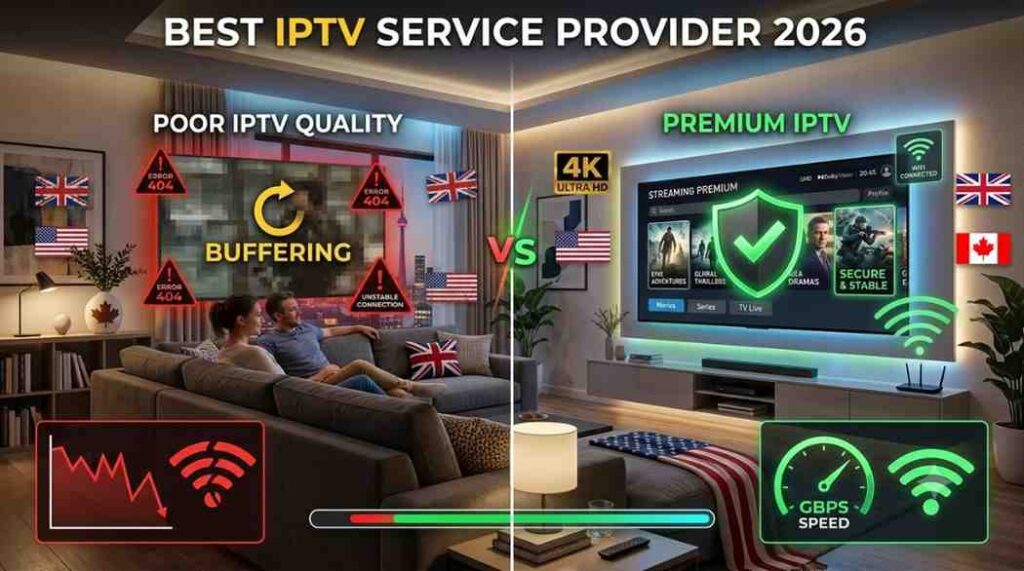
Poor connections may cause:
- Buffering
- Delayed loading
- Reduced video quality
A stable broadband connection is recommended.
Quality Depends on the IPTV Provider
IPTV Smarters is only the player.
The application cannot improve poor-quality streams from an unreliable provider.
Your experience depends heavily on:
- Server infrastructure
- Network capacity
- Provider maintenance
Initial Setup Can Confuse Beginners
Although the application is user-friendly, first-time IPTV users may need guidance with:
- Login details
- Playlist configuration
- Device settings
Once configured, daily usage becomes much simpler.
Common IPTV Subscription Mistakes to Avoid
Many users make avoidable mistakes when choosing an IPTV service.
Mistake 1: Choosing Only Based on Price
The cheapest subscription is not always the best option.
Low-cost services may suffer from:
- Poor streaming quality
- Limited support
- Frequent interruptions
Focus on value rather than the lowest price.
Mistake 2: Ignoring Internet Requirements
Streaming high-quality video requires sufficient bandwidth.
Before purchasing IPTV, check:
- Internet speed
- Wi-Fi stability
- Router performance
A good IPTV service cannot compensate for an unreliable home network.
Mistake 3: Assuming More Channels Means Better Quality
A huge channel list sounds impressive, but unused channels do not improve your experience.
Prioritize:
- Channels you actually watch
- Stability
- Video quality
- Customer support
Mistake 4: Using Unsafe Applications or Sources
Always install software from trusted sources.
Avoid downloading modified applications from unknown websites, as they may create security risks.
Expert Tips for Better IPTV Smarters Performance
Experienced IPTV users usually focus on optimization rather than simply buying the largest package.
Tip 1: Use Ethernet When Possible
Wi-Fi is convenient, but wired connections often provide more stability.
An Ethernet connection can reduce:
- Packet loss
- Connection drops
- Streaming interruptions
Tip 2: Restart Devices Regularly
Streaming devices sometimes accumulate temporary issues.
A simple restart can improve:
- Memory usage
- Application performance
- Connection reliability
Tip 3: Choose Appropriate Video Quality
Higher resolution requires more bandwidth.
If your connection struggles with 4K streaming, a stable HD stream may provide a better experience.
Smooth playback is usually more enjoyable than constant buffering.
Tip 4: Keep Applications Updated
Updates may improve:
- Security
- Compatibility
- Performance
- Bug fixes
Keeping IPTV applications current is a simple maintenance habit.
Advanced Insights: Getting More From IPTV Smarters Pro
Many beginners stop after installing IPTV Smarters and adding their subscription details. However, experienced users understand that a great IPTV experience depends on optimization, organization, and choosing the right setup.
A well-configured IPTV system feels faster, cleaner, and easier to use.
Organize Channels Instead of Browsing Thousands
One common frustration with IPTV services is having too many channels.
More options do not always mean a better experience.
A practical approach is to create a personalized viewing environment:
- Add frequently watched channels to favorites
- Remove categories you never use
- Arrange channels by preference
- Use search instead of scrolling endlessly
This saves time and creates a television experience that feels customized.
Use a Quality Network Setup
Many IPTV problems are blamed on the application when the actual issue is network performance.
Streaming quality depends on several factors:
- Internet speed
- Router capability
- Wi-Fi interference
- Device performance
- Server response time
A fast internet connection alone does not guarantee perfect streaming.
For example, a user may have a high-speed internet plan but experience buffering because their router is located too far from the streaming device.
Practical improvements include:
- Positioning the router in an open area
- Using 5 GHz Wi-Fi when available
- Connecting streaming devices through Ethernet
- Updating router firmware
IPTV Smarters Pro Security and Privacy Considerations
Whenever users install streaming applications, privacy should be considered.
A responsible IPTV setup includes basic security practices.
Use Trusted Applications
Download IPTV applications only from reliable sources.
Avoid unofficial modified versions because they may contain:
- Malware
- Hidden tracking tools
- Unwanted advertisements
- Security vulnerabilities
Protect Account Credentials
Your IPTV login information provides access to your subscription.
Avoid sharing credentials publicly or with unknown individuals.
Good account practices include:
- Using strong passwords
- Avoiding shared accounts with strangers
- Keeping login details private
Understand Provider Legitimacy
The IPTV market includes many different providers.
Before subscribing, users should research:
- Company reputation
- Customer feedback
- Terms of service
- Content licensing practices
Availability and legality of IPTV services vary by country, so users should choose services that comply with applicable laws and regulations.
IPTV Smarters Buying Guide: What Should You Look For?
Choosing an IPTV subscription can feel overwhelming because many providers advertise similar features.
A smart buying decision requires evaluating quality, reliability, and compatibility.
IPTV Subscription Checklist
Before purchasing, ask these questions:
| Question | Why It Matters |
|---|---|
| Does it support IPTV Smarters? | Ensures compatibility |
| Are my preferred channels available? | Avoids paying for unused content |
| Does it support my device? | Prevents setup problems |
| Is customer support available? | Helps solve technical issues |
| Is there a trial option? | Allows testing before commitment |
| Does streaming remain stable during busy hours? | Shows server quality |
Short-Term vs Long-Term IPTV Subscriptions
Many IPTV providers offer different subscription durations.
Monthly Plans
Advantages:
- Lower commitment
- Easier testing
- Good for beginners
Disadvantages:
- Higher cost over time
- Requires frequent renewal
Longer Plans
Advantages:
- Often lower monthly cost
- Convenient for regular users
Disadvantages:
- Greater commitment
- Less flexibility if service quality changes
A practical strategy is testing a service first before choosing a longer subscription period.
IPTV Smarters Pro Pros and Cons
Advantages
| Pros | Explanation |
|---|---|
| Simple interface | Easy navigation for beginners |
| Multi-device support | Watch on different platforms |
| Organized content | Better management of large IPTV libraries |
| Flexible viewing | Access entertainment from multiple locations |
| Customization options | Personalize channels and categories |
| Modern streaming experience | Similar to popular media platforms |
Disadvantages
| Cons | Explanation |
|---|---|
| Requires internet connection | Offline viewing is generally unavailable |
| Depends on IPTV provider quality | The app cannot fix poor streams |
| Setup may require guidance | Beginners may need instructions |
| Performance varies by device | Older devices may struggle |
| Channel availability changes | Depends on provider agreements |
IPTV Smarters for Different Types of Users
Different viewers use IPTV in different ways.
The ideal setup depends on personal requirements.
Beginners
IPTV Smarters is suitable for beginners because the interface is straightforward once configured.
Recommended approach:
- Choose a reliable IPTV subscription.
- Install the application.
- Follow setup instructions.
- Customize favorites.
- Learn basic settings.
Beginners should avoid complicated configurations until they understand how IPTV works.
Families
Families may benefit from:
- Multiple device support
- Parental controls
- Large entertainment libraries
- Easy category navigation
Parents should review available content and configure restrictions where necessary.
Sports Fans
Sports viewers typically prioritize:
- Stable live streaming
- Fast channel switching
- High-quality video
- Reliable performance during major events
For sports streaming, server quality is often more important than the number of available channels.
International Viewers
People living away from their home country often use IPTV services to access familiar programming.
Important features include:
- Regional channel availability
- Language options
- International categories
Key Takeaways: IPTV Smarters Pro Subscription Guide
Before choosing an IPTV setup, remember these important points:
- IPTV Smarters is a player, not a television provider.
- A reliable IPTV subscription is essential for quality streaming.
- Internet stability strongly affects performance.
- The best IPTV service depends on individual needs.
- Channel quantity does not always equal quality.
- Device compatibility should be checked before purchasing.
- Security and privacy should always be considered.
- Testing a service before a long-term commitment is a smart approach.
Final Thoughts: Is IPTV Smarters Pro Worth Using?
IPTV Smarters has become a popular choice because it offers a cleaner and more flexible way to manage IPTV content.
For viewers who want a modern alternative to traditional television, it provides useful features such as multi-device access, organized content libraries, and a simple viewing interface.
However, the application itself is only one part of the equation. The quality of your experience depends heavily on selecting a dependable IPTV provider, maintaining a strong internet connection, and configuring your devices correctly.
A successful IPTV setup is not about finding the provider with the biggest channel list or the cheapest price. It is about finding a balanced solution that delivers reliable streaming, easy navigation, and content that matches your actual viewing habits.
For beginners, IPTV Smarters provides an accessible entry point into internet-based television. For experienced users, its customization options and device flexibility make it a practical streaming tool.
When combined with a trustworthy IPTV service and a properly optimized network, IPTV Smarters can provide a convenient entertainment experience for viewers across the USA, UK, Canada, Australia, Europe, and many other regions.
Frequently Asked Questions About IPTV Smarters
What is IPTV Smarters Pro used for?
IPTV Smarters Pro is an IPTV player application used to organize and stream content from compatible IPTV providers. It allows users to watch live television, movies, and series through an internet connection.
Does IPTV Smarters include channels automatically?
No. IPTV Smarters does not provide channels by itself. Users need a separate IPTV subscription from a provider that supplies compatible login information.
Is IPTV Smarters free to use?
Availability depends on the platform and version. Some versions may offer free access with optional premium features.
The application and IPTV subscription are separate services.
Can IPTV Smarters work on Smart TVs?
Yes, IPTV Smarters can work on supported Smart TV platforms and streaming devices. Compatibility depends on the specific television model and operating system.
What internet speed is recommended for IPTV streaming?
The required speed depends on video quality.
General recommendations:
Standard definition: lower speeds may work
HD streaming: a stable broadband connection is recommended
4K streaming: higher bandwidth is usually required
Network stability is just as important as speed.
Why does IPTV Smarters keep buffering?
Buffering can happen for several reasons:
Weak internet connection
Wi-Fi interference
Provider server issues
Device limitations
Incorrect application settings
Testing your network and contacting your IPTV provider can help identify the cause.
Is IPTV Smarters legal?
IPTV Smarters itself is a media player application. The legality of IPTV streaming depends on the content source and whether the provider has appropriate rights to distribute the content.
Users should choose IPTV services that operate legally in their region.
Can I use IPTV Smarters while traveling?
Yes, users can often access IPTV Smarters on compatible devices while traveling, provided they have internet access and their subscription supports the connection.
Is IPTV Smarters better than cable TV?
It depends on viewing preferences.
IPTV Smarters may be better for users who want:
Flexible device access
International programming
Custom streaming options
Traditional cable may be better for users who prefer simple plug-and-play television services.