
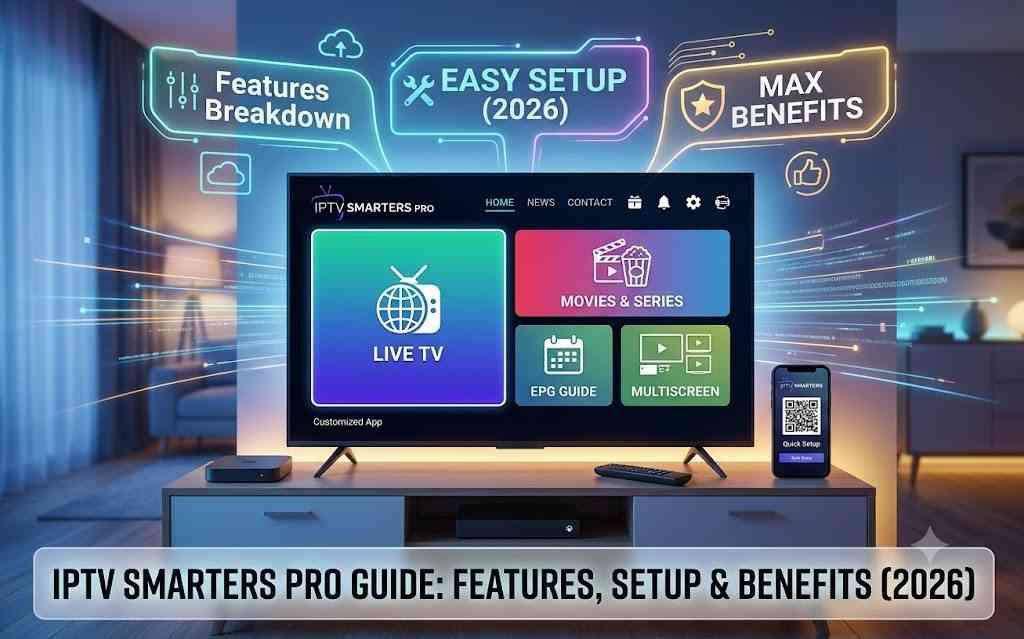
Learn everything about IPTV Smarters Pro, including features, setup, compatibility, pricing, benefits, and expert tips in this complete beginner-friendly guide.
Introduction
Internet-based television has transformed the way people consume entertainment. Instead of relying solely on traditional cable or satellite services, millions of viewers now prefer streaming live television and on-demand content over an internet connection.
This shift has led to the growing popularity of IPTV applications, and IPTV Smarters Pro has emerged as one of the leading IPTV player solutions available today.
Unlike a streaming provider that delivers TV channels directly, IPTV Smarters Pro functions as a media player. It allows users to organize and access IPTV subscriptions from compatible service providers using supported login methods such as M3U playlists or Xtream Codes API, depending on what the IPTV provider offers.
What is IPTV Smarters Pro?
IPTV Smarters Pro is a powerful IPTV player application designed to organize and play streaming content provided by an IPTV service.
It acts as a bridge between your IPTV subscription and your device, allowing you to watch live television channels, movies, TV shows, catch-up content (if supported), and more through a clean, user-friendly interface.
One important point to understand is that IPTV Smarters Pro does not provide TV channels or IPTV subscriptions. Instead, it serves as a player that displays content supplied by a compatible IPTV provider.
Think of it like a media player:
- A music player doesn’t include songs—it plays the music you add.
- Similarly, IPTV Smarters Pro doesn’t include television channels—it plays content from your IPTV subscription.
Example
Imagine you’ve subscribed to an IPTV provider offering:
- 15,000+ live TV channels
- 40,000+ movies
- 10,000+ TV series episodes
Instead of accessing those through a basic playlist, IPTV Smarters Pro organizes everything into an attractive interface with dedicated sections for:
- Live TV
- Movies
- Series
- Favorites
- Recently Watched
- Catch-Up TV (where available)
This organization makes navigation much easier, especially for users with large content libraries.
Main Components
The application typically supports:
- Live TV
- Movies
- TV Series
- Electronic Program Guide (EPG)
- Favorites
- Search
- Catch-Up TV (provider dependent)
- Multiple playlists
- Multi-user profiles
- External video players
These components create a streaming experience similar to many premium entertainment platforms.
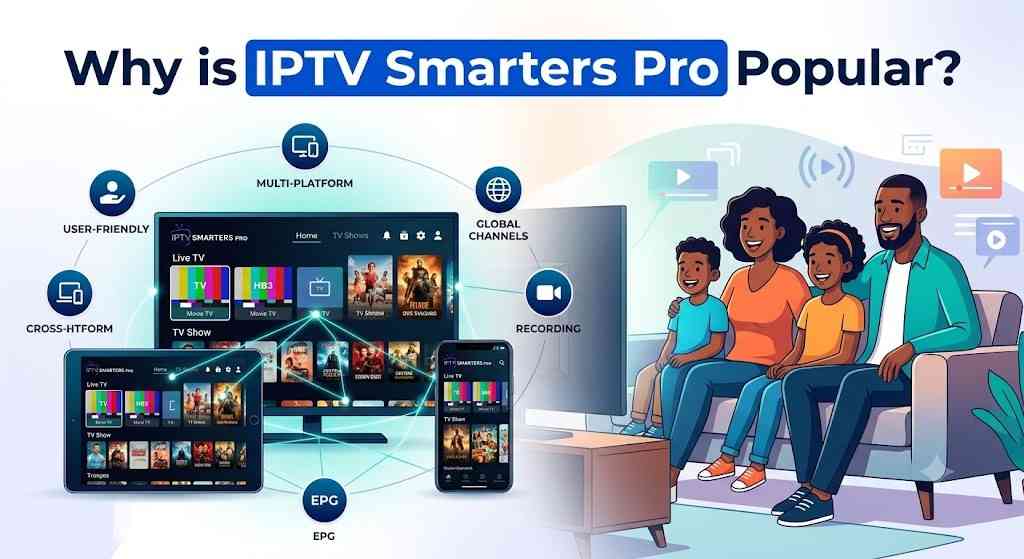
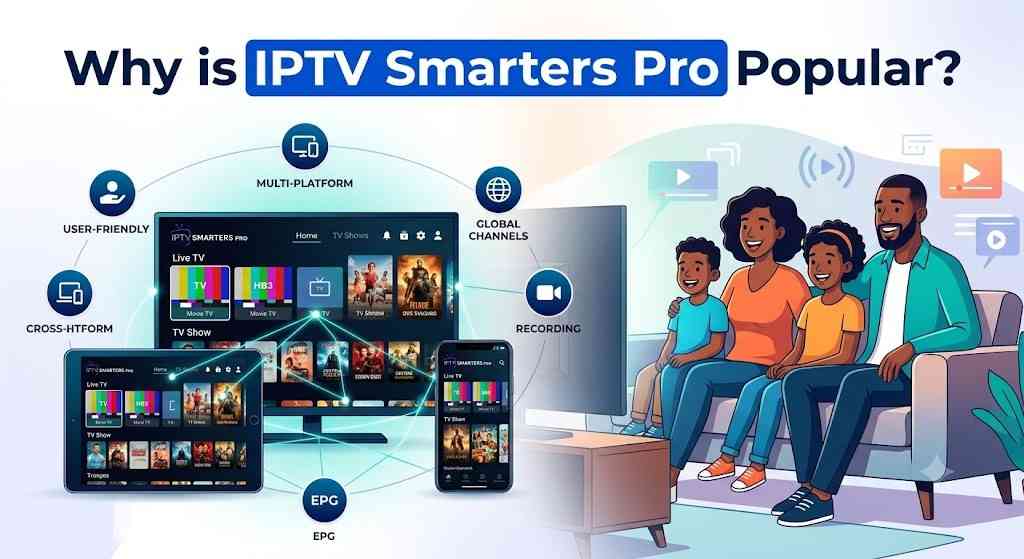
Why is IPTV Smarters Pro Popular?
The growing demand for flexible streaming solutions has contributed significantly to IPTV Smarters Pro’s success. As more households move away from traditional cable television, users are looking for applications that are simple, reliable, and compatible with multiple devices.
1. User-Friendly Design
One of the biggest reasons for its popularity is its clean interface. Even users with little technical experience can quickly learn how to navigate between live TV, movies, series, and settings.
2. Multi-Device Support
People today often switch between smartphones, tablets, Smart TVs, streaming devices, and computers. IPTV Smarters Pro provides a consistent experience across these platforms, making it convenient for households with multiple devices.
3. Flexible Login Options
Many IPTV providers support different authentication methods. IPTV Smarters Pro is designed to work with commonly supported login options, allowing users to connect their subscriptions easily.
4. Organized Content Library
Instead of scrolling through thousands of channels in a basic playlist, IPTV Smarters Pro categorizes content into logical sections, making it faster to find what you want to watch.
5. Enhanced Viewing Experience
Features such as:
- Multi-screen viewing
- EPG support
- External player integration
- Favorites
- Search functionality
help create a smoother and more enjoyable streaming experience.
6. Growing IPTV Market
The IPTV industry continues to expand as broadband internet becomes faster and more widely available. More users are adopting IPTV-compatible players to access internet-delivered television services, and applications like IPTV Smarters Pro remain popular because they offer flexibility without tying users to a single content provider.
Future Scope
As streaming technology evolves, IPTV player applications are expected to continue improving with:
- Better user interfaces
- Faster loading times
- Improved playback stability
- Enhanced device compatibility
- Smarter content organization
- More customizable viewing options
These ongoing improvements are likely to keep IPTV Smarters Pro relevant for users who value a feature-rich IPTV player.
How Does IPTV Smarters Pro Work?
Understanding how IPTV Smarters Pro works is straightforward once you know the role it plays in the streaming process.
Step 1: Obtain an IPTV Subscription
First, you need an active IPTV subscription from a compatible provider. The application itself does not include channels or on-demand content.
Step 2: Install the Application
Download and install IPTV Smarters Pro on your preferred device, such as an Android phone, Smart TV, Fire TV, Windows PC, or iPhone.
Step 3: Add Your IPTV Account
Log in using the credentials or playlist information provided by your IPTV service. The available login method depends on your provider.
Step 4: Content Synchronization
The application retrieves your available content, including live TV, movies, TV series, and channel categories, and organizes it into an easy-to-navigate interface.
Step 5: Start Streaming
Once your content has loaded, you can browse categories, search for channels, mark favorites, view program schedules (if available), and begin watching.
Key Features of IPTV Smarters Pro
Multi-Platform Support
IPTV Smarters Pro works across a wide range of devices, allowing users to enjoy the same interface on smartphones, tablets, Smart TVs, streaming devices, and desktop computers.
Intuitive User Interface
The application features a clean dashboard with clearly organized sections for Live TV, Movies, Series, Favorites, and Settings, making navigation quick and user-friendly.
Live TV Streaming
Watch live television channels from your IPTV provider with category-based organization, search functionality, and support for Electronic Program Guides (EPG), where available.
Video on Demand (VOD)
Access on-demand movies and TV series in a dedicated section, complete with posters, descriptions, and organized categories for easier browsing.
Multi-Screen Viewing
Some versions of IPTV Smarters Pro support multi-screen functionality, allowing users to watch more than one live channel simultaneously on compatible devices.
Electronic Program Guide (EPG)
View TV schedules, current programs, and upcoming broadcasts through an integrated Electronic Program Guide, helping you plan your viewing without switching apps.
Favorites Management
Save frequently watched channels, movies, or series to a favorites list for quicker access and a more personalized viewing experience.
Search Functionality
Use the built-in search tool to quickly locate channels, movies, or TV shows instead of manually browsing extensive content libraries.
External Player Integration
Users who prefer advanced playback features can connect compatible external media players for greater flexibility and improved performance.
Parental Controls
Restrict access to selected content with password protection, making IPTV Smarters Pro a practical choice for households with children.
Multi-User Support
Manage multiple IPTV accounts or profiles within the application, making it easier for families or users with more than one subscription to keep their content organized.
Benefits of IPTV Smarters Pro
IPTV Smarters Pro is more than just an IPTV player. It is designed to make streaming easier, faster, and more enjoyable across different devices. Whether you’re a casual viewer or someone who streams every day, the application offers several advantages.
Easy to Use
One of the biggest strengths of IPTV Smarters Pro is its beginner-friendly interface. Menus are well organized, making it easy to browse live TV, movies, TV series, and settings without confusion.
Even first-time IPTV users can learn the application quickly.
Supports Multiple Devices
Instead of being limited to one screen, users can access IPTV Smarters Pro on multiple compatible devices, including smartphones, Smart TVs, streaming boxes, tablets, and desktop computers.
This flexibility allows users to continue watching wherever they are.
Organized Content Library
Thousands of channels and movies can become difficult to navigate.
IPTV Smarters Pro solves this by organizing content into:
- Live TV
- Movies
- TV Series
- Favorites
- Recently Watched
- Categories
- Search Results
This structure helps users locate content much faster.
Personalized Viewing Experience
Users can customize their experience by:
- Creating favorites
- Managing multiple playlists
- Using parental controls
- Choosing preferred video players
- Adjusting playback settings
These customization options improve overall usability.
Smooth Streaming Experience
When paired with a reliable IPTV provider and stable internet connection, IPTV Smarters Pro delivers:
- Fast channel switching
- HD and 4K playback (where supported)
- Organized navigation
- Responsive interface
The actual streaming quality depends largely on your IPTV provider and internet connection.
Why Choosing the Right IPTV Smarters Pro Setup Matters
Although IPTV Smarters Pro is only an IPTV player, the way you configure it has a significant impact on your streaming experience.
A properly configured setup can improve performance, while poor configuration may lead to issues such as buffering or failed logins.
Better Performance
Correct settings can help deliver:
- Faster loading
- Stable playback
- Improved channel switching
- Reduced playback interruptions
Improved User Experience
A well-organized setup makes it easier to:
- Find channels
- Browse categories
- Search movies
- Manage favorites
- Access recent content
Better Security
Using official downloads, secure login credentials, and trusted IPTV providers helps reduce security risks and protects your account information.
Easier Maintenance
A properly configured application is also easier to update, troubleshoot, and manage over time.
How to Choose the Best IPTV Smarters Pro Setup
Although the application itself is feature-rich, your overall experience depends on several important factors.
Buying Guide
Before using IPTV Smarters Pro, consider the following:
1. Reliable IPTV Provider
Choose a provider that offers:
- Stable servers
- High uptime
- Responsive customer support
- Regular content updates
- Compatible login methods
2. Device Compatibility
Make sure your preferred device supports IPTV Smarters Pro.
Examples include:
- Android TV
- Fire TV
- Android phones
- iPhone
- Windows PC
- macOS
- Smart TVs
3. Internet Speed
Recommended speeds:
| Streaming Quality | Recommended Speed |
|---|---|
| SD | 5 Mbps |
| HD | 10 Mbps |
| Full HD | 20 Mbps |
| 4K UHD | 30 Mbps or higher |
Higher speeds may be beneficial if multiple devices are streaming simultaneously.
4. User Interface
Choose a setup that allows:
- Easy navigation
- Search functionality
- Organized categories
- EPG support
- Favorites
5. Customer Support
If your IPTV provider offers technical support, setup assistance becomes much easier.
IPTV Smarters Pro Checklist
Before getting started, confirm the following:
✅ Stable internet connection
✅ Compatible device
✅ Active IPTV subscription
✅ Login credentials or playlist information
✅ Updated application version
✅ Available storage space
✅ Secure home network
Completing this checklist can help avoid common setup issues.
Expert Tips
To get the best experience:
- Keep the application updated.
- Restart the app occasionally to refresh playlists.
- Organize favorite channels for quicker access.
- Use a wired Ethernet connection on compatible devices for greater stability.
- Close unnecessary background applications while streaming.
- Ensure your IPTV provider’s playlist information is up to date.
Common Mistakes to Avoid
Many users experience problems because of simple mistakes.
Avoid these common issues:
Using Outdated App Versions
Older versions may contain bugs or compatibility issues.
Ignoring Internet Speed
A slow or unstable connection can affect playback quality.
Overloading Devices
Running many applications simultaneously may reduce performance.
Incorrect Login Information
Double-check the credentials provided by your IPTV service before troubleshooting other issues.
Downloading from Untrusted Sources
Only download IPTV Smarters Pro from official or reputable sources to reduce security risks.
Best Features to Look For
When evaluating IPTV Smarters Pro or similar IPTV players, these features can make a significant difference.
User-Friendly Dashboard
A clean dashboard improves navigation and reduces the learning curve for new users.
Playlist Management
Support for organizing multiple IPTV accounts or playlists helps users switch between subscriptions efficiently.
Electronic Program Guide (EPG)
An EPG displays current and upcoming TV schedules, making it easier to browse live programming.
Catch-Up TV Support
When supported by the IPTV provider, catch-up features allow users to watch previously aired programs.
Favorites and Watch History
Saving frequently watched channels and viewing history creates a more personalized streaming experience.
Search Tools
A fast search function helps users quickly locate channels, movies, or TV shows within large libraries.
Multi-Screen Capability
Some versions support viewing multiple live channels at the same time on compatible devices.
External Player Support
Compatibility with external media players provides additional playback flexibility and advanced features.
Parental Controls
Password protection helps restrict access to content that may not be suitable for children.
Device Compatibility
One of IPTV Smarters Pro’s biggest strengths is its broad compatibility across devices.
| Device | Supported | Notes |
|---|---|---|
| Android Phones | ✔ Yes | Excellent performance |
| Android Tablets | ✔ Yes | Optimized interface |
| Android TV | ✔ Yes | Popular choice |
| Amazon Fire TV | ✔ Yes | Widely used |
| Fire TV Stick | ✔ Yes | Smooth navigation |
| Smart TVs | ✔ Yes | Supported on many models |
| Windows PC | ✔ Yes | Desktop experience |
| macOS | ✔ Yes | Available for Mac users |
| iPhone | ✔ Yes | Mobile streaming |
| iPad | ✔ Yes | Larger screen support |
This flexibility allows users to enjoy a consistent experience across multiple platforms.
Supported Platforms
IPTV Smarters Pro is available for many operating systems, including:
- Android
- iOS
- Windows
- macOS
- Android TV
- Fire OS
- Selected Smart TV operating systems
Support may vary depending on the device model and app version.
Regional Guide
IPTV Smarters Pro is used by people around the world. While the application itself is widely available, users should always ensure they comply with local laws and use authorized content sources.
United States
The United States has a large IPTV user base, with many households using IPTV players alongside legitimate streaming subscriptions. Users should verify that the IPTV service they connect to has the necessary rights to distribute the content they access.
United Kingdom
In the UK, IPTV Smarters Pro is commonly used on Smart TVs, Fire TV devices, and Android TV systems. As with any IPTV setup, viewers should choose providers that operate within applicable copyright and licensing regulations.
Canada
Canadian users often prefer IPTV Smarters Pro for its support across multiple devices and easy playlist management. Reliable broadband internet helps deliver smooth HD and 4K streaming where available.
Pricing Guide
IPTV Smarters Pro itself may be available in free and premium editions depending on the platform and version. Costs can vary by operating system, app store policies, and optional premium features. In addition, users will generally need a separate IPTV subscription from a compatible provider.
| Option | Typical Cost | Best For | Notes |
|---|---|---|---|
| Free Version | Free | New users | Basic playback features |
| Premium Version | Varies by platform | Regular users | May unlock additional features or remove limitations |
| IPTV Subscription | Varies by provider | All users | Required to access live TV and on-demand content |
Note: App pricing and available features can change over time, so always check the official app store or developer information for the latest details.
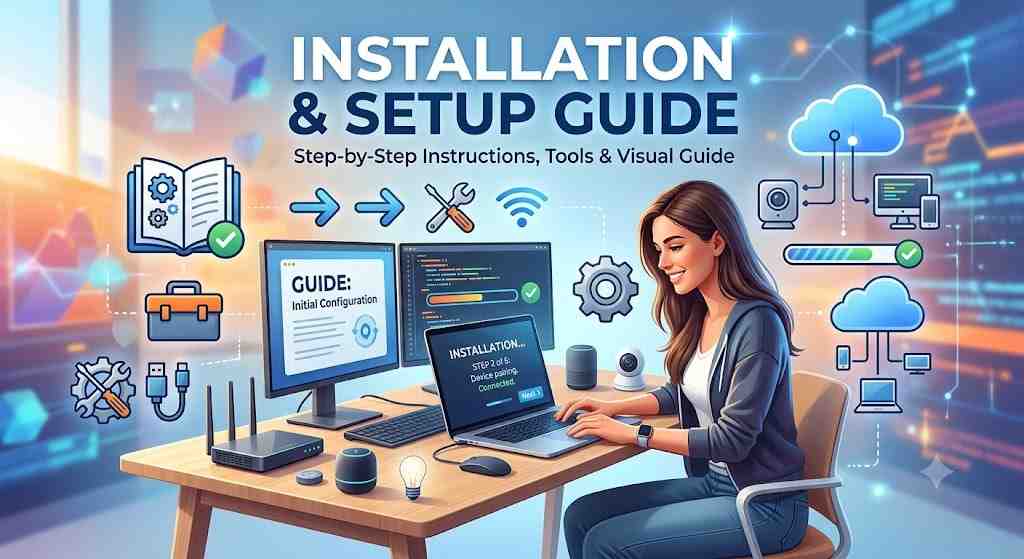
Installation & Setup Guide
Setting up IPTV Smarters Pro is straightforward. The exact steps may vary slightly depending on your device, but the overall process is similar.
Step 1: Download the Application
Install IPTV Smarters Pro from the official website or your device’s trusted app store.
Tip: Always download the application from official or reputable sources to ensure you receive the latest and most secure version.
Step 2: Launch the App
Open IPTV Smarters Pro and review the terms of use if prompted.
Step 3: Add Your IPTV Account
Depending on your IPTV provider, you may be able to log in using one of the supported methods, such as:
- Xtream Codes API
- M3U Playlist URL
- Local Playlist/File
- Single Stream URL (if supported)
Use the login details provided by your IPTV service.
Step 4: Wait for Synchronization
The application will retrieve available content, which may include:
- Live TV channels
- Movies
- TV series
- TV guide (EPG)
- Catch-up content (if supported)
The synchronization time depends on the size of your playlist and internet speed.
Step 5: Customize Your Experience
After setup, you can:
- Add favorite channels
- Organize categories
- Enable parental controls
- Configure external players
- Adjust playback settings
- Update the TV Guide (EPG)
Step 6: Start Watching
Once everything is loaded, browse your content and begin streaming.
Common Problems & Solutions
Even reliable IPTV players can occasionally experience issues. Most problems can be resolved quickly.
| Problem | Possible Cause | Solution |
|---|---|---|
| Login failed | Incorrect credentials | Verify the information provided by your IPTV provider |
| Playlist not loading | Invalid or expired playlist | Refresh or request an updated playlist |
| Buffering | Slow or unstable internet | Restart your router or use a faster connection |
| No EPG | TV guide unavailable | Refresh the EPG or check provider support |
| Black screen | Unsupported stream | Try another channel or external player |
| App crashes | Outdated version | Update IPTV Smarters Pro |
| Audio but no video | Codec issue | Switch to another compatible media player |
| Slow navigation | Low device storage | Close background apps and free up storage |
Troubleshooting Tips
If problems continue:
- Restart the application.
- Restart your device.
- Check your internet connection.
- Confirm your IPTV subscription is active.
- Update the application.
- Clear the app cache if supported.
- Contact your IPTV provider if account-related issues persist.
Safety & Best Practices
Streaming safely is just as important as enjoying quality content. Following a few best practices can help protect your privacy, improve performance, and reduce technical issues.
Download from Trusted Sources
Always install IPTV Smarters Pro from official or reputable sources to avoid modified versions that may contain security risks.
Use Licensed IPTV Services
Choose IPTV providers that have the appropriate rights to distribute the content they offer. This helps ensure a more reliable and compliant viewing experience.
Protect Your Login Credentials
Treat your IPTV account information like any other online account:
- Do not share usernames or passwords.
- Use strong, unique passwords where possible.
- Change credentials if you suspect unauthorized access.
Keep the App Updated
Updates often include:
- Security improvements
- Bug fixes
- Performance enhancements
- Compatibility updates
Installing the latest version helps maintain a smooth streaming experience.
Secure Your Network
Use a secure Wi-Fi network with strong encryption and keep your router firmware updated. A stable and secure connection can improve both safety and streaming performance.
Monitor Device Storage
Ensure your device has enough free storage and close unnecessary background apps to keep IPTV Smarters Pro running efficiently.
Pros & Cons
| Pros | Cons |
|---|---|
| Clean and user-friendly interface | Does not include IPTV channels or subscriptions |
| Supports multiple devices | Streaming quality depends on the IPTV provider |
| Live TV, Movies, and TV Series support | Some advanced features vary by platform |
| Favorites and playlist management | Internet connection quality affects performance |
| Electronic Program Guide (EPG) support | Certain features rely on provider compatibility |
| Multi-user and parental control options | Initial setup requires provider credentials |
| External player compatibility | Some premium features may require additional purchase |
Best Alternatives to IPTV Smarters Pro
While IPTV Smarters Pro is one of the most popular IPTV players, several alternatives offer different features and user experiences.
| IPTV Player | Best For | Key Highlights |
|---|---|---|
| TiviMate | Android TV users | Modern interface, advanced playlist management |
| XCIPTV Player | Customization | Built-in media player and user-friendly layout |
| OTT Navigator IPTV | Power users | Extensive filtering and organization features |
| Perfect Player IPTV | Simplicity | Lightweight design with EPG support |
| GSE Smart IPTV | Cross-platform use | Supports multiple playlist formats |
| Sparkle TV | Smart TVs | TV-focused interface with DVR support (where available) |
Quick Comparison Table
| Feature | IPTV Smarters Pro | TiviMate | XCIPTV | OTT Navigator |
|---|---|---|---|---|
| Beginner Friendly | ✅ | ✅ | ✅ | ⭐ Advanced |
| Live TV | ✅ | ✅ | ✅ | ✅ |
| VOD Support | ✅ | ✅ | ✅ | ✅ |
| Multi-User | ✅ | ❌ | ✅ | Limited |
| EPG Support | ✅ | ✅ | ✅ | ✅ |
| External Player | ✅ | ✅ | ✅ | ✅ |
| Cross-Platform | Excellent | Android-focused | Good | Android-focused |
Expert Tips
Want to get even more from IPTV Smarters Pro? Consider these recommendations:
- Create a favorites list to quickly access your most-watched channels.
- Refresh playlists periodically if your provider updates channel lineups.
- Use category filters to reduce scrolling through large channel lists.
- Keep your operating system updated for better compatibility.
- Prefer wired Ethernet on compatible devices for the most stable connection.
- Regularly review storage space to maintain smooth app performance.
- Back up important playlist information if supported.
- Compare IPTV providers based on uptime, support, and content quality—not just price.
Final Verdict
IPTV Smarters Pro has earned its reputation as one of the leading IPTV player applications thanks to its intuitive interface, broad device compatibility, and robust feature set. Whether you’re streaming live TV, enjoying video on demand, or organizing multiple IPTV accounts, it offers a flexible and user-friendly experience for beginners and experienced users alike.
Keep in mind that IPTV Smarters Pro is only a player—it does not provide television channels or subscription content. Your overall streaming quality will depend on the IPTV provider you choose, your internet connection, and how well your setup is configured.
If you’re looking for a reliable IPTV player that supports multiple platforms, playlist management, EPG integration, parental controls, and a polished viewing experience, IPTV Smarters Pro remains one of the strongest options available.
Frequently Asked Questions (FAQs)
1. What is IPTV Smarters Pro?
IPTV Smarters Pro is an IPTV player that allows users to access content from compatible IPTV providers. It does not include channels or subscriptions.
2. Is IPTV Smarters Pro free?
Many versions are available for free, while some platforms may offer premium features or paid editions.
3. Does IPTV Smarters Pro provide TV channels?
No. It functions as a media player and requires an IPTV subscription from a compatible provider.
4. Which devices support IPTV Smarters Pro?
It supports Android, iPhone, iPad, Android TV, Fire TV, Windows, macOS, and many Smart TVs.
5. Can I use multiple IPTV accounts?
Yes. IPTV Smarters Pro supports multiple playlists or user profiles, depending on the version.
6. Does IPTV Smarters Pro support 4K streaming?
Yes, if your IPTV provider supplies 4K content and your device and internet connection support it.
7. What internet speed is recommended?
At least 10 Mbps for HD streaming and 30 Mbps or higher for 4K streaming is recommended.
8. Why is my IPTV buffering?
Buffering may result from a slow internet connection, network congestion, device limitations, or issues with your IPTV provider.
9. Does IPTV Smarters Pro support EPG?
Yes. Electronic Program Guide (EPG) support is available when provided by your IPTV service.
10. Can I install IPTV Smarters Pro on Fire TV Stick?
Yes. It is compatible with Fire TV devices, including Fire TV Stick.
11. Is IPTV Smarters Pro suitable for beginners?
Yes. Its intuitive interface makes it easy for new users to navigate and manage their IPTV content.
12. Can I add multiple playlists?
Yes. Many versions allow users to manage multiple IPTV accounts or playlists.
13. Does IPTV Smarters Pro work worldwide?
Yes. The application can be used globally where it is available, though content availability depends on your IPTV provider and local regulations.
14. How often should I update IPTV Smarters Pro?
Install updates whenever they become available to benefit from security improvements, bug fixes, and new features.
15. What should I do if my playlist won’t load?
Verify your login credentials, confirm that your IPTV subscription is active, check your internet connection, and request updated playlist information from your provider if necessary.