
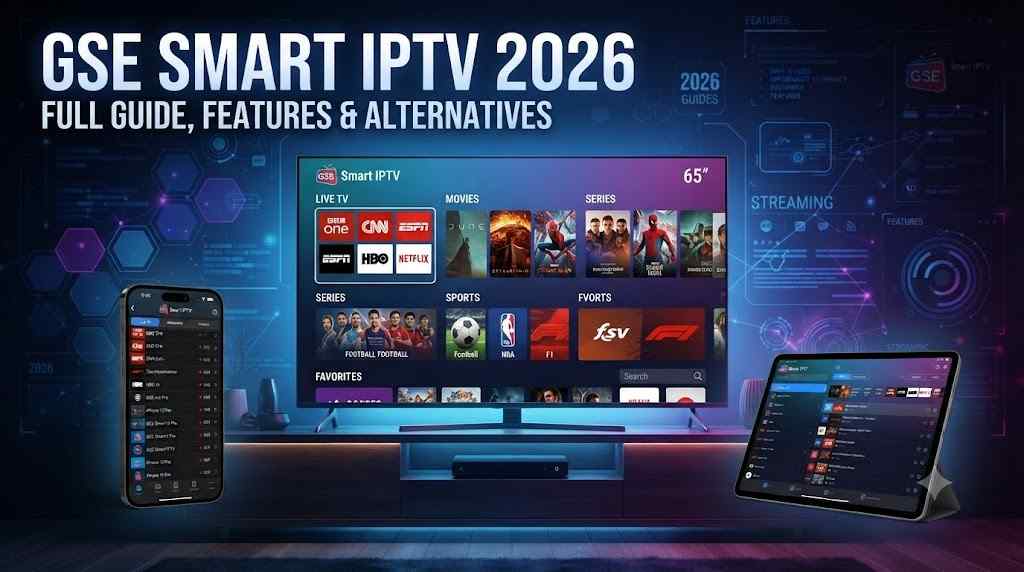
Discover GSE Smart IPTV in 2026 — features, setup, pricing, pros/cons, and the best alternatives for learners, freelancers, and small businesses.
Introduction
If you’ve spent any time researching how to stream live channels, movies, or custom playlists on your phone, smart TV, or laptop, you’ve probably come across the name GSE Smart IPTV. It’s one of the most downloaded IPTV player apps in the world, known for its clean interface, wide device support, and flexible playlist options.
But what exactly is it? Is it safe? Is it worth using in 2026? And how does it compare to other IPTV players on the market? More importantly, how do you use it the right way — legally, securely, and without wasting hours on confusing setup steps?
This guide breaks down everything you need to know — in plain, simple language — so you can decide whether GSE Smart IPTV fits your streaming needs, whether you’re a student learning about media tech, a freelancer building client demos, or a small business owner setting up a lobby display or training room screen.
We’ll walk through what the app actually does, how it’s different from a content provider, its core features, realistic pricing, honest pros and cons, and the alternatives worth considering. By the end, you’ll have a clear, practical understanding of whether GSE Smart IPTV belongs in your streaming toolkit — and exactly how to use it responsibly.
📥 Download & Set Up GSE Smart IPTV Today
📥 Download & Set Up GSE Smart IPTV Today
What Is “GSE Smart IPTV”
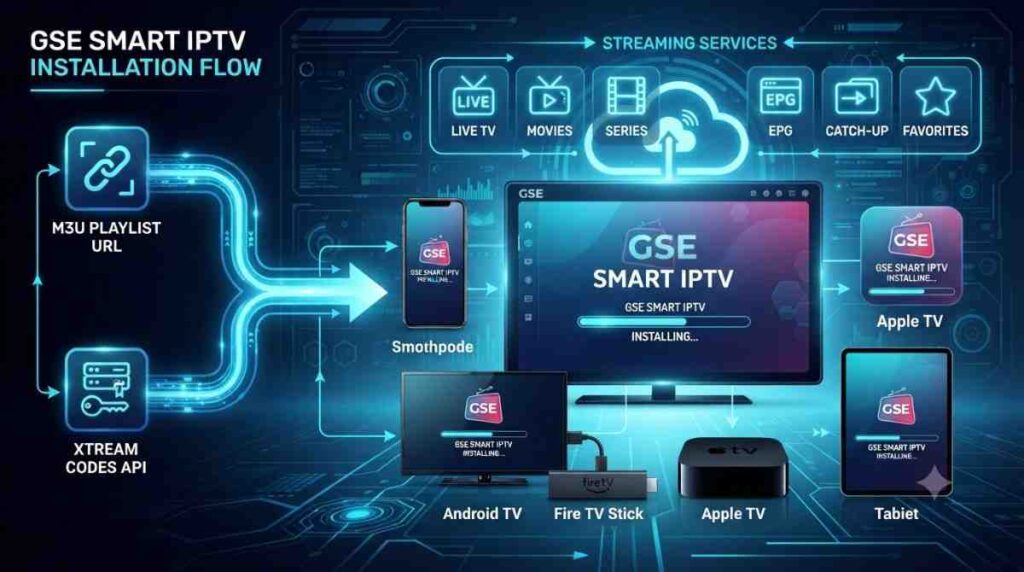
GSE Smart IPTV USA is a third-party IPTV (Internet Protocol Television) player application. In simple terms, it is a media player app, not a channel or content provider itself. It does not broadcast or supply TV channels on its own. Instead, it allows users to load their own M3U/M3U8 playlists, Xtream Codes API logins, or EPG (Electronic Program Guide) files from a legitimate IPTV USA subscription or personal media server, and then organizes that content into an easy-to-navigate interface.
Think of it like a media “remote control” or “dashboard” — similar to how VLC plays video files you provide, GSE Smart IPTV plays streaming links you provide.
Key Distinction: Player vs. Provider
This distinction matters a lot for legal and safety reasons:
- The app (player): GSE Smart IPTV — free/paid software available on app stores.
- The content (provider): A separate, licensed IPTV subscription service, your cable/satellite provider’s own streaming feed, or your personal media library.
Using the app itself is legal. What matters is where your playlist or subscription content comes from — always use officially licensed IPTV services or your own legally owned media.
Supported Platforms
GSE Smart IPTV is available on:
- iOS and iPadOS (App Store)
- Android and Android TV / Google TV
- Amazon Fire TV / Fire Stick
- Apple TV
- Smart TVs (Samsung, LG via workarounds)
- Windows and macOS (via emulators or Mac App Store variants)
How the Setup Process Works
For beginners, the general workflow looks like this:
- Download the app from your device’s official app store.
- Choose a playlist input method — direct M3U URL, uploaded file, or Xtream Codes login.
- Enter your licensed provider’s credentials or link.
- Let the app pull in channel lists and EPG data automatically.
- Organize channels into categories and mark favorites for quick access.
This process typically takes under ten minutes once you have a valid, licensed source ready — which is exactly why freelancers often package this setup as a quick paid service for clients who aren’t comfortable doing it themselves.
Why the “Bring Your Own Source” Model Exists
Unlike Netflix or Disney+, GSE Smart IPTV was built as a universal player, not a licensed broadcaster. This design choice keeps the app lightweight, keeps the developer out of content-licensing deals, and gives users flexibility to connect whichever legitimate source they already pay for — whether that’s a telecom package, a corporate media system, or a personal server.
📥 Download & Set Up GSE Smart IPTV Today
Why It Matters in 2026
Streaming habits have changed dramatically. Traditional cable subscriptions keep shrinking while more households and businesses rely on internet-delivered content.
The Shift Toward IPTV-Style Playback
By 2026, most homes have at least one connected TV device, and businesses increasingly use streaming boxes for training rooms, waiting areas, and digital signage. IPTV players like GSE Smart IPTV matter because they:
- Consolidate multiple legal streaming sources into one interface.
- Work across almost any device without needing separate apps for each service.
- Offer offline playlist management, useful for training centers and corporate setups.
Relevance for Learners, Freelancers, and Small Businesses
- Learners studying media streaming, networking, or app development can use GSE Smart IPTV as a real-world case study of M3U parsing and EPG integration.
- Freelancers (video editors, IT consultants, AV technicians) often get client requests to configure IPTV players for legal streaming setups.
- Small business owners use IPTV players to display licensed news, sports, or entertainment channels in waiting rooms, gyms, or restaurants (subject to proper public performance licensing).
Search Demand Keeps Rising
Interest in IPTV players continues to climb year over year as more people cut cable subscriptions and look for flexible, app-based alternatives. This makes understanding tools like GSE Smart IPTV valuable not just for personal use, but also for content creators, IT freelancers, and consultants who want to serve this growing audience with accurate, trustworthy information.
A More Cautious, Informed User Base
2026’s audience is more aware of streaming risks than ever — data privacy, licensing issues, and scam subscription sellers are common concerns. This shift means guides like this one need to emphasize legal sourcing and safe setup practices, not just feature lists.
Key Benefits
1. Universal Playlist Support
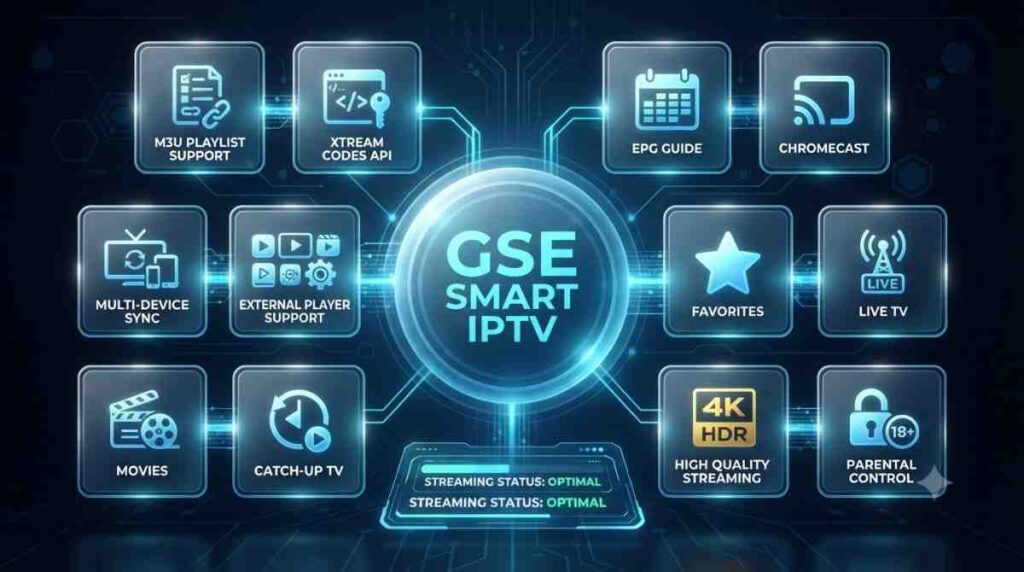
GSE Smart IPTV accepts M3U, M3U8, and Xtream Codes formats, meaning it works with almost any legally licensed IPTV subscription.
2. Multi-Device Syncing
Playlists can often be synced across devices using cloud storage links, saving setup time for freelancers managing multiple client screens.
3. Customizable Interface
Users can organize channels into categories, add favorites, and adjust the electronic program guide layout.
3.1 Parental Controls
Basic content-locking features help households and businesses control what’s visible on shared screens.
4. Lightweight and Low-Resource
The app is designed to run smoothly even on older Fire Sticks or budget Android boxes — helpful for small businesses on tight hardware budgets.
5. No Native Content Costs
Since the app itself doesn’t sell channels, there’s no forced subscription fee just to use the player (though the app has a one-time or freemium purchase model on some platforms).
6. Flexible EPG Integration
Electronic Program Guides help viewers see what’s currently playing and what’s coming up next. GSE Smart IPTV supports external EPG file imports, which is especially useful for freelancers configuring guides that match a client’s exact licensed channel lineup.
7. Cross-Platform Familiarity
Because the interface stays largely consistent across iOS, Android, and Fire TV, users (and the freelancers who support them) don’t need to relearn a new layout every time they switch devices — a small but meaningful time-saver for anyone managing multiple screens.
📥 Download & Set Up GSE Smart IPTV Today
Top Providers/Tools/Services
To use GSE Smart IPTV effectively and legally, you need a licensed content source. Here are categories of legitimate services and tools commonly paired with IPTV players:
| Category | Examples of Legitimate Options | Best For |
|---|---|---|
| Telecom-provided IPTV | Your ISP’s official streaming package | Home users wanting local channels |
| Licensed streaming aggregators | Official regional broadcaster apps with M3U export | Businesses needing compliant public display |
| Personal media servers | Plex, Jellyfin, Emby (self-hosted) | Freelancers managing personal/owned media libraries |
| EPG data services | Official EPG providers bundled with licensed subscriptions | Learners studying program-guide integration |
Note: Always verify that any playlist or subscription source is properly licensed for the content and region you’re using it in. Unauthorized redistribution of copyrighted broadcasts is illegal in most countries.
Comparison Table: GSE Smart IPTV vs. Other Popular IPTV Players
| Feature | GSE Smart IPTV | IPTV Smarters Pro | TiviMate | Perfect Player |
|---|---|---|---|---|
| Multi-platform support | High | High | Android-focused | Android/Fire TV |
| EPG support | Yes | Yes | Yes (advanced) | Yes |
| Xtream Codes login | Yes | Yes | Yes | Limited |
| Interface customization | Moderate | Moderate | High | Basic |
| Free version available | Yes | Yes | Yes (with ads) | Yes |
| Cloud playlist sync | Yes | Yes | Premium feature | No |
| Best for | General users, cross-platform | Beginners | Power users/Android TV | Lightweight setups |
📥 Download & Set Up GSE Smart IPTV Today
Features
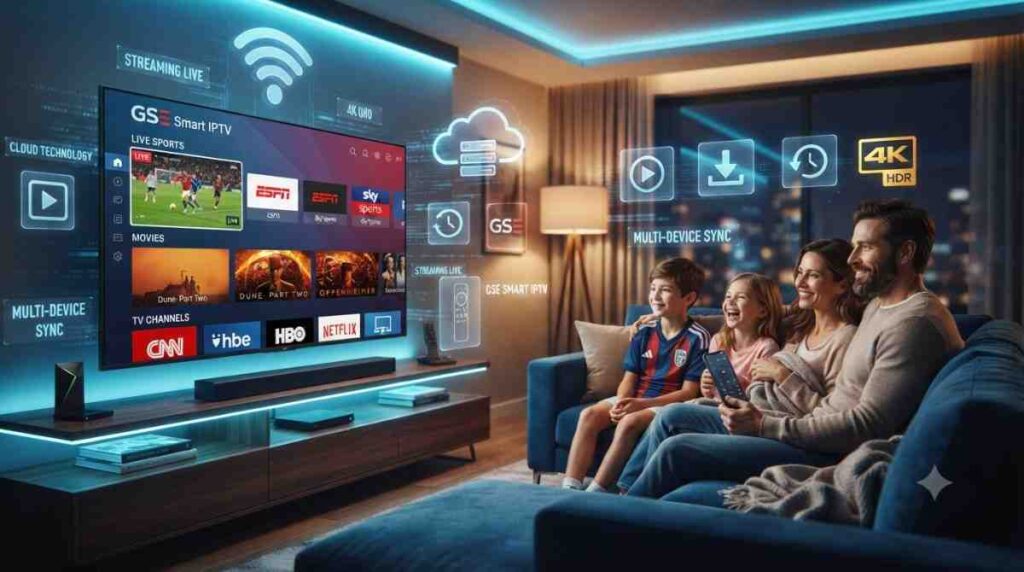
Core Playback Features
- Live TV playback via playlist URL
- Video-on-demand (VOD) organization for personal/licensed libraries
- Catch-up TV support (where the provider supplies it)
- Multi-screen (picture-in-picture) viewing on tablets
Management Features
Playlist Manager
Add, edit, or remove multiple playlists without reinstalling the app — useful for freelancers juggling several client accounts.
Favorites & Categories
Organize channels into folders like “News,” “Sports,” or “Kids,” improving usability for family or business environments.
Technical Features
- Adaptive bitrate streaming for varying internet speeds
- External player support (e.g., VLC engine) for troubleshooting playback issues
- Timeshift/catch-up buffer settings (provider-dependent)
Network and Performance Settings
Advanced users can adjust buffer size, connection timeout, and streaming protocol preferences — useful when a freelancer is troubleshooting a client’s unstable internet connection or optimizing playback for a business location with limited bandwidth.
Accessibility Features
- Subtitle support for compatible streams
- Adjustable text size for on-screen guides
- Audio track switching where multiple language tracks are available in the source
These accessibility options matter for small businesses serving diverse customers, and for learners studying inclusive app design as part of a broader media or UX course.
Pricing Table
Pricing varies by platform and store. Below is a general overview (prices are illustrative and may change — always check the current app store listing):
| Platform | Free Version | Paid/Pro Version | Notes |
|---|---|---|---|
| iOS (App Store) | Limited trial | One-time purchase (~$8–15) | Full features unlocked after purchase |
| Android (Google Play) | Yes, ad-supported | One-time purchase for ad-free | Prices vary by region |
| Fire TV / Fire Stick | Yes | Same as Android pricing | Sideloading may be required |
| Apple TV | Limited | Paid tier | Similar to iOS pricing |
Remember: the app price is separate from any IPTV subscription/content cost. Content licensing fees depend entirely on the provider you choose.
Use Cases
For Learners
- Studying how streaming protocols (HLS, M3U8) work in real applications.
- Practicing app configuration and troubleshooting as part of an IT or media course.
For Freelancers
- Setting up and configuring IPTV players for clients who already own a licensed subscription.
- Offering “smart TV setup” or “streaming consultation” as a freelance service package.
- Creating tutorial content (YouTube, blogs) around legal streaming setups.
For Small Business Owners
- Displaying licensed news or entertainment channels in waiting areas (with proper commercial licensing).
- Running internal training videos or looped promotional content through a familiar player interface.
- Reducing hardware costs by using budget streaming boxes paired with a lightweight player.
For Content Creators and Educators
- Recording tutorial walkthroughs of legal IPTV setup for YouTube or course platforms.
- Demonstrating how M3U and Xtream Codes formats work in a live classroom or workshop setting.
For IT Consultants Serving Multiple Clients
- Standardizing a single player across dozens of client devices to simplify remote support.
- Building repeatable setup checklists that reduce troubleshooting time on service calls.
Best For
- Best for beginners who want a simple way to organize a licensed IPTV playlist.
- Best for freelancers who need a flexible tool that works across many client devices.
- Best for small businesses looking for a low-cost, no-frills player for compliant public or internal streaming.
- Not ideal for users seeking built-in content — you must supply your own licensed source.
📥 Download & Set Up GSE Smart IPTV Today
Pros and Cons
Pros
- Wide device compatibility (iOS, Android, Fire TV, Apple TV)
- Simple, intuitive interface for non-technical users
- Supports standard IPTV playlist formats (M3U, Xtream Codes)
- Lightweight — runs well on low-spec hardware
- One-time purchase option avoids recurring player fees
Cons
- No built-in content — you must provide a legitimate source
- Interface customization is more limited than some competitors (e.g., TiviMate)
- Some regional app stores may not list the app consistently
- Requires manual playlist/EPG setup, which can be confusing for first-time users
Best Alternatives
If GSE Smart IPTV doesn’t fit your needs, consider these alternatives:
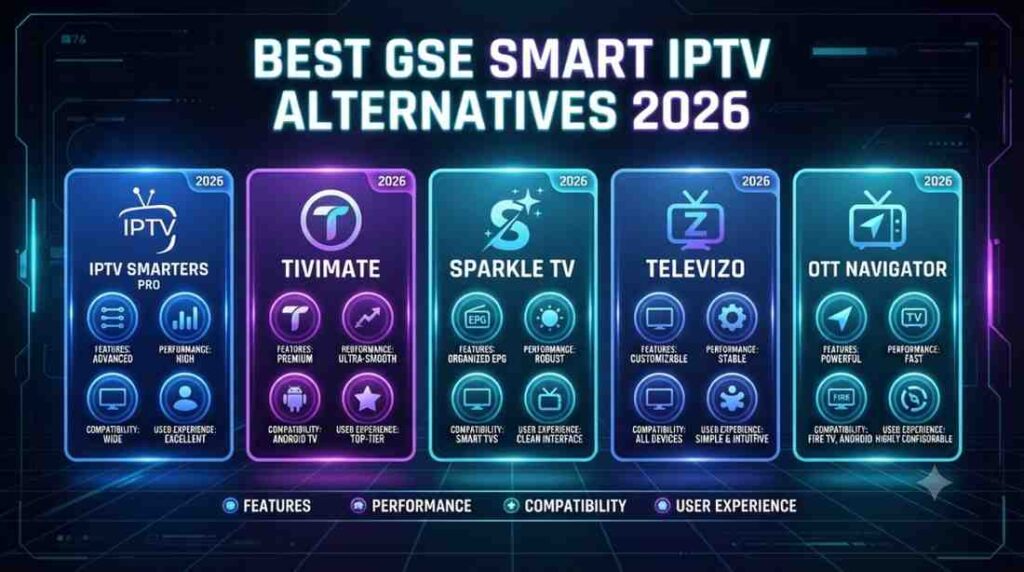
- IPTV Smarters Pro — Very similar feature set, popular for Xtream Codes logins, strong community support.
- TiviMate — Best for Android TV/Fire Stick power users who want deep customization and a premium EPG layout.
- Perfect Player — A minimal, lightweight option ideal for older devices.
- Plex / Jellyfin — Best for freelancers and businesses managing their own owned/licensed media libraries rather than live channel playlists.
- Official broadcaster apps — For most casual home users, using the licensed streaming app of your actual provider is the simplest, fully compliant option.
Future Trends
1. Stronger Licensing Enforcement
Expect app stores and ISPs to tighten requirements around verified, licensed IPTV sources, pushing more users toward compliant subscriptions.
2. AI-Powered EPG and Recommendations
Future IPTV players are likely to integrate AI-driven program guides that suggest content based on viewing habits — useful for both personal and business signage use.
3. Better Cross-Device Cloud Sync
As freelancers manage more multi-device client setups, cloud-based playlist and settings sync will become a standard expectation rather than a premium feature.
4. Growth in Business-Focused Streaming Tools
Small businesses will increasingly look for IPTV-style players with built-in commercial licensing partnerships, simplifying legal compliance for public displays.
5. Increased Focus on User Security
As streaming apps handle more login credentials and personal data, expect stronger encryption, two-factor authentication options, and clearer privacy disclosures to become standard across IPTV players, including GSE Smart IPTV and its competitors.
📥 Download & Set Up GSE Smart IPTV Today
Safety and Best Practice Tips
Before wrapping up, here are a few practical habits worth adopting whenever you use any IPTV player:
Verify Your Source First
Only enter playlist URLs or Xtream Codes credentials from providers you trust and that hold proper licensing rights for the content and region.
Keep the App Updated
Regular updates patch security vulnerabilities and improve compatibility with newer streaming protocols — don’t ignore update prompts.
Use Strong, Unique Credentials
If your provider requires a login, avoid reusing passwords from other accounts, and enable any available two-factor authentication.
Review Permissions
Check what device permissions the app requests (storage, network access) and make sure they align with what’s reasonably needed for playback.
Conclusion
GSE Smart IPTV remains a popular, lightweight, and flexible IPTV player — not a content provider — making it a solid choice for learners exploring streaming technology, freelancers configuring client setups, and small business owners needing a simple display tool. Its strength lies in broad device support and ease of use, while its main limitation is that all content must come from your own licensed source.
Before choosing GSE Smart IPTV or any alternative, always confirm that your playlist or subscription content is legally licensed for your region and use case. Doing so keeps you compliant while still enjoying a smooth, customizable streaming experience in 2026 and beyond.
FAQ’s
Is GSE Smart IPTV legal to use?
Yes, the app itself is a legal media player. Legality depends on the source of the playlist or subscription you load into it — always use licensed content.
Does GSE Smart IPTV provide TV channels?
No. It only plays content from playlists (M3U/Xtream Codes) that you supply from a separate, licensed provider.
Which devices support GSE Smart IPTV?
It works on iOS, Android, Android TV, Fire TV/Fire Stick, and Apple TV, with some workaround options for smart TVs and computers.
Is there a free version of GSE Smart IPTV?
Yes, most platforms offer a free or trial version, often with ads or limited features, alongside a one-time paid upgrade.
What’s the best alternative to GSE Smart IPTV?
IPTV Smarters Pro and TiviMate are the closest alternatives, while Plex or Jellyfin are better suited for managing your own owned media library.