
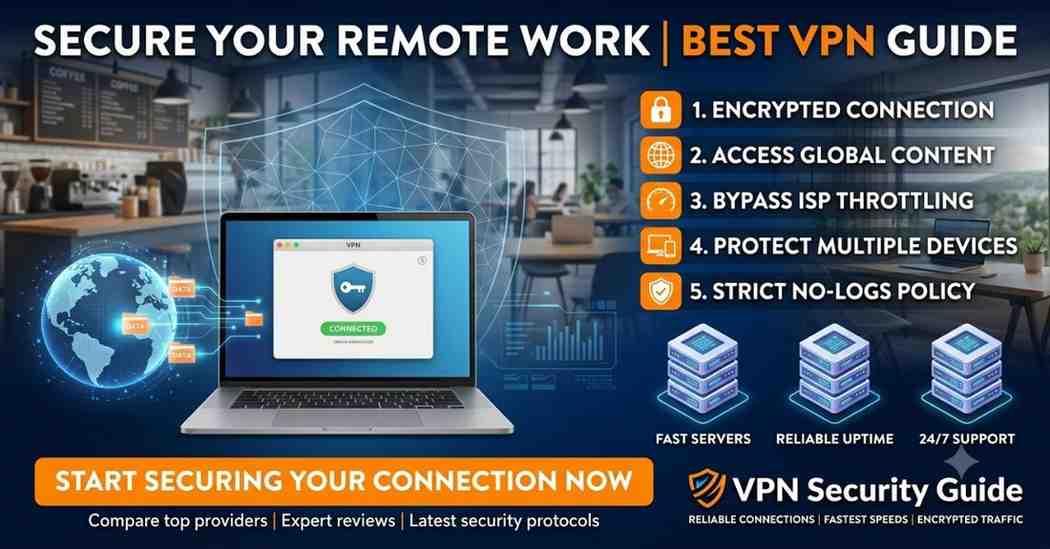
Remote work has become the new standard for millions of professionals, freelancers, digital nomads, and businesses worldwide. While working from home, coworking spaces, or public Wi-Fi offers flexibility, it also introduces cybersecurity risks such as data theft, phishing attacks, identity theft, and unauthorized network access.
A Virtual Private Network (VPN) is one of the most effective tools for protecting sensitive information while working remotely. The best VPN for remote work encrypts your internet connection, safeguards confidential business data, secures access to company resources, and helps maintain privacy wherever you work.
In this comprehensive guide, you’ll learn everything you need to know about choosing the best VPN for remote work, including essential features, benefits, security protocols, and the top VPN services available in 2026.
What Is a VPN for Remote Work?
A Virtual Private Network (VPN) is a security service that creates an encrypted tunnel between your device and the internet. Instead of sending your data directly over a public network, the VPN encrypts all traffic, making it extremely difficult for hackers, cybercriminals, internet service providers (ISPs), or other third parties to intercept your information.
For remote employees, freelancers, consultants, and business owners, a VPN provides a secure way to:
- Access company resources remotely
- Protect confidential client information
- Secure cloud applications
- Prevent unauthorized network access
- Encrypt file transfers
- Safeguard login credentials
- Browse privately on public Wi-Fi
A VPN is especially valuable when working from hotels, airports, cafés, libraries, or coworking spaces where public networks are often less secure.
Why Remote Workers Need a VPN
Working remotely offers convenience, but it also exposes users to a range of cybersecurity threats. Public internet connections can be vulnerable to attacks that may compromise sensitive business data.
Here are the main reasons why every remote worker should consider using a VPN.
Protect Sensitive Business Data
Remote professionals frequently handle confidential documents, contracts, financial records, customer information, and internal communications.
A VPN encrypts this data during transmission, helping prevent unauthorized access and reducing the risk of data breaches.
Secure Public Wi-Fi Connections
Public Wi-Fi is convenient but often lacks strong security measures. Cybercriminals can exploit unsecured networks to monitor traffic or steal personal information.
Using a VPN encrypts your internet activity, making it significantly more difficult for attackers to access your data, even on public networks.
Maintain Privacy
Internet service providers, advertisers, and some websites may collect information about your online activity.
A VPN helps enhance privacy by encrypting your traffic and masking your IP address, reducing the amount of information that can be tracked.
Access Company Resources Safely
Many organizations use VPNs to allow employees to securely connect to:
- Internal company servers
- Corporate file systems
- Cloud applications
- Remote desktops
- Customer databases
- Collaboration platforms
This secure connection helps protect business operations from unauthorized access.
Prevent Cyber Attacks
VPNs reduce the risk of several common online threats, including:
- Man-in-the-middle (MITM) attacks
- Packet sniffing
- Session hijacking
- Network eavesdropping
- IP address exposure
While a VPN improves security, it should be used alongside other best practices such as strong passwords, multi-factor authentication (MFA), and updated software.
How Does a VPN Work?
A VPN creates a secure, encrypted tunnel between your device and a VPN server.
Instead of connecting directly to websites or online services, your internet traffic first passes through the VPN server, where it is encrypted before continuing to its destination.
The process typically works as follows:
- You open the VPN application.
- Select a VPN server.
- The VPN establishes an encrypted connection.
- Your internet traffic is routed through the secure tunnel.
- Websites see the VPN server’s IP address instead of your actual IP address.
This process helps protect your online activity from interception and enhances your privacy while working remotely.
Benefits of Using the Best VPN for Remote Work
Choosing a high-quality VPN provides several important advantages for remote professionals.
Improved Security
Modern VPNs use advanced encryption standards to protect your data from unauthorized access during transmission.
Better Privacy
VPNs conceal your public IP address and encrypt your internet traffic, making it more difficult for third parties to monitor your online activities.
Secure File Sharing
Remote teams often exchange large files containing sensitive information.
A VPN helps protect these file transfers by encrypting the connection between your device and the internet.
Safe Video Conferencing
Professionals regularly use platforms such as Zoom, Microsoft Teams, and Google Meet for meetings.
A VPN adds an extra layer of protection to your internet connection while participating in online conferences, especially on untrusted networks.
Remote Access
VPNs enable employees to securely access:
- Company intranets
- Shared drives
- CRM systems
- ERP software
- Internal applications
- Remote desktop environments
This makes remote collaboration more secure and efficient.
Features to Look for in the Best VPN for Remote Work
Not every VPN is suitable for business or professional use. When selecting a VPN, consider the following features.
1. Strong Encryption
Choose a VPN that offers robust encryption, such as AES-256, which is widely used to protect sensitive data.
2. Fast Connection Speeds
Remote work often involves:
- Video conferencing
- Cloud storage
- Large file uploads
- Remote desktop access
A VPN should minimize speed loss to support these activities smoothly.
3. Global Server Network
A broad network of servers can improve performance and provide more connection options, particularly for distributed teams or international travel.
4. Kill Switch
A kill switch automatically blocks internet traffic if the VPN connection drops unexpectedly, helping prevent accidental exposure of your real IP address or unencrypted data.
5. No-Logs Policy
A no-logs policy means the VPN provider states that it does not retain records of your browsing activity or connection history, supporting greater user privacy.
6. Multi-Device Support
Remote professionals often work across multiple devices.
Look for a VPN that supports:
- Windows
- macOS
- Linux
- Android
- iPhone
- iPad
- Smart TVs (where needed)
- Routers
7. Split Tunneling
Split tunneling allows you to choose which apps use the VPN connection and which connect directly to the internet.
This can improve performance for tasks that don’t require VPN protection while keeping sensitive work traffic encrypted.
8. Multi-Factor Authentication (MFA) Support
Some VPN solutions support or integrate with MFA, adding an extra verification step before users can connect.
This additional layer of security helps protect business accounts from unauthorized access.
Best VPNs for Remote Work Comparison
| VPN Provider | Best For | Servers | No-Logs Policy | Kill Switch | Simultaneous Connections |
|---|---|---|---|---|---|
| NordVPN | Overall Security | 7,000+ | Yes | Yes | 10 |
| ExpressVPN | Speed & Reliability | 3,000+ | Yes | Yes | 8 |
| Surfshark | Unlimited Devices | 3,200+ | Yes | Yes | Unlimited |
| Proton VPN | Privacy-Focused Users | 12,000+ | Yes | Yes | 10 |
| CyberGhost | Beginners | 11,000+ | Yes | Yes | 7 |
| Private Internet Access | Advanced Users | 35,000+ | Yes | Yes | Unlimited |
| IPVanish | Small Businesses | 2,400+ | Yes | Yes | Unlimited |
| Windscribe | Free & Paid Plans | 500+ | Yes | Yes | Unlimited |
Why Businesses Require VPNs for Remote Teams
Organizations increasingly rely on VPNs to secure distributed workforces and protect sensitive information.
Common business benefits include:
- Secure remote employee access
- Encrypted communication
- Protected cloud application access
- Safer file sharing
- Reduced cybersecurity risks
- Compliance with organizational security policies
- Secure collaboration across multiple locations
- Enhanced protection for confidential business data
As remote and hybrid work continue to grow, implementing a trusted VPN remains an important component of a broader cybersecurity strategy.
Top 10 Best VPNs for Remote Work
Choosing the best VPN for remote work depends on your security requirements, budget, connection speed, and the devices you use. Below are some of the most trusted VPN providers for professionals, freelancers, and businesses in 2026.
1. NordVPN – Best Overall VPN for Remote Work
NordVPN is one of the most popular VPN services thanks to its excellent balance of speed, security, and advanced features. It is suitable for remote employees, freelancers, and businesses that need reliable protection.
Key Features
- AES-256 encryption
- NordLynx protocol for high-speed connections
- Double VPN for extra security
- Threat Protection against malicious websites
- Dedicated IP option
- Kill Switch
- Split Tunneling
- Meshnet for secure device-to-device connections
- Multi-Factor Authentication support
Pros
- Excellent download speeds
- Strong security features
- Easy-to-use apps
- Large global server network
- Reliable performance for video conferencing
Best For
- Remote employees
- Small businesses
- IT professionals
- Digital nomads
2. ExpressVPN – Best for Speed
ExpressVPN is well known for its consistently fast servers and stable connections, making it ideal for video meetings, cloud applications, and large file transfers.
Key Features
- TrustedServer technology
- Lightway VPN protocol
- AES-256 encryption
- Kill Switch
- Split Tunneling
- Servers in numerous countries
- Strong privacy protections
Pros
- Excellent speed
- Reliable worldwide servers
- Beginner-friendly interface
- Stable connections
Best For
- Video conferencing
- Cloud collaboration
- International remote workers
3. Surfshark – Best Value VPN
Surfshark offers premium features at an affordable price. One of its biggest advantages is unlimited simultaneous device connections under a single subscription.
Key Features
- Unlimited devices
- CleanWeb ad and tracker blocker
- MultiHop connections
- Kill Switch
- Camouflage Mode
- No-logs policy
Pros
- Budget-friendly
- Unlimited device support
- Strong security
- Easy setup
Best For
- Families
- Freelancers
- Small teams
- Multi-device users
4. Proton VPN – Best for Privacy
Proton VPN focuses heavily on privacy and transparency. Developed by the team behind Proton Mail, it offers strong encryption and security features.
Key Features
- Secure Core servers
- Open-source applications
- No-logs policy
- NetShield malware protection
- High-speed servers
- Strong privacy controls
Pros
- Excellent privacy
- Transparent security practices
- Free plan available
- Open-source software
Best For
- Privacy-conscious professionals
- Journalists
- Researchers
- Remote workers handling sensitive information
5. CyberGhost – Best for Beginners
CyberGhost is designed with ease of use in mind, making it a great option for users who are new to VPNs.
Key Features
- One-click connection
- Optimized servers
- Streaming profiles
- Strong encryption
- Kill Switch
- Automatic Wi-Fi protection
Pros
- Simple interface
- Large server network
- Reliable performance
- Good value
Best For
- Beginners
- Home office users
- Casual remote workers
6. Private Internet Access (PIA)
Private Internet Access is popular among advanced users who want greater control over VPN settings.
Key Features
- Extensive server network
- Open-source apps
- Adjustable encryption
- Split Tunneling
- Kill Switch
- Dedicated IP option
Pros
- Highly customizable
- Strong security
- Unlimited device connections
Best For
- Advanced users
- Developers
- IT professionals
7. IPVanish
IPVanish offers reliable performance and supports unlimited simultaneous connections, making it suitable for households and small businesses.
Key Features
- Unlimited devices
- WireGuard support
- Kill Switch
- No-logs policy
- Fast connections
Best For
- Small businesses
- Remote teams
- Home offices
8. Windscribe
Windscribe offers both free and paid plans, making it an attractive option for individuals who want to try a VPN before purchasing.
Key Features
- Free plan available
- Firewall feature
- Ad blocker
- Split Tunneling
- Strong encryption
Best For
- Students
- Freelancers
- Occasional remote workers
9. TunnelBear
TunnelBear is known for its user-friendly design and straightforward setup process.
Key Features
- Beginner-friendly apps
- Strong encryption
- VigilantBear Kill Switch
- Free plan available
Best For
- First-time VPN users
- Personal remote work
- Basic privacy needs
10. Mullvad VPN
Mullvad VPN is recognized for its strong privacy approach, allowing users to create an account without providing an email address.
Key Features
- Anonymous account creation
- WireGuard support
- Open-source applications
- No-logs policy
- Strong encryption
Best For
- Privacy enthusiasts
- Security professionals
- Anonymous browsing
Understanding VPN Protocols
A VPN protocol determines how your device securely communicates with the VPN server. Different protocols prioritize speed, security, or compatibility.
WireGuard
WireGuard is a modern VPN protocol designed to deliver fast speeds while maintaining strong security. Many premium VPN providers now use it as their default protocol.
Advantages
- Fast performance
- Efficient codebase
- Strong encryption
- Low battery usage on mobile devices
OpenVPN
OpenVPN has been an industry standard for many years. It is highly secure and compatible with most operating systems.
Advantages
- Excellent security
- Widely supported
- Open-source
- Reliable for business use
IKEv2/IPSec
IKEv2/IPSec is especially useful for mobile devices because it quickly reconnects when switching between Wi-Fi and mobile networks.
Advantages
- Stable connections
- Fast reconnection
- Good mobile performance
Lightway
Developed by ExpressVPN, Lightway focuses on delivering fast speeds, improved reliability, and efficient performance.
Advantages
- Quick connection times
- Energy efficient
- Strong security
NordLynx
NordLynx is NordVPN’s implementation of the WireGuard protocol with additional privacy enhancements.
Advantages
- High speed
- Improved privacy
- Excellent for remote work
VPN Protocol Comparison
| Protocol | Speed | Security | Best For |
|---|---|---|---|
| WireGuard | Excellent | Excellent | Daily remote work |
| OpenVPN | Very Good | Excellent | Business security |
| IKEv2/IPSec | Excellent | Very Good | Mobile devices |
| Lightway | Excellent | Excellent | Fast remote connections |
| NordLynx | Excellent | Excellent | High-speed secure work |
Business VPN vs Personal VPN
Although both types of VPNs encrypt internet traffic, they serve different purposes.
| Feature | Business VPN | Personal VPN |
|---|---|---|
| Remote Company Access | ✔ | Limited |
| Centralized User Management | ✔ | ✖ |
| Employee Authentication | ✔ | ✖ |
| Dedicated Servers | Often Available | Sometimes Available |
| Consumer Privacy | Limited Focus | Strong Focus |
| Multi-User Administration | ✔ | ✖ |
Business VPN
Business VPNs are designed for organizations that need secure employee access to internal systems, shared resources, and company networks.
Personal VPN
Personal VPNs focus on protecting an individual’s online privacy, securing internet connections, and enhancing security while browsing or using public Wi-Fi.
Best Security Practices for Remote Workers
Using a VPN is an important step, but it should be part of a broader cybersecurity strategy.
Follow these best practices:
- Enable Multi-Factor Authentication (MFA) on work accounts.
- Keep your operating system and applications updated.
- Use strong, unique passwords and a password manager.
- Avoid connecting to unknown or unsecured Wi-Fi networks without protection.
- Lock your devices when unattended.
- Back up important work files regularly.
- Be cautious of phishing emails and suspicious links.
- Use endpoint security software such as antivirus or endpoint detection tools.
- Log out of business applications when using shared devices.
- Review company security policies regularly.
Device Compatibility
The best VPN providers support a wide range of operating systems and devices, allowing you to secure all your work equipment with one account.
VPN Device Compatibility
| Device Category | Supported Platforms |
|---|---|
| Windows | Windows 10 & Windows 11 |
| macOS | Latest macOS versions |
| Linux | Ubuntu, Debian, Fedora and others |
| Android | Phones & Tablets |
| iPhone & iPad | iOS & iPadOS |
| Routers | Selected VPN-compatible routers |
| Smart TVs | Android TV, Fire TV, Apple TV (varies by provider) |
| Browsers | Chrome, Edge, Firefox extensions (provider dependent) |
Choosing the Right VPN for Your Needs
When selecting the best VPN for remote work, consider:
- Your budget
- Required security features
- Server locations
- Device compatibility
- Connection speed
- Privacy policy
- Ease of use
- Customer support availability
- Number of simultaneous device connections
The ideal VPN is one that balances security, performance, and usability while meeting your personal or business requirements.
Pros and Cons of Using a VPN for Remote Work
A VPN is an important part of a secure remote work setup, but it’s helpful to understand both its advantages and limitations.
Pros
- Encrypts internet traffic for improved security.
- Protects sensitive business data on public Wi-Fi.
- Helps reduce the risk of cyberattacks such as man-in-the-middle attacks.
- Masks your IP address to enhance online privacy.
- Enables secure access to company resources from remote locations.
- Supports safe file sharing and cloud collaboration.
- Works across multiple devices and operating systems.
- Many providers offer 24/7 customer support.
- No special hardware is required for most users.
- Easy to install and use.
Cons
- Encryption may slightly reduce internet speed.
- Premium VPN services require a paid subscription.
- Some websites or services may restrict VPN connections.
- Not all VPN providers offer the same level of privacy or transparency.
- A VPN does not replace antivirus software or other security measures.
- Server availability and performance can vary by location.
Best VPN by Use Case
Different users have different needs. The best VPN depends on how and where you work.
Best Overall
NordVPN
A strong combination of speed, security, and advanced features makes it a great choice for most remote professionals.
Best for Beginners
CyberGhost
Easy-to-use applications and optimized servers make CyberGhost an excellent option for first-time VPN users.
Best for Speed
ExpressVPN
Reliable high-speed connections are ideal for video conferencing, cloud applications, and large file transfers.
Best Budget Option
Surfshark
Affordable pricing with unlimited simultaneous device connections provides excellent value for individuals and families.
Best for Privacy
Proton VPN
Designed with privacy in mind, Proton VPN offers open-source applications, a strict no-logs policy, and advanced security features.
Best for Small Businesses
IPVanish
Unlimited device connections and reliable performance make IPVanish a practical choice for small teams and home offices.
Best Free VPN
Windscribe
Offers a generous free plan suitable for light remote work and users who want to evaluate a VPN before upgrading.
Best VPN Comparison for Remote Work
| Feature | NordVPN | ExpressVPN | Surfshark | Proton VPN | CyberGhost |
|---|---|---|---|---|---|
| Best For | Overall Security | Speed | Value | Privacy | Beginners |
| Server Network | Large | Large | Large | Large | Large |
| Kill Switch | ✔ | ✔ | ✔ | ✔ | ✔ |
| No-Logs Policy | ✔ | ✔ | ✔ | ✔ | ✔ |
| Split Tunneling | ✔ | ✔ | ✔ | ✔ (platform dependent) | ✔ |
| Unlimited Devices | ✖ | ✖ | ✔ | ✖ | ✖ |
| Beginner Friendly | ✔ | ✔ | ✔ | ✔ | ✔ |
| Money-Back Guarantee | ✔ | ✔ | ✔ | Varies by plan | ✔ |
How to Choose the Best VPN for Remote Work
Before making your decision, ask yourself the following questions:
What devices do I use?
Ensure the VPN supports all your devices, including Windows, macOS, Linux, Android, iPhone, and tablets.
How important is speed?
If you frequently:
- Join video meetings
- Upload large files
- Use cloud storage
- Access remote desktops
choose a VPN known for fast and stable connections.
Do I need business features?
Some VPN providers offer:
- Dedicated IP addresses
- Team management
- Single Sign-On (SSO)
- Centralized user administration
- Activity monitoring for administrators
- Business-focused support
These features may be valuable for organizations managing multiple employees.
Does the provider have a transparent privacy policy?
Look for providers that:
- Clearly explain their no-logs policy.
- Undergo independent security audits.
- Publish transparency reports when available.
- Offer strong encryption and modern VPN protocols.
Final Verdict
As remote and hybrid work continue to grow, using the best VPN for remote work is one of the simplest and most effective ways to strengthen online security. A quality VPN helps encrypt your internet connection, protect sensitive business information, secure access to company resources, and reduce risks when working from public or shared networks.
Whether you’re a freelancer, remote employee, consultant, digital nomad, or business owner, choosing a VPN with strong encryption, a transparent no-logs policy, fast servers, and broad device compatibility can significantly improve your remote work experience.
Frequently Asked Questions
What is the best VPN for remote work?
The best VPN depends on your needs. NordVPN is often recommended for its balance of security, speed, and features, while ExpressVPN, Surfshark, Proton VPN, and CyberGhost are also strong options.
Is a VPN necessary for working remotely?
While not always mandatory, a VPN is strongly recommended when accessing sensitive information, connecting to company resources, or using public Wi-Fi.
Can a VPN improve my internet speed?
A VPN generally does not increase internet speed. In some cases, encryption may slightly reduce speed, although high-quality VPN providers are designed to minimize this impact.
Is it safe to use free VPNs?
Some reputable providers offer free plans with limitations. However, for professional or business use, a trusted paid VPN is usually a better choice due to stronger security, better performance, and more features.
Which VPN protocol is best?
WireGuard and OpenVPN are widely regarded as excellent choices. The best protocol depends on whether you prioritize speed, compatibility, or specific business requirements.
Can I use a VPN on multiple devices?
Yes. Most VPN providers support multiple simultaneous connections, and some allow unlimited devices under a single subscription.