
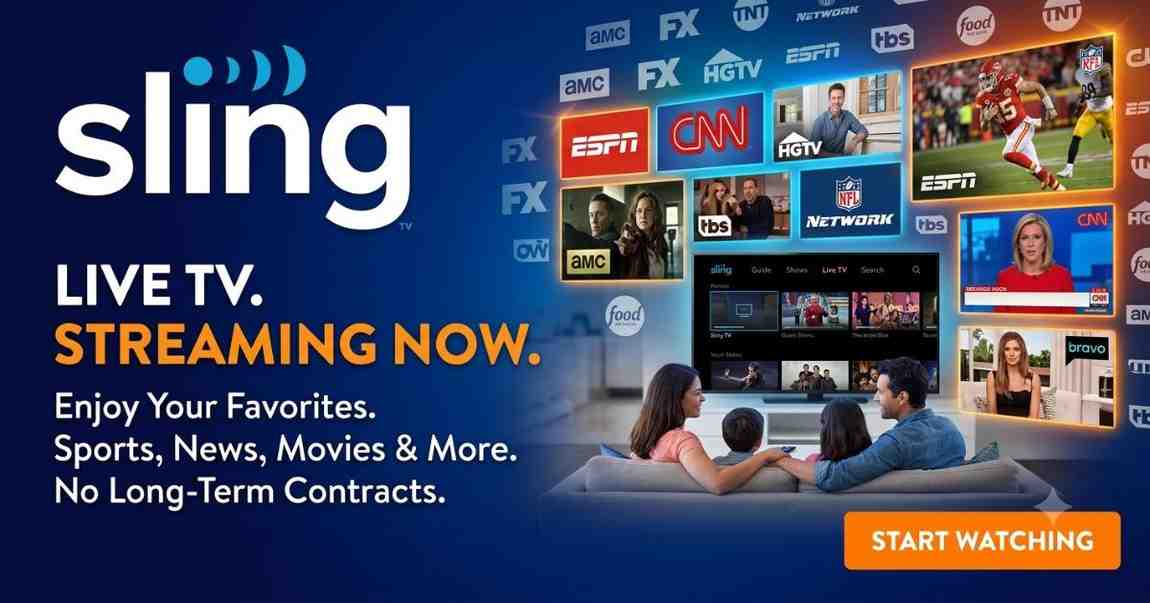
Sling TV is one of the most popular live TV streaming services in the United States, offering an affordable alternative to traditional cable and satellite television. Whether you’re looking to watch live sports, news, entertainment, or family programming, Sling provides flexible plans that let you choose the channels you want without long-term contracts.
Unlike traditional cable providers, Sling allows you to stream live television over the internet on multiple devices, including smart TVs, streaming sticks, smartphones, tablets, gaming consoles, and computers. Its customizable channel packages and premium add-ons make it an excellent choice for budget-conscious cord-cutters.
In this complete guide, you’ll learn everything about Sling , including its plans, pricing, channels, features, supported devices, DVR options, and whether it’s worth subscribing in 2026.
What Is Sling TV?
Sling TV is a live TV streaming service owned by Dish Network that launched in 2015. It was among the first streaming platforms to replace traditional cable TV with internet-based live television.
Instead of paying for hundreds of unwanted channels, Sling allows users to subscribe to affordable channel packages that match their viewing preferences.
Whether you enjoy:
- Live sports
- Breaking news
- Movies
- Kids programming
- Lifestyle channels
- Reality TV
- International content
Sling offers flexible options without requiring annual contracts or expensive equipment.
Why Sling TV Is Popular
Millions of users choose Sling because it offers:
- Lower monthly costs than cable
- No contracts
- Easy online signup
- Cloud DVR
- Customizable channel lineups
- Premium add-ons
- Multi-device streaming
- HD streaming quality
How Sling TV Works
Sling streams television channels through your internet connection instead of using cable or satellite.
After subscribing, users simply:
- Create an account.
- Choose a Sling package.
- Download the Sling app.
- Log in.
- Start streaming live TV instantly.
No technician installation is required.
Internet Speed Requirements
For the best experience, Sling recommends:
| Streaming Quality | Recommended Speed |
|---|---|
| SD | 3 Mbps |
| HD | 5–10 Mbps |
| Multiple Streams | 25+ Mbps |
| 4K (Limited Content) | 25 Mbps+ |
A stable internet connection ensures smooth playback without buffering.
Sling TV Plans Explained
Sling offers flexible subscription options designed for different viewing preferences.
The primary plans are:
- Sling Orange
- Sling Blue
- Sling Orange + Blue
Each package includes different channel lineups and streaming capabilities.
Sling TV Plans Comparison
| Plan | Starting Price | Approx. Channels | Simultaneous Streams | Best For |
|---|---|---|---|---|
| Sling Orange | Affordable | 30+ | 1 | Families & ESPN fans |
| Sling Blue | Affordable | 45+ | 3 | News, entertainment & local markets |
| Orange + Blue | Higher bundle price | 50+ | Up to 4 | Complete entertainment experience |
Sling Orange
Sling Orange is ideal for viewers who primarily watch sports and family programming.
Popular channels typically include:
- ESPN
- ESPN2
- Disney Channel
- Freeform
- AMC
- CNN
- HGTV
- Food Network
- History Channel
Best For
- College sports fans
- Families with children
- Disney viewers
- Budget-conscious subscribers
Sling Blue
Sling Blue focuses on entertainment, lifestyle, news, and regional programming.
It generally includes channels like:
- FOX (select markets)
- NBC (select markets)
- Bravo
- FX
- National Geographic
- USA Network
- Discovery Channel
- TLC
- NFL Network
Best For
- Entertainment lovers
- NFL fans
- Reality TV viewers
- News enthusiasts
Sling Orange + Blue
The combined package delivers the broadest channel lineup by merging both plans.
Benefits include:
- More live channels
- Sports coverage
- Entertainment
- Kids programming
- Lifestyle channels
- Multiple simultaneous streams
This plan is recommended for households with varied viewing preferences.
Top Features of Sling TV
Sling continues to stand out because of its flexibility and user-friendly features.
1. Affordable Pricing
One of Sling biggest advantages is its affordability.
Instead of paying for expensive cable bundles, users can choose only the content they actually watch.
This makes Sling one of the most budget-friendly live TV streaming platforms available.
2. No Contracts
Unlike traditional TV providers, Sling does not require:
- Annual contracts
- Installation appointments
- Equipment rental
- Early termination fees
Subscribers can cancel or restart their service whenever they want.
3. Cloud DVR
Sling includes Cloud DVR functionality that allows users to record live television for later viewing.
Benefits include:
- Record live sports
- Save favorite TV shows
- Skip commercials on recorded content (where supported)
- Watch recordings from any compatible device
This feature is especially useful for viewers with busy schedules.
4. Personalized Channel Packages
Not everyone watches the same content.
Sling allows subscribers to customize their experience by adding optional channel packs such as:
- Sports Extra
- News Extra
- Kids Extra
- Lifestyle Extra
- Comedy Extra
- Hollywood Extra
- Heartland Extra
This flexibility helps users avoid paying for channels they don’t need.
5. Multiple Device Support
Sling works across a wide range of devices, allowing users to watch at home or on the go.
Supported devices include:
- Smart TVs
- Android devices
- iPhone
- iPad
- Roku
- Amazon Fire TV
- Apple TV
- Chromecast
- Xbox
- Web browsers
You can start watching on one device and continue on another with the same account.
6. User-Friendly Interface
The Sling app offers an intuitive interface that makes it easy to:
- Browse channels
- Search for shows
- Access recordings
- Manage subscriptions
- Explore on-demand content
- Discover personalized recommendations
Its clean layout helps users quickly find live or on-demand programming.
Why Choose Sling TV?
With many streaming services available today, Sling remains a strong option for users seeking affordability and flexibility.
Some key reasons to choose Sling include:
- Lower monthly cost compared to traditional cable
- Flexible plan options
- Wide selection of sports, entertainment, and news channels
- Optional premium and genre-specific add-ons
- Cloud DVR for recording live TV
- Compatibility with most streaming devices
- No long-term commitments
- Easy online setup and account management
Whether you’re a sports enthusiast, movie lover, or casual viewer, Sling offers a customizable streaming experience that can fit a variety of entertainment needs.
Sling TV Channel Lineup
One of the biggest reasons people subscribe to Sling TV is its wide selection of live channels. Unlike many streaming services that offer only on-demand content, Sling delivers live television across multiple categories, including sports, entertainment, news, lifestyle, kids, and international programming.
The exact channels you receive depend on whether you choose Sling Orange, Sling Blue, or the combined Orange + Blue plan.
Entertainment Channels
Entertainment is one of Sling strongest categories. Subscribers can enjoy popular TV shows, reality programs, movies, documentaries, and lifestyle content from well-known networks.
Some of the most popular entertainment channels include:
- AMC
- A&E
- Bravo
- Comedy Central
- E!
- FX
- Freeform
- Hallmark Channel (available through add-ons)
- HGTV
- History Channel
- Investigation Discovery (ID)
- Lifetime (available through add-ons)
- MTV
- Paramount Network
- Syfy
- TBS
- TLC
- TNT
- Travel Channel
- USA Network
These channels provide thousands of hours of entertainment throughout the year.
Sports Channels
Sports fans choose Sling because it provides excellent live sports coverage without requiring an expensive cable package.
Depending on your plan, you may receive access to:
- ESPN
- ESPN2
- ESPN3
- NFL Network
- FS1
- NBC Sports (select markets)
- TNT Sports
- TBS Sports
- Golf Channel (add-on)
- MLB Network (Sports Extra)
- NBA TV (Sports Extra)
- NHL Network (Sports Extra)
- beIN Sports
- Tennis Channel (add-on)
You can watch live coverage of:
- NFL
- NBA
- MLB
- NHL
- NCAA Football
- NCAA Basketball
- UFC
- Soccer
- Golf
- Tennis
- NASCAR
- Motorsports
Sports availability depends on your location and subscription package.
News Channels
Stay informed with 24/7 national and international news coverage.
Popular news channels include:
- CNN
- Fox News
- MSNBC
- CNBC
- Bloomberg Television
- BBC World News
- HLN
- NewsNation
This makes Sling an excellent option for viewers who regularly watch live news broadcasts.
Kids & Family Channels
Families can access a variety of educational and entertainment channels for children.
Popular family channels include:
- Disney Channel
- Disney Junior
- Disney XD
- Cartoon Network
- Boomerang (Kids Extra)
- Nick Jr. (add-on)
- BabyTV (add-on)
These channels feature cartoons, educational shows, family movies, and children’s programming suitable for different age groups.
Lifestyle Channels
Lifestyle programming is another area where Sling performs well.
Popular options include:
- Food Network
- HGTV
- Cooking Channel
- DIY Network
- Travel Channel
- Magnolia Network
- TLC
- Discovery Channel
- Animal Planet (add-on)
These channels focus on cooking, home improvement, travel, gardening, and lifestyle content.
Popular Sling TV Channels by Category
| Category | Popular Channels |
|---|---|
| Sports | ESPN, ESPN2, FS1, NFL Network, NBA TV, MLB Network |
| Entertainment | AMC, FX, TNT, TBS, USA Network, Comedy Central |
| News | CNN, Fox News, MSNBC, CNBC, Bloomberg, BBC World News |
| Kids | Disney Channel, Cartoon Network, Disney XD, Disney Junior |
| Lifestyle | HGTV, Food Network, TLC, Travel Channel, Discovery |
| Movies | AMC, FXM, HDNet Movies, Paramount Network |
Sling TV Add-On Packages
One of Sling TV’s biggest strengths is its customization. Instead of paying for a large bundle of channels you may never watch, you can add smaller themed packages based on your interests.
Popular add-ons include:
Sports Extra
Perfect for sports enthusiasts.
Includes channels such as:
- NBA TV
- MLB Network
- NHL Network
- Golf Channel
- Tennis Channel
- SEC Network+
- ACC Network Extra
Ideal for viewers who want more comprehensive sports coverage.
News Extra
Designed for those who follow current events closely.
May include:
- CNBC World
- Newsmax
- BBC News
- Euronews
- CGTN
Kids Extra
Great for families with young children.
Includes channels like:
- Boomerang
- BabyTV
- NickToons
- TeenNick
Lifestyle Extr
Offers additional content focused on food, travel, fashion, and home improvement.
Examples include:
- Cooking Channel
- DIY Network
- Destination America
- Great American Family
Hollywood Extra
Ideal for movie lovers.
May include:
- HDNet Movies
- Reelz
- Sony Movies
- Sundance TV
Comedy Extra
Perfect for viewers who enjoy sitcoms and stand-up comedy.
Includes channels such as:
- MTV2
- Logo
- CMT
- TV Land
Cloud DVR
Cloud DVR is one of Sling TV’s most valuable features.
Instead of watching programs only when they air live, subscribers can record content and watch it later.
Cloud DVR lets you:
- Record live TV
- Pause and resume recordings
- Rewatch sporting events
- Save TV series
- Record movies
- Access recordings from compatible devices
Premium DVR options provide additional recording storage for users who need more space.
On-Demand Content
In addition to live television, Sling TV also includes an extensive on-demand library.
Subscribers can watch:
- Popular TV series
- Recently aired episodes
- Movies
- Kids programming
- Documentaries
- Reality shows
- Lifestyle programs
This gives users the flexibility to watch content whenever it’s convenient.
Supported Devices
Sling TV is compatible with a wide variety of streaming devices, making it easy to watch at home or on the go.
Supported platforms include:
- Android smartphones
- Android tablets
- iPhone
- iPad
- Android TV
- Apple TV
- Amazon Fire TV
- Roku devices
- Google Chromecast
- Smart TVs
- Xbox consoles
- Windows PCs
- Mac computers
- Web browsers
This broad compatibility ensures that most users can access Sling TV without purchasing new hardware.
Sling TV Device Compatibility
| Device Category | Supported Devices |
|---|---|
| Smart TVs | Samsung, LG, Android TV, Vizio (selected models) |
| Streaming Devices | Roku, Amazon Fire TV, Chromecast, Apple TV |
| Mobile Devices | Android phones, Android tablets, iPhone, iPad |
| Computers | Windows PC, Mac, Chromebook (via browser) |
| Gaming Consoles | Xbox |
| Web Browsers | Chrome, Edge, Firefox, Safari |
Streaming Quality
Sling TV supports high-definition streaming on compatible channels and devices.
Depending on your internet connection, users can enjoy:
- SD streaming
- HD streaming
- Limited 4K content (where available)
- Adaptive streaming that adjusts video quality automatically to reduce buffering
For the best experience, a stable high-speed internet connection is recommended, especially for households streaming on multiple devices simultaneously.
Simultaneous Streaming
The number of devices that can stream Sling TV at the same time depends on your subscription:
- Sling Orange: 1 simultaneous stream
- Sling Blue: Up to 3 simultaneous streams
- Sling Orange + Blue: Up to 4 simultaneous streams (combining Orange and Blue stream allowances)
This flexibility makes the combined plan a good choice for larger households with multiple viewers.
Pros and Cons of Sling TV
Like any streaming service, Sling TV has strengths and limitations. Understanding both can help you decide whether it fits your entertainment needs.
Pros
- Affordable compared to traditional cable TV.
- No annual contracts or cancellation fees.
- Flexible channel packages.
- Wide variety of sports, news, and entertainment channels.
- Optional premium and genre-specific add-ons.
- Cloud DVR support.
- Large selection of compatible devices.
- Easy setup with no installation required.
- On-demand content included with live TV plans.
- Multiple streaming options depending on the subscription.
Cons
- Local channel availability varies by location.
- Some popular channels require add-on packages.
- Simultaneous streams differ between plans.
- Limited 4K content.
- Internet connection quality directly affects streaming performance.
- Certain regional sports networks may not be available.
Who Should Choose Sling TV?
Sling TV is an excellent option for a variety of viewers, including:
Budget-Conscious Users
If you want live TV without paying expensive cable bills, Sling TV offers a cost-effective alternative with customizable plans.
Sports Fans
Sports enthusiasts can watch major leagues and tournaments through channels such as ESPN, NFL Network, FS1, and additional sports add-ons.
Families
Families benefit from kids’ programming, entertainment channels, educational content, and optional family-focused add-on packages.
Movie Lovers
With movie channels and premium add-ons available, Sling TV offers plenty of options for viewers who enjoy films and TV series.
Frequent Travelers
Because Sling TV works on smartphones, tablets, laptops, and supported streaming devices, subscribers can access their favorite content while traveling within supported regions.
Sling TV vs Competitors
Choosing the right live TV streaming service depends on your budget, preferred channels, and desired features. Here’s how Sling TV compares with some of the most popular alternatives.
Sling TV vs Popular Streaming Services
| Feature | Sling TV | YouTube TV | Hulu + Live TV | Fubo |
|---|---|---|---|---|
| Starting Price | Budget-friendly | Higher | Higher | Higher |
| Live TV | ✅ | ✅ | ✅ | ✅ |
| On-Demand Library | ✅ | ✅ | ✅ | ✅ |
| Sports Coverage | Excellent | Excellent | Very Good | Excellent |
| Cloud DVR | Yes | Yes | Yes | Yes |
| No Contract | Yes | Yes | Yes | Yes |
| Custom Channel Packages | Excellent | Limited | Limited | Moderate |
| Multiple Plans | Yes | No | No | Yes |
Sling TV vs YouTube TV
Sling TV
- Lower monthly cost.
- More customizable channel packages.
- Better for budget-conscious users.
YouTube TV
- Larger default channel lineup.
- More local channels.
- Unlimited Cloud DVR.
- Higher monthly subscription cost.
Sling TV vs Hulu + Live TV
Sling TV
- Lower entry price.
- Flexible channel add-ons.
- Better for users who only need selected channels.
Hulu + Live TV
- Includes access to Hulu’s on-demand library.
- Bundles with Disney+ and ESPN+ in many plans.
- More expensive than Sling TV.
Sling TV vs Fubo
Sling TV
- More affordable.
- Better for general entertainment and value.
Fubo
- Excellent sports coverage.
- Larger sports channel lineup.
- Typically higher monthly pricing.
Tips for Getting the Most Out of Sling TV
To maximize your Sling experience:
- Choose the plan that best matches your viewing habits.
- Add only the channel packs you actually watch.
- Use Cloud DVR to record live sports and favorite shows.
- Install the app on all your compatible devices.
- Maintain a stable high-speed internet connection for smoother streaming.
- Check for promotional offers before subscribing.
Frequently Asked Questions
Is Sling TV free?
No. Sling TV is a paid subscription service. However, it occasionally offers promotional discounts for new customers.
Does Sling TV require a contract?
No. Sling TV operates on a month-to-month basis with no long-term contracts.
Can I cancel Sling TV anytime?
Yes. You can cancel your subscription at any time without paying cancellation fees.
Does Sling TV include local channels?
Some local channels are available in select markets, but availability depends on your location and chosen plan.
Can I watch sports on Sling TV?
Yes. Sling TV offers extensive sports coverage through ESPN, FS1, NFL Network, and optional Sports Extra add-ons.
Does Sling TV have Cloud DVR?
Yes. Cloud DVR is available, allowing subscribers to record and watch live TV later.