
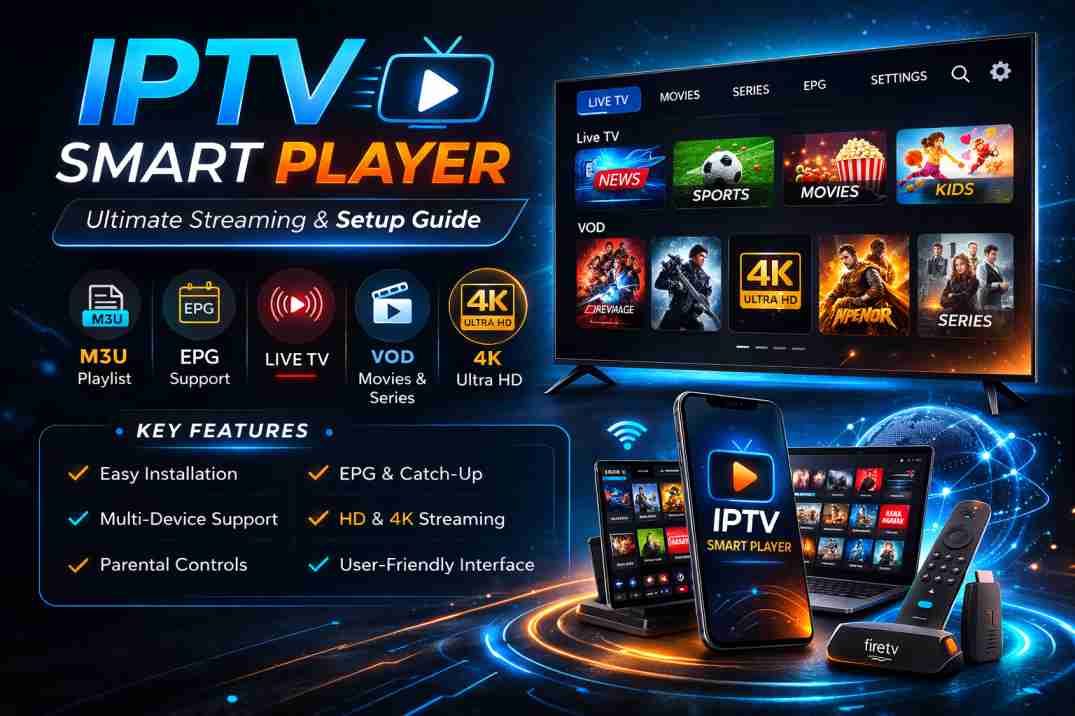
Discover IPTV Smart Player features, setup guide, benefits, security tips, and why it’s the best streaming solution for seamless live TV and on-demand content.
IPTV Smart Player: The Ultimate Guide to Modern Streaming Solutions
In today’s fast-evolving digital entertainment landscape, traditional cable television is rapidly being replaced by flexible and internet-powered solutions. One of the most efficient tools driving this transformation is the IPTV Smart Player. Designed to deliver live television, video-on-demand (VOD), and interactive content through internet protocol networks, IPTV Smart Player has become an essential application for users seeking seamless, high-quality streaming.

This comprehensive guide explores everything you need to know about IPTV Smart Player, including its features, benefits, setup process, security considerations, and why it stands out in the competitive streaming market.
What Is IPTV Smart Player?
IPTV Smart Player is a media application that enables users to stream television channels and on-demand content using IPTV (Internet Protocol Television) technology. Unlike conventional broadcasting methods such as satellite or cable, IPTV transmits content through internet connections.
It is important to note that IPTV Smart Player does not provide content itself. Instead, it functions as a media player that integrates IPTV subscription details, typically through M3U playlists or Xtream Codes API credentials, allowing users to access content from their chosen IPTV service provider.
Key Features of IPTV Smart Player
A major reason for the growing popularity of IPTV Smart Player is its robust feature set. Below are some of the most notable capabilities:
1. High-Quality Streaming
IPTV Smart Player supports HD, Full HD, and even 4K streaming (depending on the provider and internet speed). Advanced buffering technology ensures minimal lag and smooth playback.
2. Multi-Device Compatibility
The application is compatible with:
- Smart TVs (Samsung, LG)
- Android devices
- iOS devices
- Windows and macOS
- Amazon Firestick
This cross-platform availability enhances convenience and flexibility for users.
3. User-Friendly Interface
A clean, intuitive interface ensures effortless navigation. Features like categorized channels, search functions, and electronic program guides (EPG) improve the viewing experience.
4. Playlist Support
IPTV Smart Player supports M3U and M3U8 playlist formats, making integration with IPTV services simple and efficient.
5. Parental Controls
Advanced parental control settings allow families to restrict specific content categories, enhancing safety and control.
6. Electronic Program Guide (EPG)
The integrated EPG provides real-time scheduling information, enabling users to browse upcoming programs easily.
Benefits of Using IPTV Smart Player
Cost-Effective Entertainment
Compared to traditional cable subscriptions, IPTV services used with IPTV Smart Player are generally more affordable and flexible.
On-Demand Access
Users can watch their favorite shows and movies whenever they choose, eliminating rigid broadcasting schedules.
Global Channel Access
IPTV Smart Player enables access to international channels, offering a diverse range of content across languages and regions.
Easy Installation
The setup process is straightforward and typically requires only:
- Installing the application
- Entering IPTV subscription credentials
- Loading the playlist
Within minutes, users can begin streaming.
How to Set Up IPTV Smart Player
Setting up IPTV Smart Player is simple. Follow these steps:
Step 1: Download the Application
Install IPTV Smart Player from your device’s official app store or trusted source.
Step 2: Launch the Application
Open the application and select your preferred login method (M3U URL or Xtream Codes API).
Step 3: Enter IPTV Credentials
Input the playlist URL or API details provided by your IPTV service provider.
Step 4: Load Channels
Once authenticated, the system will load channels and VOD content automatically.
Step 5: Customize Settings
Adjust video quality, enable subtitles, configure EPG, and personalize the interface.
Internet Requirements for Optimal Performance
For the best IPTV Smart Player experience, stable internet connectivity is essential:
- SD Streaming: Minimum 5 Mbps
- HD Streaming: Minimum 10 Mbps
- 4K Streaming: 25 Mbps or higher
Using a wired Ethernet connection instead of Wi-Fi can further improve stability.
IPTV Smart Player and Security Considerations
Security remains a critical aspect of online streaming. While IPTV Smart Player itself is a legitimate media player, users must ensure they subscribe to licensed IPTV providers.
Here are some best practices:
- Use reputable IPTV services
- Install updates regularly
- Consider using a VPN for enhanced privacy
- Avoid sharing login credentials
Maintaining cybersecurity hygiene protects both personal data and streaming quality.
IPTV Smart Player vs Traditional Cable TV
| Feature | IPTV Smart Player | Traditional Cable |
|---|---|---|
| Flexibility | High | Limited |
| Cost | Affordable | Expensive |
| Device Support | Multi-device | TV Only |
| On-Demand Content | Yes | Limited |
| Global Access | Yes | Restricted |
This comparison clearly demonstrates why IPTV Smart Player is becoming the preferred choice for modern viewers.
Common Issues and Troubleshooting
While IPTV Smart Player is generally reliable, users may occasionally encounter issues.
Buffering Problems
- Check internet speed
- Restart router
- Reduce streaming resolution
Playlist Not Loading
- Verify M3U URL
- Confirm subscription status
- Restart the application
Audio/Video Sync Issues
- Restart stream
- Update application
- Check device compatibility
Why IPTV Smart Player Is the Future of Streaming
The entertainment industry is steadily transitioning toward internet-based content delivery. IPTV Smart Player aligns perfectly with this evolution due to:
- Scalability
- Cost efficiency
- On-demand convenience
- Advanced customization options
As broadband infrastructure improves globally, IPTV adoption is expected to grow significantly. IPTV Smart Player is positioned as a central tool in this digital transformation.
Final Thoughts
IPTV Smart Player represents a powerful and flexible streaming solution tailored to modern viewing habits. With its user-friendly interface, multi-device compatibility, high-definition streaming support, and customizable features, it provides a superior alternative to traditional television services.
By combining affordability with functionality, IPTV Smart Player empowers users to take full control of their entertainment experience. Whether for live sports, international channels, movies, or TV series, this platform offers a comprehensive and future-ready streaming solution.
For individuals and businesses looking to embrace next-generation entertainment, IPTV Smart Player stands out as a reliable, efficient, and scalable option in the competitive world of digital media streaming.
FAQ’s
1. What is IPTV Smart Player?
IPTV Smart Player is an app that streams live TV and on-demand content using IPTV subscriptions.
2. Is IPTV Smart Player legal?
Yes, the app is legal. Legality depends on using a licensed IPTV provider.
3. What internet speed is needed?
5 Mbps for SD, 10 Mbps for HD, and 25 Mbps+ for 4K streaming.
4. Which devices support IPTV Smart Player?
It works on Smart TVs, Android, iOS, Windows, macOS, and Firestick.
5. Why does IPTV Smart Player buffer?
Buffering usually happens due to slow internet, network issues, or provider server problems.