
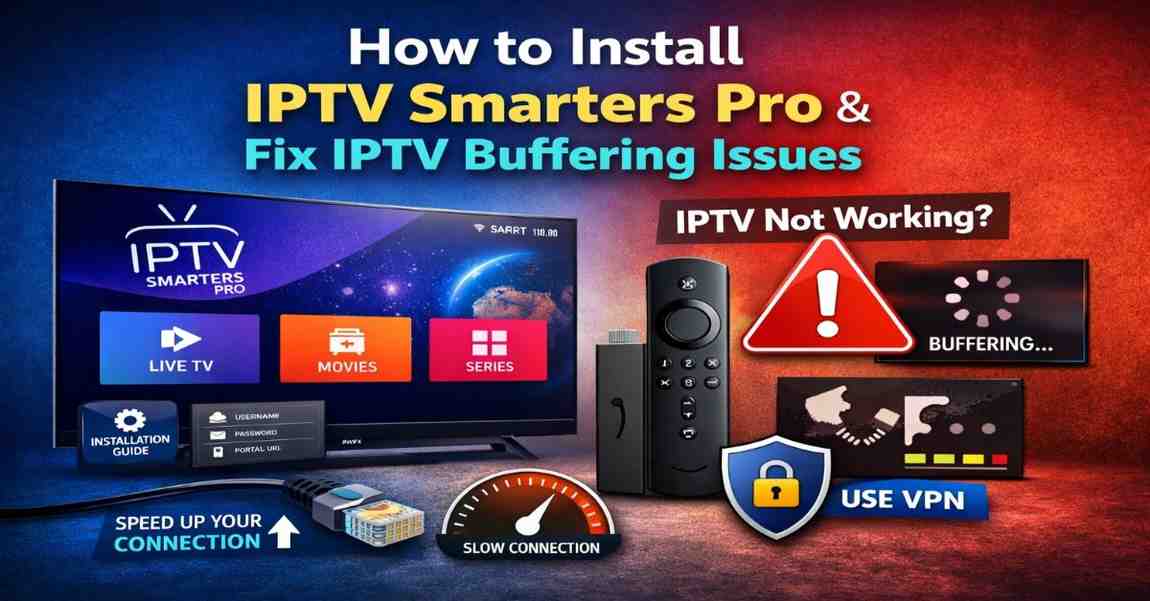
IPTV has become one of the most popular ways to stream live TV and on-demand content. However, many users still struggle with setup and performance issues. This professional guide explains how to install IPTV Smarters Pro, why IPTV may not be working on Firestick, and how to fix IPTV buffering issues using proven, practical solutions.
Whether you are a beginner or an regular IPTV user, this guide will help you achieve smoother streaming and a more stable experience.

How to Install IPTV Smarters Pro
Installing IPTV Smarters Pro is the first step to accessing IPTV services. The app is compatible with many devices, including smart TVs, Android devices, and streaming sticks.
Install IPTV Smarters Pro on Smart TV
If you are using a compatible smart TV:
- Turn on your smart TV and connect it to the internet.
- Open the built-in App Store.
- Search for IPTV Smarters Pro.
- Select the app and click Install.
- Launch the app after installation.
- Enter your IPTV provider login details (username, password, and server URL).
- Wait for channels and playlists to load.
Install IPTV Smarters Pro on Android Devices
- Open Google Play Store.
- Search for IPTV Smarters Pro.
- Tap Install.
- Open the app and log in with your IPTV credentials.
Install IPTV Smarters Pro on Firestick
To install on the Amazon Fire TV Stick:
- Go to Settings → My Fire TV → Developer Options.
- Enable Apps from Unknown Sources.
- Install the Downloader app from the Amazon App Store.
- Open Downloader and enter the IPTV Smarters download URL.
- Install the app and log in.
After installation, restart your device for best performance.
Why Is My IPTV Not Working on Firestick?
Many Firestick users encounter IPTV playback errors. These problems usually have clear causes and solutions.
Internet Connection Problems
A weak or unstable connection is the most common reason IPTV fails.
Solution:
- Restart your modem and router.
- Move your Firestick closer to the Wi-Fi router.
- Use a wired Ethernet adapter if possible.
- Test your internet speed.
A stable minimum speed of 15 Mbps is recommended for HD streaming.
IPTV Server Downtime
Sometimes the issue is not on your side. IPTV servers may experience maintenance or overload.
Solution:
- Try logging in on another device.
- Contact your IPTV provider.
- Wait and retry later.
App Cache and Data Errors
Over time, cached files can corrupt app performance.
Solution:
- Open Settings on Firestick.
- Go to Applications.
- Select your IPTV app.
- Click Clear Cache and Clear Data.
- Restart the device.
Outdated Application Version
Older versions of IPTV apps may stop functioning.
Solution:
- Update the app to the latest version.
- Reinstall the application if needed.
Insufficient Storage Space
Firestick devices have limited storage. When full, apps may crash.
Solution:
- Remove unused apps.
- Clear cache regularly.
- Restart the device.
ISP Restrictions
Some internet providers throttle IPTV traffic.
Solution:
- Use a reputable VPN.
- Switch server locations if buffering continues.
How to Fix IPTV Buffering Issues
Buffering interrupts streaming and reduces viewing quality. Fortunately, several strategies can dramatically improve performance.
Upgrade Your Internet Speed
For smooth playback:
- SD streaming: 5 Mbps minimum
- HD streaming: 15–20 Mbps recommended
- 4K streaming: 25 Mbps or higher
Consider upgrading to fiber internet if buffering is frequent.
Use a Wired Connection
Wi-Fi signals can weaken due to interference. Ethernet provides more stable bandwidth and lower latency.
Restart Network Equipment
Power cycling your devices clears temporary glitches:
- Turn off router and modem for 60 seconds.
- Restart your streaming device.
- Relaunch the IPTV app.
Adjust App Streaming Settings
Inside IPTV Smarters Pro:
- Reduce video resolution.
- Enable hardware decoding.
- Adjust buffer size settings.
Lower resolution often eliminates buffering on slower networks.
Close Background Applications
Running multiple apps consumes memory and processing power. Close unused apps to improve performance.
Use a VPN to Prevent Throttling
A VPN encrypts traffic and may prevent ISP throttling. This can significantly improve streaming stability.
Change DNS Settings
Switching to public DNS servers like Google DNS can reduce latency and improve connection reliability.
Upgrade Your Streaming Device
Older hardware may struggle with HD or 4K content. Upgrading to a newer device can resolve persistent buffering.
Advanced IPTV Troubleshooting
If basic solutions do not work, try advanced fixes:
Update Device Firmware
Ensure your smart TV or streaming device runs the latest software version.
Reset IPTV Application
Log out and reset the app settings before logging back in.
Factory Reset Device
As a last resort, perform a factory reset and reinstall apps from scratch.
Best Practices for Smooth IPTV Streaming
Consistent performance requires proper maintenance and setup.
- Maintain high-speed internet service.
- Keep apps and firmware updated.
- Use trusted IPTV providers.
- Avoid overcrowded Wi-Fi networks.
- Regularly clear cache and unused files.
- Restart devices weekly.
Following these habits reduces technical issues.
Common IPTV Mistakes to Avoid
Many users unintentionally cause performance problems:
- Ignoring app updates
- Using unreliable IPTV sources
- Running too many background apps
- Overloading Wi-Fi networks
- Using outdated hardware
Avoiding these mistakes ensures smoother streaming.
Security and Privacy Considerations
When using IPTV services:
- Protect your connection with a VPN.
- Avoid downloading apps from untrusted sources.
- Use secure passwords.
- Keep your device software updated.
Security is essential for safe streaming.
Choosing the Right IPTV Setup
For the best experience:
- Use modern streaming hardware.
- Prefer Ethernet over Wi-Fi.
- Subscribe to high-quality IPTV providers.
- Optimize network settings.
A proper setup minimizes interruptions.
Conclusion
Understanding how to install IPTV Smarters Pro, diagnosing why IPTV may not work on Firestick, and learning how to fix IPTV buffering issues can dramatically improve your streaming experience. Most problems stem from internet instability, outdated apps, or device limitations.
By applying the solutions in this guide — improving network performance, optimizing settings, and maintaining your device — you can enjoy smooth and reliable IPTV streaming.