
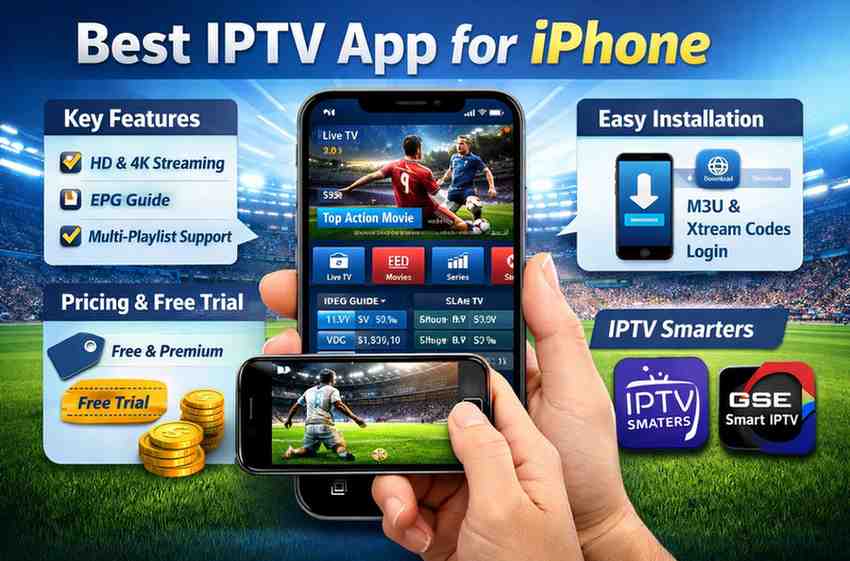
Discover the best IPTV app for iPhone with features, benefits, and setup tips. Stream live TV, movies, and sports seamlessly on your iOS device.
Best IPTV App for iPhone: Complete Guide for 2026
The demand for streaming services has grown rapidly, and IPTV (Internet Protocol Television) has become a popular choice for users seeking flexible and affordable entertainment. If you are searching for the best IPTV app for iPhone, you are not alone. With countless options available, choosing the right app can be overwhelming.

This comprehensive guide will help you understand IPTV, explore the best apps for iPhone, and learn how to choose the ideal solution for your streaming needs.
What is IPTV and Why is it Popular?
IPTV stands for Internet Protocol Television, which allows users to stream live TV channels, movies, and shows over the internet instead of traditional cable or satellite services.
Key Benefits of IPTV :
- Access to global channels
- On-demand content availability
- Cost-effective compared to cable
- Compatibility with multiple devices
- High-definition streaming
For iPhone users, IPTV apps provide a convenient way to watch content anytime, anywhere.
Features to Look for in the Best IPTV App for iPhone
Before selecting an IPTV app, it is essential to evaluate its features. The best IPTV app for iPhone should offer the following:
- User-Friendly Interface
A clean and intuitive interface ensures smooth navigation and enhances user experience.
- Playlist Support
Look for apps that support M3U playlists or Xtream Codes API integration.
- High-Quality Streaming
Ensure the app supports HD and 4K streaming without buffering issues.
- Electronic Program Guide (EPG)
An EPG helps you view schedules and plan your viewing.
- Multi-Device Compatibility
Apps that sync across devices provide added flexibility.
- Security and Privacy
Choose apps that prioritize user data protection and secure streaming.
Best IPTV Apps for iPhone in 2026
Here are some of the top-rated IPTV apps that are widely considered the best choices for iPhone users:
- IPTV Smarters Player
One of the most popular IPTV apps globally, IPTV Smarters Player offers a robust set of features.
Key Features:
Supports M3U and Xtream Codes
User-friendly interface
Live TV, movies, and series streaming
Parental controls
Why Choose It?
It is ideal for beginners and advanced users alike due to its versatility.
- GSE Smart IPTV
GSE Smart IPTV is another highly recommended app for iOS users.
Key Features:
Advanced player options
Chromecast support
Dynamic language switching
EPG integration
Why Choose It?
It is known for its reliability and wide format support.
- IPTV Player
A lightweight and efficient app designed for smooth performance.
Key Features:
Easy playlist management
Fast streaming
Minimal interface
Why Choose It?
Perfect for users who prefer simplicity and speed.
- Flex IPTV
Flex IPTV is gaining popularity due to its modern design and performance.
Key Features:
Sleek UI
Multiple playlist support
Stable streaming
Why Choose It?
Great for users who want a visually appealing experience.
- iPlayTV
iPlayTV is a premium IPTV solution with advanced features.
Key Features:
High-quality playback
Organized content layout
Smooth navigation
Why Choose It?
Best suited for users looking for a premium IPTV experience.
How to Install and Set Up IPTV on iPhone
Setting up IPTV on your iPhone is straightforward. Follow these steps:
Step 1: Download the App
Go to the App Store and install your preferred IPTV app.
Step 2: Add Playlist
Enter your M3U URL or Xtream Codes credentials provided by your IPTV service.
Step 3: Configure Settings
Adjust video quality, subtitles, and preferences.
Step 4: Start Streaming
Once setup is complete, you can begin watching your favorite channels.
Is IPTV Legal and Safe?
The legality of IPTV depends on the content provider. Using licensed IPTV services is completely legal, while accessing unauthorized content may violate copyright laws.
Tips for Safe IPTV Usage:
Use trusted IPTV providers
Avoid free, unverified services
Consider using a VPN for privacy
Keep apps updated
Advantages of Using IPTV on iPhone
Using the best IPTV app for iPhone offers several advantages:
Portability
Watch content anywhere without being tied to a TV.
Customization
Personalize playlists and viewing preferences.
Cost Savings
Reduce expenses compared to traditional cable subscriptions.
On-Demand Access
Enjoy movies and shows whenever you want.
Common Issues and How to Fix Them
Even the best IPTV apps may face occasional issues. Here are common problems and solutions:
Buffering Issues
Check internet speed
Reduce streaming quality
Use a stable Wi-Fi connection
App Crashes
Update the app
Restart your device
Reinstall the app
Playlist Not Loading
Verify the URL
Check provider status
Refresh the playlist
Tips for Choosing the Best IPTV App for iPhone
Selecting the right app depends on your needs. Consider the following:
Content Availability: Ensure your desired channels are included
Ease of Use: Choose apps with simple navigation
Performance: Look for apps with minimal buffering
Reviews and Ratings: Check user feedback before installing
Support: Reliable customer support is a plus
Future of IPTV on iOS Devices
IPTV continues to evolve with advancements in streaming technology. Future trends include:
AI-based content recommendations
Enhanced streaming quality (8K support)
Better integration with smart home devices
Improved security features
For iPhone users, this means even more seamless and personalized entertainment experiences.
Conclusion
Finding the best IPTV app for iPhone requires careful consideration of features, performance, and reliability. Apps like IPTV Smarters Player and GSE Smart IPTV stand out for their functionality and ease of use, while premium options like iPlayTV offer a more refined experience.
Ultimately, the right choice depends on your preferences and streaming needs. By selecting a trusted IPTV app and provider, you can enjoy high-quality entertainment anytime, anywhere.
FAQ’s
1. What is the best IPTV app for iPhone?
IPTV Smarters Player, GSE Smart IPTV, and iPlayTV are top choices.
2. Is IPTV legal on iPhone?
Yes, if you use licensed IPTV services.
3. Do I need a subscription?
Yes, most apps require an IPTV subscription or playlist.
4. Can I watch live TV?
Yes, with a valid IPTV service.
5. Why is my IPTV buffering?
Usually due to slow internet or provider issues.