
Learn how to use IPTV for Smart TV in the USA and Canada. Compare compatible devices, setup steps, apps, internet speeds, safety tips, and more.
IPTV for Smart TV: Complete Setup & Streaming Guide for USA and Canada
Watching television has changed dramatically. Instead of relying only on traditional cable or satellite packages, many viewers now use internet-based television services to watch live channels, movies, sports, news, and on-demand content.
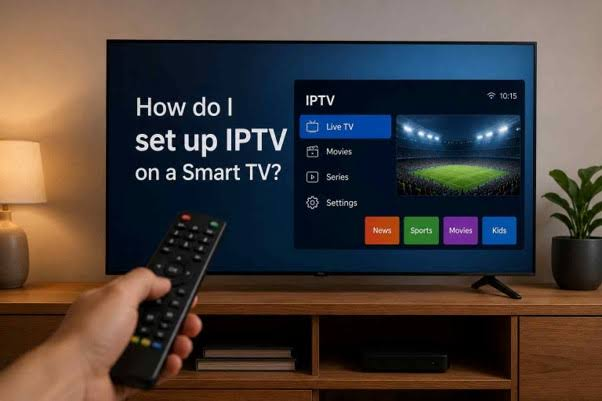
If you own a Samsung, LG, Sony, Hisense, TCL, Vizio, Google TV, or another compatible smart television, you may be wondering how IPTV works, which app you need, whether your TV supports it, what internet speed is required, and how to choose a reliable service.
This guide explains how IPTV works on Smart TVs, how to set it up, what to look for when choosing a provider, recommended internet speeds, common problems, security considerations, and important legal points for viewers in the USA and Canada.
What Is IPTV for Smart TV?
IPTV for Smart TV refers to television content delivered over an internet connection and watched directly through a compatible Smart TV or streaming device.

IPTV stands for Internet Protocol Television. Rather than receiving television programming exclusively through traditional cable, satellite, or terrestrial broadcast systems, IPTV uses an internet connection to deliver video.
Depending on the service, IPTV may provide:
- Live television channels
- News channels
- Sports programming
- Movies
- TV shows
- Catch-up television
- Video-on-demand content
- Electronic program guides (EPG)
- Multiple language options
- Different streaming resolutions
The experience can resemble traditional television, but the delivery method is different.
For example, instead of a cable box receiving channels through a cable network, a Smart TV connected to the internet can receive a compatible IPTV stream through an application.
Important distinction: IPTV is not one specific service
One of the biggest misconceptions is that “IPTV” refers to a particular company or application.
It does not.
IPTV is a technology and delivery method. Many different services, platforms, applications, and providers can use IPTV technology.
That means two IPTV services can have completely different:
- Channel selections
- Prices
- Video quality
- Applications
- Customer support
- Licensing arrangements
- Device compatibility
- Reliability
For this reason, choosing an IPTV provider requires more than simply looking at the number of advertised channels.
Why Are People Searching for IPTV for Smart TV?
The search intent behind IPTV for Smart TV is primarily informational and commercial.
Someone searching this keyword may be asking:
- Can I watch IPTV directly on my Smart TV?
- Does my Samsung TV support IPTV?
- How do I install an IPTV app?
- Which IPTV app should I use?
- Do I need a Fire TV Stick?
- What internet speed do I need?
- Is IPTV legal in the USA or Canada?
- Why does IPTV buffer?
- Can I watch live sports through IPTV?
- How much does IPTV cost?
- How do I know whether an IPTV provider is legitimate?
Ultimately, most users want a simple outcome:
They want an easier way to watch internet-delivered television on the big screen without unnecessary technical complexity.
A good IPTV setup should therefore be easy to understand, compatible with the user’s equipment, stable on their internet connection, and transparent about what content is actually authorized.
How Does IPTV Work on a Smart TV?
The basic process is relatively simple.
Your Smart TV connects to the internet through Wi-Fi or Ethernet. An IPTV application then communicates with the IPTV service or content source and retrieves the available streams.
The simplified process looks like this:
Internet connection → IPTV service → IPTV app/player → Smart TV → Television screen
Depending on the provider, you might receive login credentials, a playlist URL, an activation code, or access to a dedicated application.
An IPTV player may support formats such as:
- M3U playlists
- Xtream API-style credentials
- Provider-specific login systems
- Electronic Program Guide data
The exact setup depends on the service and application.
This is why you should follow the provider’s official setup instructions rather than assuming every IPTV service works the same way.
Can You Use IPTV Directly on a Smart TV?
Yes, many Smart TVs can be used for IPTV, but compatibility depends on the television’s operating system and the IPTV application or service.
Some Smart TVs allow users to install compatible IPTV applications directly from their official app stores.
Other televisions may have limited application support.
If your television cannot run the required IPTV application, you may still be able to use a separate streaming device such as a compatible Fire TV, Google TV, Apple TV, or Android TV device.
Before purchasing anything, check three things:
- Your television’s operating system.
- Whether the required application is available.
- Whether the IPTV service officially supports your device.
IPTV Compatibility With Popular Smart TVs
Compatibility varies by model and region, so always check the current app availability on your television.
IPTV on Samsung Smart TV
Samsung Smart TVs commonly use Samsung’s Tizen operating system.
Some IPTV player applications may be available through the Samsung TV app ecosystem, although availability can vary by model, country, and application.
If an IPTV application isn’t available for your specific Samsung television, an external streaming device may be an alternative.
IPTV on LG Smart TV
LG Smart TVs generally use webOS.
Some IPTV applications support LG’s platform, but not every IPTV player is available on every model.
Check your LG Content Store and confirm compatibility before subscribing to a service specifically for direct installation.
IPTV on Sony Smart TV
Sony televisions can use different operating systems depending on the model and year.
Many newer models use Google TV or Android TV, which can provide access to a broader range of compatible streaming applications.
Older models may have different software limitations.
IPTV on Hisense Smart TV
Hisense sells televisions using different platforms, including Google TV, Android TV, Roku TV, and proprietary systems depending on the model and market.
Therefore, “Hisense Smart TV” alone is not enough to determine IPTV compatibility.
Check the exact operating system on your television.
IPTV on TCL Smart TV
TCL televisions also come with different platforms depending on the model and market.
Some models use Google TV or Android TV, while others may use Roku or another platform.
The operating system is more important than the brand itself when determining IPTV compatibility.
IPTV on Vizio Smart TV
Vizio uses its own Smart TV platform on many models.
Application availability can differ from Android TV or Google TV devices, so check the available applications on your specific television.
What Do You Need for IPTV on a Smart TV?
You don’t necessarily need expensive equipment.
A basic IPTV setup generally requires:
1. A compatible Smart TV
Your television needs an operating system capable of running the necessary IPTV application or accessing the service through a supported method.
2. A stable internet connection
Streaming quality depends heavily on your internet connection.
A fast connection is helpful, but stability and consistency are just as important as advertised download speed.
3. An IPTV service or authorized content source
The player application itself usually does not provide television channels.
You need a legitimate content source or IPTV subscription that provides the programming you want to watch.
4. A compatible IPTV player
Depending on the service, you may need a third-party IPTV player or the provider’s own application.
5. Your login or playlist information
Your provider may give you:
- Username and password
- Activation information
- Playlist URL
- M3U URL
- API credentials
- App-specific login details
Never share these credentials publicly.
How to Set Up IPTV for Smart TV
The exact procedure varies by television and provider, but the general setup process is straightforward.
Step 1: Identify Your Smart TV Operating System
First, determine which platform your television uses.
Look in your TV’s settings under areas such as:
Settings → About → Device Information
The exact menu name will vary.
Write down the television model and operating system.
This information can help you determine which IPTV applications are compatible.
Step 2: Check the Official App Store
Open your television’s official application store.
Search for the IPTV application recommended by your provider.
Do not automatically install an application simply because it has “IPTV” in its name.
Look at:
- Developer information
- App description
- Compatibility
- Privacy information
- Reviews
- Last update
- Required permissions
If the application isn’t available, check whether your provider supports another officially compatible method.
Step 3: Install the IPTV Player
Download the compatible application through the appropriate official TV app store whenever possible.
Installation should normally take only a few minutes.
Once installed, open the application.
Some IPTV players may ask you to select a connection method.
Step 4: Add Your IPTV Service
Depending on the player, you may need to enter:
- Username
- Password
- Server URL
- Playlist URL
- Activation code
- M3U link
Use only the information supplied by your IPTV provider.
Avoid copying random playlist links from unknown websites.
Step 5: Load Your Channel Guide
If your service supports an Electronic Program Guide, you may be able to load EPG information.
An EPG makes the IPTV experience easier because it can show:
- Current programs
- Upcoming programs
- Channel names
- Program times
- Program descriptions
Not every service provides accurate or complete EPG information.
Step 6: Test Several Channels
Don’t test only one channel.
Try different types of content:
- Live television
- News
- Sports
- Movies
- HD streams
- Higher-resolution streams
Testing different streams helps determine whether the problem is with the service, your internet connection, or the application.
What Internet Speed Do You Need for IPTV?
Internet speed is one of the most important factors affecting streaming quality.
As a general guideline:
- SD: around 5 Mbps
- HD: around 10 Mbps
- Full HD: around 20 Mbps
- 4K UHD: approximately 30–50 Mbps or more
These are practical starting points rather than guarantees.
A household with several devices using the same connection may need considerably more bandwidth.
For example, someone watching IPTV while another person is gaming, another is attending a video meeting, and several phones are downloading files may experience buffering even with a relatively fast internet plan.
Why speed isn’t everything
A connection can have high download speeds and still produce poor IPTV performance.
Other factors include:
- Wi-Fi interference
- Router performance
- Network congestion
- Distance from the router
- Server performance
- ISP routing
- IPTV provider infrastructure
- Household bandwidth usage
- Device limitations
For the most reliable experience, Ethernet is often preferable to Wi-Fi when your television supports it.
Wi-Fi vs Ethernet for IPTV
If your Smart TV is located close to your router, modern Wi-Fi can work very well.
However, Ethernet has some advantages.
Ethernet
Advantages include:
- More consistent connection
- Lower interference
- Reliable performance
- Useful for 4K streaming
- Better choice for stationary devices
Wi-Fi
Advantages include:
- Easier installation
- No Ethernet cable required
- Convenient for wall-mounted TVs
- Suitable for many homes
If your IPTV stream repeatedly buffers while your internet speed is otherwise sufficient, testing an Ethernet connection can help identify whether Wi-Fi is the problem.
Is IPTV Legal in the USA and Canada?
This is one of the most important questions to understand.
IPTV technology itself is not inherently illegal.
The key issue is whether the provider has the necessary rights or authorization to distribute the content.
There are legitimate IPTV services, streaming platforms, broadcasters, telecommunications companies, and other providers that legally distribute television programming over the internet.
However, some services may offer copyrighted channels or premium programming without proper authorization.
That can create legal and security risks.
What should you look for?
When evaluating an IPTV service, look for transparency about:
- The company operating the service
- Content licensing
- Terms of service
- Privacy policy
- Customer support
- Billing practices
- Refund policy
- Supported devices
- Contact information
Be particularly cautious of services making extreme claims such as offering virtually every premium channel, movie, and sporting event for an unusually low price without explaining how the content is licensed.
For users in the USA and Canada, the safest approach is to choose services that clearly operate within applicable copyright and broadcasting laws.
How to Choose the Best IPTV for Smart TV
There is no single IPTV service that is automatically the best for everyone.
Your ideal choice depends on what you watch, your television, your budget, and the features you need.
1. Check Smart TV compatibility
Before subscribing, verify that the service supports your specific TV platform.
Don’t assume that an IPTV service supporting Android TV will automatically support every Samsung or LG television.
2. Look at content availability
Consider the programming you actually watch.
For example:
- Local news
- National news
- Sports
- Movies
- Entertainment
- Kids’ programming
- International channels
- French-language programming
- Regional programming
For Canadian viewers, regional and French-language availability can be particularly important.
For U.S. viewers, local channel availability can vary significantly by market.
3. Check video quality
A service may advertise HD or 4K, but the actual experience depends on several factors.
Look for information about:
- Supported resolutions
- Bitrate
- Adaptive streaming
- Server performance
- Video compression
- Device compatibility
Remember that a “4K” label alone does not guarantee excellent picture quality.
4. Evaluate reliability
Channel quantity is less important than consistency.
A provider advertising thousands of channels is not necessarily better than a service with a smaller but properly supported lineup.
Pay attention to:
- Frequent buffering
- Random disconnections
- Channel downtime
- Slow loading
- EPG accuracy
- Customer support responsiveness
5. Check customer support
Good customer support matters when something goes wrong.
Before committing to a long-term subscription, find out whether the provider offers a clear support channel and useful troubleshooting information.
Be cautious if a service provides no meaningful contact information.
6. Review the pricing carefully
Don’t look only at the advertised monthly price.
Check whether there are:
- Activation fees
- Device limitations
- Automatic renewals
- Refund restrictions
- Additional app costs
- Hidden charges
A transparent pricing structure is usually a better sign than an unusually complicated offer.
IPTV Apps vs IPTV Services: What’s the Difference?
This distinction causes confusion for many beginners.
An IPTV service is the source of the television content.
An IPTV player is the software used to display that content.
Think of it this way:
A music player doesn’t create the music. It plays music supplied from another source.
Similarly, an IPTV player generally doesn’t create television channels. It provides an interface for viewing compatible streams.
This distinction is important because installing an IPTV application does not automatically give you legal access to television channels.
Do You Need a Fire TV Stick for IPTV?
No, not necessarily.
If your Smart TV supports a compatible IPTV application, you may be able to use IPTV directly on the television.
A Fire TV Stick or another streaming device can be useful when:
- Your TV doesn’t support the required application.
- Your TV’s operating system is outdated.
- The built-in app store has limited options.
- You want a more flexible streaming platform.
- You want to move your IPTV setup between televisions.
An external device is therefore an alternative rather than an absolute requirement.
Smart TV vs Streaming Device for IPTV
Using IPTV directly on a Smart TV offers simplicity.
You don’t need:
- Another remote
- Another HDMI port
- Another power adapter
- Another physical device
However, external streaming devices can offer advantages such as:
- More application options
- Faster hardware
- More frequent software updates
- Easier replacement
- Greater platform flexibility
The best option depends on your existing television.
If your Smart TV already performs well and supports the IPTV application you need, direct installation may be the simplest choice.
How to Reduce IPTV Buffering on Smart TV
Buffering is one of the most common IPTV complaints.
Before blaming the IPTV application, work through the problem systematically.
Restart your Smart TV
A simple restart can clear temporary software issues.
Don’t just turn the TV off with the remote if it remains in standby mode. If necessary, perform a proper restart according to the manufacturer’s instructions.
Restart your router
Power cycling your router can sometimes resolve temporary connectivity problems.
Test your internet speed
Run a speed test using a trusted service or your ISP’s diagnostic tool.
Remember that the speed measured by another device may differ from the television’s actual connection.
Move the router closer
If you’re using Wi-Fi, reducing the distance between your router and TV may improve reliability.
Use Ethernet
If possible, connect the television directly to your router.
Reduce network congestion
Temporarily pause:
- Large downloads
- Cloud backups
- Game downloads
- High-bandwidth streaming on other devices
Test another stream
If only one channel buffers while other channels work normally, the issue may be specific to that stream or source.
Check the IPTV application
An outdated or poorly functioning application can also cause playback problems.
Common IPTV Problems on Smart TVs
IPTV app won’t install
Possible reasons include:
- Unsupported operating system
- Unsupported TV model
- Regional application restrictions
- Insufficient storage
- Outdated television software
Check the official application store and your TV manufacturer’s compatibility information.
IPTV app crashes
Try:
- Restarting the TV.
- Updating the application.
- Updating the TV software.
- Clearing application data if supported.
- Reinstalling the application.
If the problem continues, test another compatible player.
Channels won’t load
Possible causes include:
- Incorrect credentials
- Expired subscription
- Incorrect server address
- Provider-side outage
- Internet connection problems
- Unsupported stream format
Verify the login information before changing advanced settings.
EPG isn’t working
Electronic Program Guides can fail because of:
- Incorrect EPG URL
- Provider-side data problems
- Time-zone settings
- Incorrect playlist configuration
- Expired guide data
Check the IPTV service’s instructions for the correct EPG configuration.
Common Mistakes to Avoid
Choosing a service only because it has thousands of channels
More channels don’t automatically mean better value.
Many people regularly watch only a small percentage of the channels they receive.
Prioritize the content you actually need.
Ignoring licensing
Don’t assume a cheap subscription is legitimate simply because it works technically.
Content authorization matters.
Buying a long-term plan immediately
If a provider offers a legitimate trial or short-term option, testing compatibility before committing can be sensible.
Using random IPTV playlists
Random playlists found online may be unreliable, unsafe, or unauthorized.
Use sources you trust and have permission to access.
Ignoring your TV’s operating system
“Smart TV compatible” is too vague.
Always check the actual platform.
Assuming 4K automatically means better quality
Resolution is only one part of video quality.
Bitrate, compression, source quality, frame rate, and network stability also matter.
IPTV Security and Privacy Tips
Streaming applications can request different permissions depending on the platform.
Protect yourself by following basic security practices.
Download applications from trusted sources
Whenever possible, use the official application store supported by your television.
Avoid suspicious APK files
If you’re using an Android-based device, don’t install random application packages simply because a website promises “free IPTV.”
Unknown files can introduce security risks.
Protect your login credentials
Your IPTV username, password, playlist URLs, or activation codes should be treated as private information.
Read privacy policies
Understand what information an application collects and how it is used.
Keep your television updated
Firmware and application updates can include security improvements as well as performance fixes.
IPTV for Smart TV in the USA
U.S. viewers often look for IPTV because they want access to live television through an internet-connected device.
However, channel availability can depend heavily on location.
Local broadcast stations may vary between markets such as:
- New York
- Los Angeles
- Chicago
- Houston
- Miami
- Dallas
- Atlanta
- Seattle
A provider that offers a particular local channel in one market may not offer the same channel in another.
If local television is important to you, verify the exact channels available for your location before subscribing.
Sports availability also deserves special attention because many leagues and events have territorial and broadcasting restrictions.
IPTV for Smart TV in Canada
Canadian viewers may have additional considerations.
Depending on your needs, you may be interested in:
- Canadian news
- Regional channels
- French-language programming
- Entertainment
- Sports
- U.S. channels
- International content
French-language availability is especially relevant for viewers who want programming from Quebec or other French-speaking audiences.
Again, don’t rely solely on a provider’s general channel count. Check the actual lineup and whether the programming is authorized for distribution in Canada.
Best Internet Setup for IPTV
For a stable Smart TV streaming experience, consider the following setup:
Smart TV → Ethernet cable → Router → High-quality broadband connection
If Ethernet isn’t practical:
Smart TV → 5 GHz Wi-Fi → Modern router → Broadband connection
A modern router can help manage multiple connected devices more effectively.
Place your router in an open, central location rather than inside a cabinet or behind large electronic equipment.
Should You Use a VPN With IPTV?
A VPN creates an encrypted connection between your device and a VPN server.
People use VPNs for different reasons, including privacy on networks and securing traffic on public Wi-Fi.
However, a VPN is not a substitute for content licensing.
Using a VPN does not make an unauthorized IPTV service legal.
A VPN can also affect streaming performance because it may change routing and increase latency.
If you use one, choose a reputable provider, understand its privacy practices, and check whether its use is compatible with the services you access.
How Much Does IPTV for Smart TV Cost?
The cost varies widely depending on the type of service.
There is no universal IPTV price.
Pricing may depend on:
- Number of channels
- On-demand library
- Video quality
- Device support
- Number of simultaneous connections
- Sports coverage
- Customer support
- Geographic availability
- Licensing and content rights
Be suspicious of offers that appear dramatically cheaper than established legal streaming alternatives while promising unlimited access to premium programming.
The cheapest option isn’t necessarily the safest or best value.
Is IPTV Better Than Cable?
There isn’t a universal answer.
IPTV can be attractive because it can provide internet-based television without requiring the same traditional delivery infrastructure.
Potential advantages include:
- Internet-based access
- Flexible device options
- On-demand features
- Modern app interfaces
- Potentially simpler hardware
Traditional cable can still offer advantages such as:
- Established customer support
- Local channel packages
- Bundled services
- Familiar hardware
- Predictable television infrastructure
The better option depends on your viewing habits, internet connection, location, and preferred content.
IPTV for Smart TV: Who Is It Best For?
IPTV may be particularly appealing to people who:
- Prefer internet-based television
- Already have a reliable broadband connection
- Want live TV on a Smart TV
- Prefer app-based interfaces
- Want access to multiple types of programming
- Don’t want unnecessary hardware
It may be less suitable if your internet connection is unreliable or if the channels you need aren’t legally available through the service you’re considering.
Quick Checklist Before Choosing an IPTV Service
Before purchasing anything, ask yourself:
- Does it support my exact Smart TV platform?
- Is the content legally authorized?
- Does it offer the channels I actually watch?
- Is the video quality appropriate for my TV?
- Does it provide reliable customer support?
- Are pricing and renewal terms clear?
- Does it have a privacy policy?
- Can I test compatibility before making a long commitment?
- Does my internet connection handle the expected streaming quality?
- Does the service work reliably in my country and region?
If several answers are unclear, investigate further before paying.
Frequently Asked Questions About IPTV for Smart TV
1. Can I watch IPTV directly on my Smart TV?
Yes. Many Smart TVs can run compatible IPTV applications directly. Whether you can install a particular app depends on your TV’s operating system, model, region, and the IPTV service’s compatibility.
2. Do I need a special IPTV box?
No. A separate IPTV box is not always necessary. If your Smart TV supports a compatible application, you can potentially stream directly through the television. An external device can be useful if your TV has limited application support.
3. What is the best IPTV app for Smart TV?
There is no single best app for every television. The right IPTV player depends on your operating system, required features, playlist format, EPG support, ease of use, privacy practices, and compatibility with your authorized IPTV service.
4. How fast should my internet be for IPTV?
As a general starting point, around 5 Mbps can be sufficient for SD, 10 Mbps for HD, 20 Mbps for Full HD, and roughly 30–50 Mbps or more for 4K. Multiple users and devices may require substantially more bandwidth.
5. Why does IPTV keep buffering on my Smart TV?
Buffering can result from weak Wi-Fi, network congestion, insufficient bandwidth, router problems, application issues, provider-side problems, or an overloaded streaming source. Testing Ethernet and other streams can help identify the cause.
6. Is IPTV legal in the USA?
IPTV technology itself is legal. The important issue is whether the service has authorization to distribute the content it provides. Consumers should choose transparent services that comply with applicable copyright and broadcasting laws.
7. Is IPTV legal in Canada?
IPTV as a technology is not inherently illegal in Canada. The legality of a particular service depends on how it obtains and distributes copyrighted programming. Users should verify that the provider is authorized to offer the content.
8. Can I use IPTV on Samsung and LG Smart TVs?
Some IPTV applications support Samsung and LG televisions, but compatibility depends on the specific operating system, model, region, and application. Check the official app store for your TV before subscribing.
9. Do I need a VPN for IPTV?
A VPN is not inherently required to watch IPTV. It may be used for privacy or network-security reasons, but it does not make unauthorized content distribution legal. VPNs can also affect streaming speed and performance.
10. Can IPTV provide 4K channels?
Some services may provide 4K streams, but availability and quality vary. To watch 4K successfully, you need a compatible television, suitable application, sufficient internet bandwidth, and a legitimate source that actually provides 4K content.
Final Thoughts: Is IPTV for Smart TV Worth Considering?
IPTV for Smart TV can be a convenient way to watch internet-delivered television on a large screen without depending entirely on traditional television infrastructure.
The setup itself is usually straightforward: identify your Smart TV platform, choose a compatible IPTV application or official service app, connect your authorized content source, and make sure your internet connection is stable.
The smartest approach is to verify compatibility, understand exactly what you’re paying for, protect your credentials, and choose authorized content sources before getting started.
Author Bio
About the Author
The author is an SEO and streaming technology content specialist focused on creating practical, user-first guides covering IPTV, Smart TV platforms, streaming applications, device compatibility, and cord-cutting technology. The goal is to simplify technical topics and help readers make informed decisions based on compatibility, performance, security, and responsible use.