
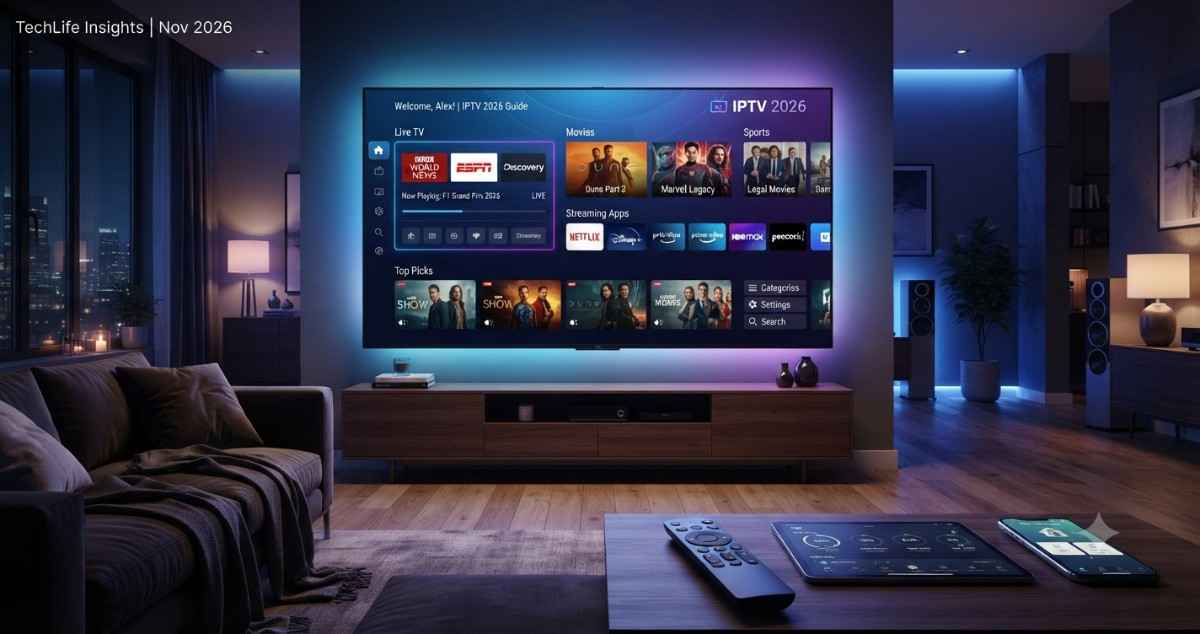
Discover the best IPTV for Smart TV in 2026. Compare pricing, features, and setup tips for Samsung, LG, and Android TVs.
Smart TVs have quietly become the most powerful streaming device in most homes — more powerful, in many cases, than the cable box they replaced. Yet a huge number of people searching for “IPTV for Smart TV” end up on unofficial sideloaded apps, sketchy M3U playlist links, or IPTV boxes sold on marketplaces with no real support. These setups often violate copyright law, break without warning, and can expose your home network to security risks through unverified APK files.
🚀 Make Your Smart TV Smarter in 2026
👉 Explore the Best IPTV Apps & Setup Guide 2026 🔥
This guide takes a different, safer path. It focuses exclusively on legal IPTV USA and live TV apps built for Smart TVs — the kind you can install directly from your TV’s own app store, use with confidence, and rely on for years without worrying about a sudden shutdown. Whether you’re a student trying to save money, a freelancer who wants background news while you work, or a small business owner who wants a legal live TV display for customers, this guide will help you choose the right setup for Best IPTV 2026.
By the end of this article, you’ll understand exactly what “IPTV for Smart TV” really means in a legal context, which apps are worth installing on your specific TV brand, how pricing compares across the biggest names in the space, and which option best matches your viewing habits — whether that’s casual background noise while you work, full sports coverage, or a complete cable replacement for the whole family.
What Is “IPTV for Smart TV”
IPTV Player, short for Internet Protocol Television, delivers television channels over an internet connection instead of through a traditional antenna, cable line, or satellite dish. On a modern Smart TV, IPTV isn’t a separate box or gadget — it’s simply an app, built into the TV’s operating system or downloaded from its app store.
When people search “IPTV for Smart TV,” they’re usually looking for one of three legitimate categories:
- Built-in free channels — services like Samsung TV Plus, LG Channels, and Roku’s built-in channel guide, which come pre-installed on the television itself and require no subscription or sign-up
- Subscription live TV apps — full live TV replacements such as YouTube TV, Hulu + Live TV, Sling TV, fuboTV, and Philo, all available for download through your TV’s official app store
- Free ad-supported streaming (FAST) apps — platforms like Pluto TV, Tubi, and Xumo, which offer dozens of live, curated channels at absolutely no cost, funded entirely by advertising
Behind the scenes, all of these apps work the same basic way: video is encoded and delivered as a continuous internet stream, similar to how a website loads content, rather than being broadcast over the air or through a coaxial cable. Your Smart TV’s operating system — whether that’s Tizen (Samsung), webOS (LG), Google TV/Android IPTV Smarters Pro, or Roku OS — handles the app, buffering, and playback, so the experience feels just as seamless as flipping channels on old-school cable, without any of the extra hardware.
Why Smart TVs Are the Ideal IPTV Device
Unlike older televisions that needed a separate cable box, satellite receiver, or streaming stick, a modern Smart TV already has everything required to stream IPTV built in: a Wi-Fi or ethernet connection, an app store, and enough processing power to handle HD and even 4K playback. This is a big part of why “IPTV for Smart TV” has become such a common search — people increasingly want to skip extra devices and remotes entirely and just use the TV they already own.
How Legal IPTV Differs From Unofficial Player Apps
It’s worth understanding exactly why the legal route matters, beyond simply “staying out of trouble.” Unofficial IPTV player apps typically work by loading an M3U playlist — essentially a text file containing links to live video streams — from a third-party source. These sources almost always redistribute cable, satellite, and premium sports channels without any licensing agreement with the broadcasters who actually own that content.
Legal apps work completely differently:
- They are downloaded directly from your TV’s official app store (Samsung, LG, Google Play for Android TV, Roku Channel Store, Apple TV App Store)
- The channels included are properly licensed, meaning the app has a direct, paid agreement with the broadcaster
- Streams are far more stable because there’s no dependency on a random third-party server that could disappear overnight
- Official apps receive regular software updates, bug fixes, and dedicated customer support if something goes wrong
- There is no need to sideload risky APK files or manually enter unverified playlist URLs
Why It Matters in 2026
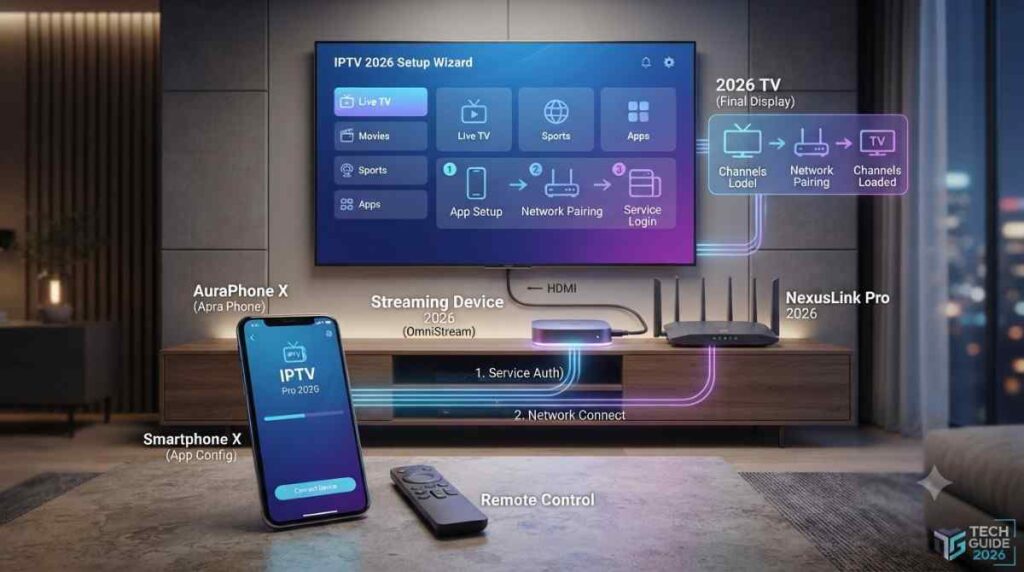
The Smart TV landscape has changed dramatically over the past few years, and 2026 represents something of a turning point for legal IPTV adoption.
- Nearly every Smart TV sold today ships with a full-featured app store as standard, making legal IPTV easier to access than at any point in the past
- Built-in FAST channel lineups — especially Samsung TV Plus and LG Channels — have expanded to hundreds of live channels, closing much of the gap that used to push people toward risky alternatives
- More households than ever are cutting the cord entirely, opting instead for flexible, subscription-based live TV apps that can be canceled anytime
- Freelancers and small business owners increasingly want simple, no-install-hassle ways to stream news, entertainment, or sports without wrestling with cables or extra boxes
- Regulators and rights holders around the world continue to crack down on unofficial IPTV apps, playlist resellers, and pre-loaded piracy streaming boxes — making the legal route not just the safer choice, but increasingly the only reliable one
This shift matters practically, too. A few years ago, choosing legal IPTV for Smart TV often meant paying nearly as much as cable while getting fewer channels. That’s changed. Free FAST channel lineups have grown from a handful of niche channels into full-featured guides with hundreds of options, spanning news, sports highlights, classic TV, true crime, and 24/7 movie channels — all without a subscription. At the same time, subscription live TV apps have added more flexible, shorter-commitment plans, making it easier to test a service for a month and cancel if it’s not the right fit.
Who Should Read This Guide IPTV for Smart TV
This guide is written with a few specific audiences in mind:
- Learners and students who want a low-cost or completely free way to watch live TV on a Smart TV in a dorm room or shared apartment
- Freelancers working from home who want reliable background news, talk radio-style content, or entertainment without a large monthly bill
- Startups and small business owners who want a fully legal way to display live TV — news, sports, or entertainment — in an office, waiting room, or storefront
- Anyone setting up a brand-new Smart TV and trying to figure out which apps are worth installing first
Key Benefits of Legal IPTV for Smart TV
Choosing a licensed IPTV or live TV app over an unofficial alternative comes with several concrete advantages that go well beyond simply “following the rules.”
- No extra hardware needed — everything runs directly through your TV’s built-in app store, with no separate streaming box or dongle required
- Stable streaming quality — backed by real licensing agreements, so you’re not at the mercy of an overloaded, unofficial server
- Regular software updates — legal apps are actively maintained, patched, and improved over time
- Dedicated customer support — if something breaks, there’s an actual company you can contact
- Cloud DVR and on-demand libraries — most subscription apps bundle in recording features and a full library of past episodes
- Zero legal risk — no exposure tied to unauthorized playlist links, cracked apps, or pirated streaming boxes
- Easy multi-device syncing — the same account often works across your TV, phone, tablet, and laptop, keeping your watchlist and settings in sync everywhere
Beyond these headline benefits, there’s also a practical, day-to-day advantage: legal apps are far less frustrating to actually use. Unofficial IPTV for Smart TVsetups are notorious for buffering during high-demand events, channels disappearing overnight, and confusing subscription renewal processes with no real support line. Licensed apps, by contrast, are built to a commercial standard — they’re expected to work reliably every single day, because the company behind them depends on subscriber retention and advertiser trust to stay in business.
Top Legal IPTV Providers for Smart TV
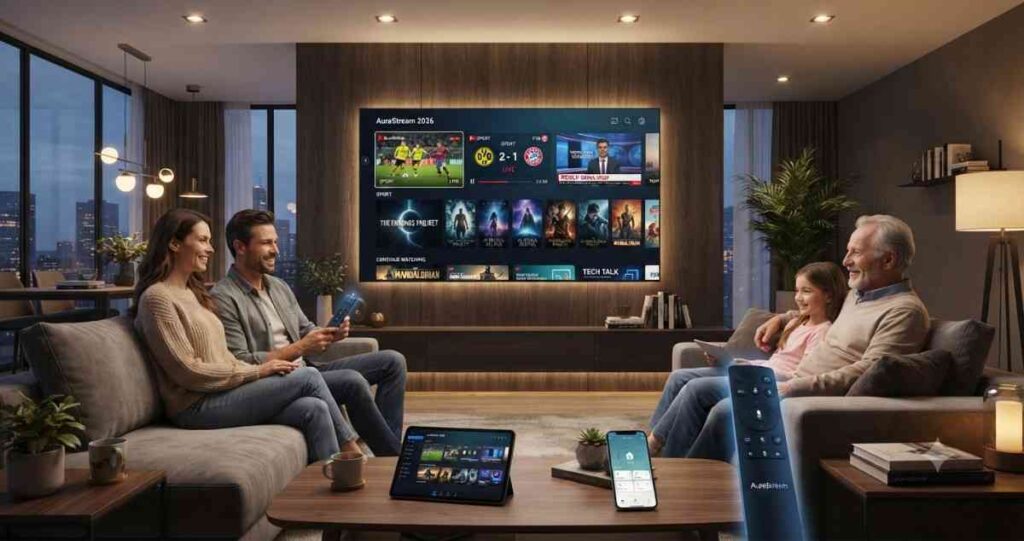
Here are the most trustworthy, widely available legal options for streaming live TV directly on a Smart TV in 2026.
Free, Built-In Options IPTV for Smart TV
- Samsung TV Plus – A free, ad-supported live channel service built directly into every modern Samsung Smart TV. No account, subscription, or sign-up is required — just open the app and start watching.
- LG Channels – LG’s equivalent to Samsung TV Plus, offering hundreds of live and on-demand channels pre-installed on LG Smart TVs at no cost.
- Roku Channel / The Roku Channel Live TV Guide – Available on Roku TVs and Roku streaming devices, offering a large free live channel lineup alongside on-demand content.
Subscription Live TV Apps IPTV for Smart TV
- YouTube TV – A full live TV bundle with a large channel lineup and unlimited cloud DVR, available on nearly every modern Smart TV platform.
- Hulu + Live TV – Combines live channel access with Hulu’s extensive on-demand streaming library in a single subscription.
- Sling TV – One of the most budget-friendly subscription live TV apps, with customizable channel packages.
- fuboTV – A sports-focused live TV app with an extensive regional and national sports channel lineup.
- Philo – An affordable entertainment-focused live TV app, ideal for casual viewers who don’t need heavy sports coverage.
Free Ad-Supported (FAST) Apps IPTV for Smart TV
- Pluto TV – One of the most widely available free live TV apps, supported on virtually every Smart TV platform.
- Tubi – Primarily on-demand, but also offers a growing selection of live, curated channels.
- Xumo Play – A free streaming app offering both live channels and on-demand movies and shows.
Comparison Table
| Provider | Cost | Live Channels | Platform | Best For |
|---|---|---|---|---|
| Samsung TV Plus | Free | 300+ | Samsung TVs only | Free built-in content |
| LG Channels | Free | 300+ | LG TVs only | Free built-in content |
| YouTube TV | Subscription | 100+ | Most Smart TVs | Full live TV replacement |
| Hulu + Live TV | Subscription | 95+ | Most Smart TVs | Entertainment + live |
| Sling TV | Subscription | 30-50 | Most Smart TVs | Budget users |
| Pluto TV | Free | 250+ | Almost all Smart TVs | Free ad-supported content |
Features to Look For IPTV for Smart TV
Not all IPTV and live TV apps are created equal, even among fully legal options. Before settling on one, it’s worth comparing a few key features side by side.
- Native app availability for your specific TV brand — Samsung, LG, Sony (Android TV), Roku TV, and Amazon Fire TV all have slightly different app ecosystems
- Cloud DVR storage limits and how long recordings are kept before they expire
- 4K/HDR support for compatible live events and on-demand content
- Multi-profile support, so different family members can have their own recommendations and watchlists
- Voice remote and search integration, which can make finding a specific channel or show much faster
- Simultaneous stream limits, especially important for households with more than one TV or device in use at once
Setup Tips for Smart TVs IPTV for Smart TV
Getting started with legal IPTV apps on a Smart TV is usually straightforward, but a few tips can save time and frustration.
- Check your TV’s built-in app store first — most legal IPTV and live TV apps are already listed and ready to install with a single click
- Update your TV’s firmware before installing new streaming apps, since outdated software can cause compatibility issues
- Use a wired ethernet connection, or make sure you’re on a strong Wi-Fi signal, for smoother 4K and HDR streaming
- Log in with the same account across your TV, phone, and tablet to keep your watchlist, DVR recordings, and preferences synced everywhere
- If your TV is older and lacks app store support, consider pairing it with an affordable streaming device like a Roku stick, Amazon Fire TV stick, or Apple TV box
Pricing Table (Approximate, USD/Month) IPTV for Smart TV
| Provider | Price/Month |
|---|---|
| Samsung TV Plus | Free |
| LG Channels | Free |
| Pluto TV | Free |
| Sling TV | $40 – $60 |
| Philo | $28 – $40 |
| Hulu + Live TV | $80 – $95 |
| YouTube TV | $83 – $90 |
| fuboTV | $85 – $100 |
Prices change frequently and vary by region and ongoing promotions — always check the provider’s official app or website before subscribing.
Use Cases IPTV for Smart TV
Different households and professionals will get the most value from different combinations of apps.
- Students/Learners: Samsung TV Plus, LG Channels, or Pluto TV offer free live content with zero subscription cost — ideal for a dorm room or shared apartment on a tight budget
- Freelancers: Sling TV or Philo provide affordable background news and entertainment without committing to a full-price cable-replacement bundle
- Startups/Small Businesses: YouTube TV or fuboTV are strong options for legally displaying live news or sports in an office, waiting room, or storefront
- Families: Hulu + Live TV offers a useful mix of live channels alongside a deep on-demand library, including kids’ programming
- Budget-Conscious Households: Free FAST apps like Pluto TV or Xumo make an excellent no-cost starting point before considering any paid subscription
Best For IPTV for Smart TV
- Best Overall: YouTube TV
- Best Free Option: Samsung TV Plus / LG Channels
- Best Budget Subscription: Sling TV
- Best for Sports: fuboTV
- Best for Entertainment: Hulu + Live TV
- Best No-Cost Alternative: Pluto TV
Pros and Cons IPTV for Smart TV
Pros
- No extra hardware or risky installs required — everything runs through your TV’s own app store
- A wide range of both free and paid legal options to fit any budget
- Consistent app updates, security patches, and reliable customer support
- Compatible with nearly every modern Smart TV brand and operating system
Cons
- Free built-in apps like Samsung TV Plus and LG Channels are locked to their respective TV brands
- Subscription apps can approach — or even exceed — traditional cable pricing over time
- Some niche international channels simply aren’t available through any legal service
- Older Smart TVs with outdated app stores may have limited support for newer streaming apps
Best Alternatives IPTV for Smart TV
If a built-in or subscription IPTV app doesn’t quite fit your needs, there are several other legal routes worth considering.
- Streaming media devices such as Roku, Amazon Fire TV, or Apple TV — useful for older Smart TVs with outdated or unsupported app stores
- Antenna plus Smart TV apps — combining free local over-the-air channels with on-demand streaming apps for a hybrid setup
- Bundled telecom IPTV — many internet providers offer their own IPTV service as part of a home internet package, functioning as a full cable replacement
- Free ad-supported platforms like Tubi and Xumo — solid no-cost options for entertainment when live sports or news aren’t the priority
Future Trends for IPTV on Smart TVs (2026 and Beyond) IPTV for Smart TV
The IPTV landscape on Smart TVs continues to evolve quickly, and a few clear trends are shaping what’s coming next.
- Continued expansion of free, built-in channel lineups (Samsung TV Plus, LG Channels) as manufacturers compete harder for viewer attention and ad revenue
- Deeper AI-driven content recommendations built directly into the Smart TV home screen, blending live and on-demand suggestions
- More live TV apps experimenting with interactive and shoppable advertising formats during live broadcasts
- Continued growth of FAST channels as a serious, mainstream alternative to paid subscriptions rather than a niche fallback
- Increased scrutiny, detection, and blocking of unofficial IPTV apps on major Smart TV platforms, further pushing users toward licensed alternatives
Conclusion IPTV for Smart TV
The best “IPTV for Smart TV” setup in 2026 really comes down to your budget and how much live content you actually need. If you want a completely free starting point, Samsung TV Plus, LG Channels, or Pluto TV are excellent no-cost options that are often already built right into your television. If you’re looking for a full cable replacement, YouTube TV currently offers the most complete overall package, while Sling TV remains the strongest choice for anyone watching their monthly budget closely. Whichever direction you choose, sticking to official, app-store-based apps ensures a safe, stable, and fully legal streaming experience — with none of the risk that comes with unofficial IPTV players and playlist links.
FAQ’s IPTV for Smart TV
Do I need extra hardware to watch IPTV on my Smart TV?
No — legal IPTV for Smart TVand live TV apps are available directly through your TV’s built-in app store, so no extra box, dongle, or separate device is required in most cases.
Is IPTV free on Smart TVs?
Yes, options like Samsung TV Plus, LG Channels, and Pluto TV offer free, ad-supported live channels with absolutely no subscription needed.
Are third-party IPTV for Smart TV with M3U playlists legal?
Generally no — most of these apps rely on unlicensed playlists that redistribute copyrighted channels without proper authorization from broadcasters, which carries real legal risk for users.
Which Smart TV brands support the most legal IPTV apps?
Samsung, LG, Sony (running Android TV), and TVs using Roku TV or Amazon Fire TV operating systems all support a wide and growing range of official streaming apps.
Can I record shows using IPTV apps on my Smart TV?
Yes, most subscription-based live TV apps — including YouTube TV, Hulu + Live TV, and fuboTV — include cloud DVR functionality as part of the subscription.