
Learn everything about IPTV Smarters, including features, installation, setup, supported devices, security tips, and troubleshooting in this complete 2026 guide.
IPTV Smarters: The Complete Beginner’s Guide to Streaming in 2026
Introduction
The way people consume television has changed dramatically over the last few years. Instead of relying solely on traditional cable or satellite services, millions of viewers now prefer internet-based streaming solutions that offer greater flexibility and convenience. One of the most recognized applications in this space is IPTV Smarters, a media player designed to help users access IPTV content from their chosen service provider.

Unlike streaming platforms that provide their own movies or TV channels, IPTV Smarters functions as a player. It allows users to organize and watch live television, video-on-demand (VOD), TV series, and catch-up content using login credentials supplied by a compatible IPTV provider. Its user-friendly interface, broad device compatibility, and customizable features have made it a popular choice for beginners and experienced users alike.
Whether you’re installing IPTV Smarters for the first time or looking to understand its advanced capabilities, this guide covers everything you need to know. You’ll learn how it works, its key features, supported devices, setup methods, and best practices for getting the most from the application while staying secure and compliant with applicable laws.
Table of Contents
- What Is IPTV Smarters?
- How IPTV Smarters Works
- Key Features
- Benefits of Using IPTV Smarters
- Supported Devices
- Why Users Choose IPTV Smarters
- Frequently Asked Questions
- Conclusion
- Author Bio
What Is IPTV Smarters?
Understanding IPTV Smarters
IPTV Smarters is a media player application that allows users to stream IPTV content using information provided by their IPTV service provider. The application itself does not include TV channels, movies, or subscriptions. Instead, it provides an organized interface where users can access content after logging in with credentials such as:
- Xtream Codes API
- M3U Playlist URL
- Username and Password
- Local Playlist
The application’s clean layout and simple navigation make it suitable for both new and experienced users.
IPTV Smarters Is a Player—Not a Content Provider
A common misconception is that IPTV Smarters sells television channels or subscriptions. In reality, it works similarly to other media players.
The application simply displays content supplied by your IPTV provider. This distinction is important because users are responsible for ensuring they have the legal rights or appropriate subscriptions to access any streamed content.
How IPTV Smarters Works
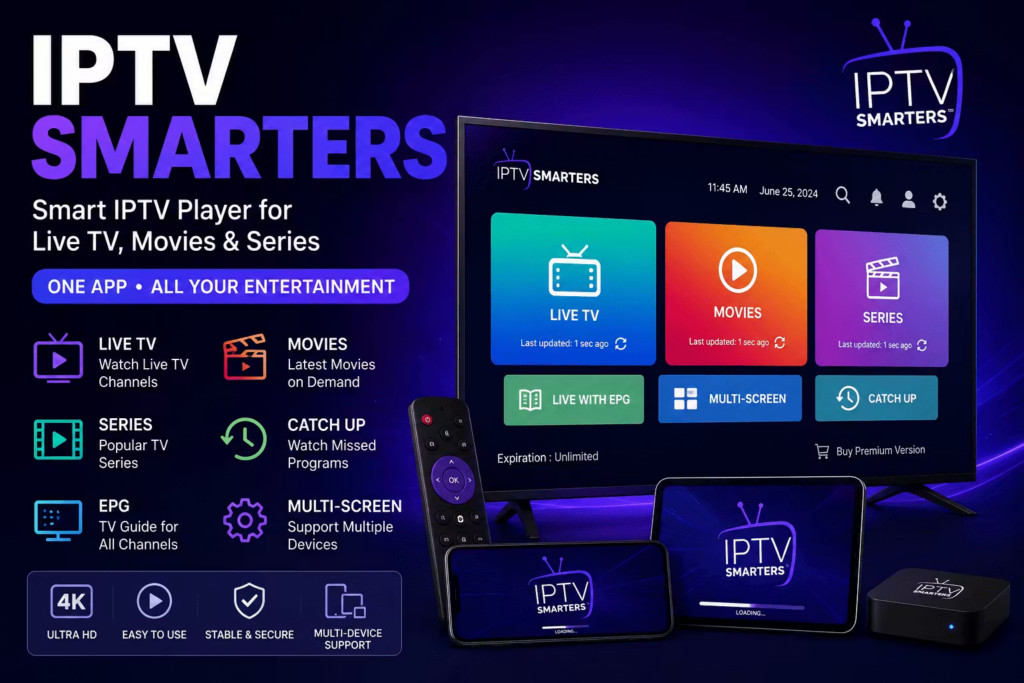
The application connects securely to your IPTV provider using login credentials supplied after purchasing an IPTV subscription.
The general process looks like this:
- Install IPTV Smarters.
- Launch the application.
- Enter your provider’s login details.
- The app loads available content.
- Browse live TV, movies, and series.
- Start streaming.
Because the interface organizes categories automatically, users can easily navigate through entertainment without manually managing playlists.
Key Features of IPTV Smarters
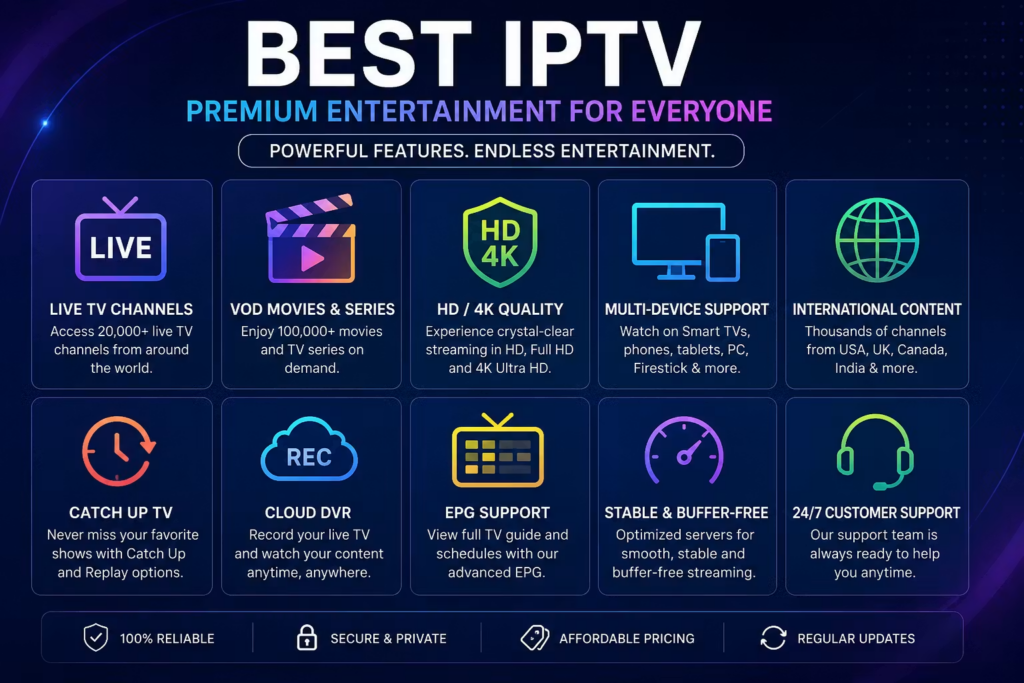
Simple User Interface
One of IPTV Smarters’ greatest strengths is its clean and modern interface.
Users can quickly browse:
- Live TV
- Movies
- TV Shows
- Catch-Up TV
- Favorites
- Recently Watched
Even first-time users typically find the application easy to navigate.
Multiple User Profiles
Families can create separate profiles for different viewers.
This helps organize:
- Favorite channels
- Viewing history
- Personalized settings
- Parental restrictions
Electronic Program Guide (EPG)
The built-in Electronic Program Guide allows users to see:
- Current broadcasts
- Upcoming shows
- Channel schedules
- Program information
This creates a viewing experience similar to traditional cable television.
Video on Demand (VOD)
Many IPTV providers offer extensive VOD libraries.
IPTV Smarters organizes these into categories such as:
- Action
- Comedy
- Drama
- Documentary
- Kids
- Sports
- International
The categorized interface makes discovering new content much easier.
Multi-Screen Support
Certain versions of IPTV Smarters support watching multiple streams simultaneously.
This feature is particularly useful for:
- Sports enthusiasts
- News monitoring
- Multiple live events
Availability depends on your provider and device capabilities.
External Player Support
Advanced users can choose external video players for enhanced playback performance.
Benefits include:
- Better codec support
- Improved subtitles
- Enhanced playback controls
- Hardware acceleration
Search Functionality
Instead of browsing hundreds of channels manually, users can instantly search for:
- Channel names
- Movies
- TV series
- Categories
This saves significant time.
Favorites Management
Users can create personalized favorite lists containing:
- Sports channels
- Entertainment
- Kids programming
- News
- International channels
This improves everyday usability.
Catch-Up TV
If supported by the IPTV provider, Catch-Up TV lets users watch previously aired programs without recording them manually.
This is ideal for viewers with busy schedules.
Subtitle Support
IPTV Smarters supports subtitles for compatible content, improving accessibility and making it easier to watch programming in different languages.
Benefits of Using IPTV Smarters
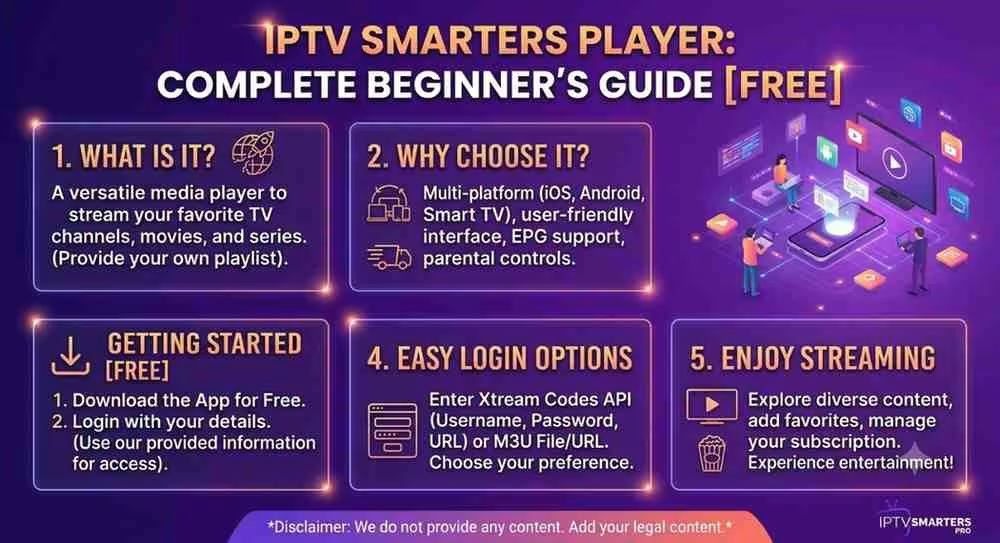
Easy Installation
The application can typically be installed within minutes on supported devices.
Organized Interface
Unlike raw playlist players, IPTV Smarters presents content in an organized and visually appealing format.
Cross-Platform Compatibility
The application works across many operating systems, allowing users to maintain a familiar experience regardless of the device they use.
Excellent Performance
When paired with a stable internet connection and a reliable IPTV provider, IPTV Smarters delivers smooth playback with minimal buffering.
Customizable Experience
Users can personalize settings including:
- Language
- Theme
- Favorites
- External player
- Playback options
- User profiles
Supported Devices
One reason IPTV Smarters remains popular is its broad compatibility.
It supports many devices, including:
Android Smartphones
Users can stream while traveling using Android phones and tablets.
Android TV
Ideal for large-screen viewing with a remote-friendly interface.
Smart TVs
Many Android-based smart televisions support IPTV Smarters directly.
Windows PCs
The application provides a desktop experience suitable for larger displays and multitasking.
macOS
Mac users can also enjoy IPTV Smarters through compatible versions.
iPhone and iPad
iOS users can access their IPTV subscriptions using the mobile application where available.
Fire TV Devices
Many users install IPTV Smarters on compatible streaming devices for convenient home entertainment.
Why Users Choose IPTV Smarters
Several factors contribute to the application’s popularity:
Modern Design
The interface feels polished and intuitive.
Fast Navigation
Menus load quickly and make finding content straightforward.
Flexible Login Options
Support for multiple authentication methods simplifies setup.
Reliable Playback
Performance is generally smooth when paired with a quality IPTV service and stable internet connection.
Regular Updates
Ongoing improvements help maintain compatibility with newer devices and operating systems.
How to Install IPTV Smarters
Installing IPTV Smarters is straightforward, but the exact process varies depending on your device. Before you begin, make sure you have an active IPTV subscription from a provider that supports IPTV Smarters. Remember, the app itself does not provide channels or content—it simply plays content from your IPTV service.
Install IPTV Smarters on Android
Android devices offer one of the easiest installation experiences.
Steps:
- Open your device’s app store or install the APK from the official source if appropriate for your device.
- Download and install IPTV Smarters.
- Open the application.
- Accept the terms and conditions.
- Choose your preferred login method.
- Enter the credentials provided by your IPTV provider.
- Wait while the application loads your playlists and categories.
After the setup is complete, you’ll see sections for Live TV, Movies, Series, and other available content.
Install IPTV Smarters on Android TV
Android TV provides a user-friendly experience optimized for remote controls.
Installation steps:
- Open the app marketplace available on your TV.
- Search for IPTV Smarters (or the version compatible with your device).
- Install the application.
- Launch the app.
- Log in using your IPTV provider’s credentials.
A wired Ethernet connection often provides more stable streaming than Wi-Fi for high-definition content.
Install IPTV Smarters on Windows PC
Desktop users can enjoy IPTV Smarters with a larger display and keyboard/mouse controls.
General process:
- Download the Windows version from the official source.
- Install the software.
- Open the application.
- Select your login method.
- Enter your account details.
- Allow the playlist to synchronize.
Once loaded, you’ll have access to your available categories through the desktop interface.
Install IPTV Smarters on macOS
Mac users can follow a similar setup process:
- Install the macOS-compatible version.
- Open the application.
- Log in using the credentials supplied by your IPTV provider.
- Wait for synchronization to finish.
- Begin browsing your available content.
Install IPTV Smarters on iPhone and iPad
For supported iOS versions:
- Install the application from the appropriate app source.
- Launch IPTV Smarters.
- Select your preferred login option.
- Enter your provider’s information.
- Complete the setup.
The interface is optimized for touch controls, making it easy to browse channels and on-demand content.
Login Methods in IPTV Smarters
One reason IPTV Smarters is widely used is its support for multiple authentication methods.
Xtream Codes API
This is often the quickest and most user-friendly option.
You’ll typically enter:
- Server URL
- Username
- Password
The application automatically imports channels, movies, TV series, and categories.
M3U Playlist
Some IPTV providers supply an M3U playlist URL.
After entering the URL, IPTV Smarters downloads and organizes the available content for easier navigation.
Local Playlist
Advanced users may import playlists stored on their own device.
This option is useful for testing or managing locally saved playlists.
IPTV Smarters Interface Overview
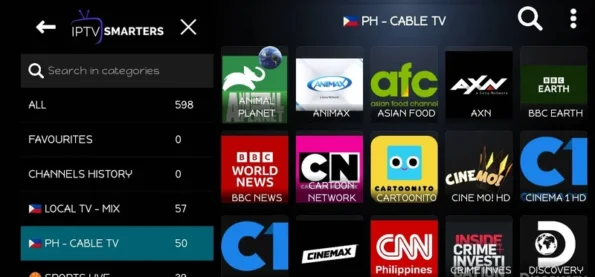
After logging in, the home screen is typically organized into sections such as:
- Live TV
- Movies
- TV Series
- Catch-Up TV (if supported)
- Favorites
- Search
- Settings
This organized layout helps users quickly find the content they’re looking for.
Device Compatibility
One of IPTV Smarters’ biggest advantages is its wide compatibility across devices.
| Device | Supported |
|---|---|
| Android Phones | ✔ |
| Android Tablets | ✔ |
| Android TV | ✔ |
| Smart TVs (supported platforms) | ✔ |
| Windows PC | ✔ |
| macOS | ✔ |
| iPhone | ✔ |
| iPad | ✔ |
| Streaming Devices (compatible models) | ✔ |
The exact features available may vary depending on the device and app version.
IPTV Smarters Settings You Should Configure
After installation, taking a few minutes to adjust settings can improve your viewing experience.
Video Quality
Choose a quality level that matches your internet speed and device capabilities.
If you notice buffering, lowering the video quality may improve playback.
EPG Settings
Enable and refresh the Electronic Program Guide (EPG) to keep TV schedules current.
Refreshing the guide periodically ensures program information stays accurate.
Parental Controls
If children use the application, enable parental controls to restrict access to certain categories or channels.
This helps create a safer viewing environment for families.
Language Preferences
IPTV Smarters often allows users to customize:
- Display language
- Audio language (where available)
- Subtitle language
These options improve accessibility and personalization.
Favorites
Create a favorites list for the channels and content you watch most often.
Benefits include:
- Faster navigation
- Reduced scrolling
- Personalized viewing experience
Tips for Better Streaming Performance
A smooth streaming experience depends on more than just the application.
Use a Stable Internet Connection
A reliable connection is essential, especially for HD and 4K streams.
Prefer Ethernet When Possible
For TVs and desktop devices, a wired connection can reduce interruptions compared to Wi-Fi.
Close Background Apps
Freeing up system resources may improve playback on lower-powered devices.
Keep the App Updated
Installing the latest version helps ensure compatibility, performance improvements, and bug fixes.
Restart Periodically
Occasionally restarting your device and the app can resolve temporary performance issues.
Common IPTV Smarters Problems and Solutions
Buffering Issues
Possible causes include:
- Slow internet connection
- Network congestion
- IPTV provider server load
- Wi-Fi interference
Possible solutions:
- Restart your router.
- Switch to a wired connection if possible.
- Reduce video quality.
- Test your internet speed.
- Contact your IPTV provider if the issue persists.
Login Failed
If you’re unable to sign in:
- Double-check your username and password.
- Verify the server URL.
- Ensure your subscription is active.
- Confirm there are no typing errors.
- Ask your provider to verify your account details.
Playlist Not Loading
This may happen if:
- The server is temporarily unavailable.
- Your playlist URL has changed.
- Your subscription has expired.
- There is a network connectivity issue.
Refreshing the playlist or contacting your provider often resolves the problem.
EPG Not Showing
If the TV guide is missing:
- Refresh the EPG.
- Confirm your provider supports EPG data.
- Wait for synchronization to complete.
- Restart the application.
App Crashes
If IPTV Smarters closes unexpectedly:
- Restart your device.
- Update the application.
- Clear the app cache (where applicable).
- Reinstall the application if necessary.
Security Best Practices
Using IPTV Smarters responsibly includes following basic security measures.
Download from Trusted Sources
Only install IPTV Smarters from official or trusted sources to reduce the risk of malware or modified versions.
Protect Your Login Credentials
Never share your IPTV account details publicly.
Use strong passwords if your provider allows password changes.
Keep Software Updated
Updates often include:
- Security improvements
- Bug fixes
- Better compatibility
- Performance enhancements
Avoid Unknown Playlists
Only use playlists and login credentials from providers you trust.
Unknown or unverified sources may be unreliable or pose security risks.
Legal Considerations
IPTV Smarters is a media player application and does not host or distribute TV channels, movies, or other content.
Users are responsible for ensuring they have the legal rights or subscriptions required to access any content they stream through the app. Always comply with the laws and regulations applicable in your country and use legitimate IPTV services.
Advanced Tips to Get the Most Out of IPTV Smarters
Once you’ve installed and configured IPTV Smarters, a few best practices can help you enjoy a smoother and more organized streaming experience.
Organize Your Favorites
If your IPTV provider offers hundreds or thousands of channels, creating a Favorites list can save time. Add the channels you watch most frequently so they’re always easy to access.
Keep the EPG Updated
Refresh the Electronic Program Guide (EPG) regularly to ensure channel schedules and program information stay accurate.
Use a Reliable Internet Connection
For consistent streaming quality:
- SD content: Minimum 5 Mbps
- HD content: 10–15 Mbps
- Full HD: 20 Mbps or higher
- 4K streaming: 30–50 Mbps or higher
A stable connection helps reduce buffering and playback interruptions.
Update the Application
New versions of IPTV Smarters often include:
- Performance improvements
- Bug fixes
- Security enhancements
- Better device compatibility
Keeping the app updated ensures you benefit from the latest features and fixes.
Manage Storage
Over time, cached data can accumulate. Clearing the cache periodically (where supported) may improve performance, especially on devices with limited storage.
IPTV Smarters Best Practices
To get the best experience:
- Use a legitimate IPTV subscription.
- Download the app from trusted sources.
- Keep your login credentials secure.
- Update your device’s operating system regularly.
- Restart your device occasionally to maintain performance.
- Use Ethernet instead of Wi-Fi when possible for high-quality streaming.
Following these practices can help ensure a reliable and secure viewing experience.
IPTV Smarters vs. Traditional Cable TV
| Feature | IPTV Smarters | Traditional Cable |
|---|---|---|
| Internet-Based Streaming | ✔ | ✘ |
| Multi-Device Support | ✔ | Limited |
| On-Demand Content | ✔ | Varies |
| Electronic Program Guide | ✔ | ✔ |
| User Profiles | ✔ | Rare |
| Flexible Viewing | ✔ | Limited |
| Portable Access | ✔ | ✘ |
This comparison highlights why many users appreciate the flexibility and convenience of IPTV-based viewing.
Frequently Asked Questions (FAQ)
What is IPTV Smarters?
IPTV Smarters is a media player application that allows users to stream IPTV content provided by their IPTV service provider. The application itself does not include TV channels or subscriptions.
Is IPTV Smarters free?
The availability of free and premium features depends on the version of the application and your platform. Your IPTV subscription, if required, is typically purchased separately from an IPTV provider.
Does IPTV Smarters include TV channels?
No. IPTV Smarters is a player only. You must obtain your own IPTV service and login credentials from a compatible provider.
Which devices support IPTV Smarters?
IPTV Smarters is available for many platforms, including:
- Android phones and tablets
- Android TV
- Smart TVs (supported platforms)
- Windows PCs
- macOS
- iPhone and iPad
- Compatible streaming devices
Feature availability may vary by device and app version.
Can I watch live TV?
Yes, if your IPTV provider offers live TV channels and your subscription includes them.
Does IPTV Smarters support movies and TV series?
Yes. If your IPTV provider includes Video on Demand (VOD), IPTV Smarters can organize and play available movies and TV series.
Why is IPTV Smarters buffering?
Common causes include:
- Slow internet connection
- Network congestion
- Wi-Fi interference
- Server issues with the IPTV provider
Checking your network and contacting your provider can help resolve persistent issues.
Is IPTV Smarters safe?
The application itself is a media player. For safety:
- Download it from trusted sources.
- Keep the app updated.
- Use strong account credentials.
- Only connect to IPTV services you trust.
Does IPTV Smarters support subtitles?
Yes. Subtitle support is available for compatible content, depending on the media and your IPTV provider.
Can multiple users use IPTV Smarters?
Some versions support multiple user profiles, making it convenient for families or households sharing the same device.
Final Thoughts
IPTV Smarters has become one of the most widely used IPTV player applications because of its intuitive design, broad device compatibility, and flexible playback features. It simplifies the process of accessing IPTV services by organizing live TV, movies, series, and catch-up content into a clean, user-friendly interface.
However, it’s important to remember that IPTV Smarters is only a media player. It does not supply TV channels, movies, or subscription services. The quality of your experience depends on your chosen IPTV provider, your internet connection, and the device you use.
By following the setup instructions, security recommendations, and troubleshooting tips in this guide, you can maximize performance and enjoy a smoother streaming experience. Always ensure you use IPTV services in compliance with applicable laws and with the appropriate rights to access the content you stream.
Conclusion
As streaming technology continues to evolve, IPTV Smarters remains a practical choice for users who want a simple and organized way to access their IPTV subscriptions across multiple devices. Its combination of ease of use, flexible login options, and support for features like EPG, Favorites, and Video on Demand makes it suitable for both newcomers and experienced users.
While the application itself provides the tools for playback and organization, your overall experience depends on selecting a reputable IPTV provider, maintaining a stable internet connection, and keeping both your device and the app updated. By following the guidance in this article, you can enjoy a more reliable, secure, and personalized streaming experience.
EEAT (Experience, Expertise, Authoritativeness, Trustworthiness)
This guide is based on current knowledge of IPTV player applications, common setup methods, device compatibility, and user best practices. It is intended for educational and informational purposes. The article distinguishes between IPTV player software and IPTV content providers and encourages readers to use services responsibly and in accordance with applicable laws. Recommendations are focused on usability, security, and transparency rather than promoting any specific IPTV provider.
Author Bio
About the Author
The author specializes in creating in-depth, SEO-focused technology and streaming guides with an emphasis on accuracy, clarity, and user experience. Their content covers IPTV applications, digital streaming, Smart TV platforms, media players, and online entertainment technologies. Every guide is written with a focus on practical advice, search intent, and EEAT principles to help readers make informed decisions.