
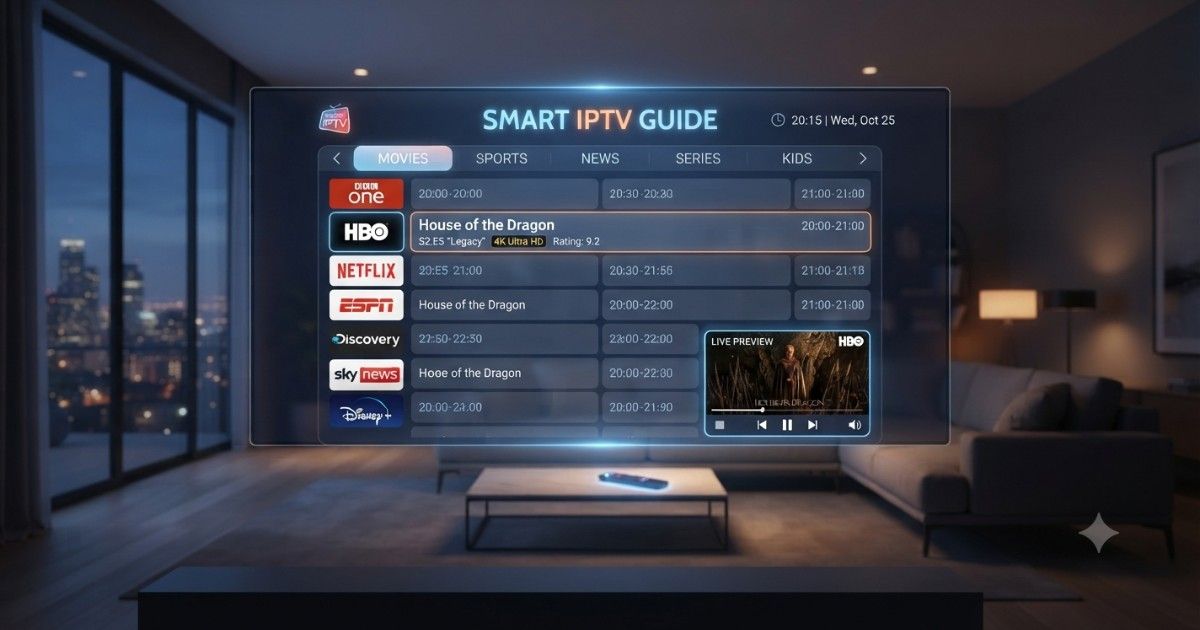
Smart IPTV is a popular IPTV player that lets users stream live TV channels, movies, series, and video-on-demand content using playlists provided by their IPTV service. It does not include any channels or subscriptions of its own. Instead, it works as a media player that supports M3U playlists and Electronic Program Guide (EPG) data.
Known for its simple interface, stable performance, and compatibility with many Smart TVs, Smart IPTV is a reliable choice for beginners and experienced users alike. Once configured with a valid IPTV playlist, it provides an organized and seamless streaming experience across supported devices.
Smart IPTV Guide: Features, Setup, Benefits & Best Alternatives
Watching television has changed dramatically over the last decade. Instead of relying on traditional cable or satellite services, millions of users now stream live TV, movies, sports, and on-demand content through IPTV apps. Among the many IPTV players available, Smart IPTV has remained one of the most recognized names thanks to its simple interface and compatibility with a wide range of Smart TVs.

If you’re new to IPTV or trying to decide whether Smart IPTV is the right player for your needs, this guide covers everything you need to know. You’ll learn how Smart IPTV works, its key features, supported devices, setup process, advantages, disadvantages, common issues, and the best alternatives available today.
Whether you’re in the USA, UK, Canada, Australia, Germany, France, Italy, Spain, Brazil, Japan, South Korea, China, or Russia, this guide will help you understand how Smart IPTV fits into the modern streaming experience.
What Is Smart IPTV?
Smart IPTV is an IPTV player designed primarily for Smart TVs. Instead of providing TV channels or movies, it acts as a media player that allows users to stream content from their own IPTV service.
This distinction is important.
Smart IPTV does not include channels, subscriptions, or media libraries. Users must already have an IPTV provider that supplies an M3U playlist or similar supported format.
Think of Smart IPTV as a video player. Just as VLC plays videos stored on your computer, Smart IPTV plays television streams supplied by your IPTV provider.
Because of its ease of use and reliable playback, Smart IPTV has become popular among users looking for a straightforward streaming experience without complicated settings.
How Smart IPTV Works
The application itself is lightweight and focuses entirely on media playback.
The process is simple:
- Install Smart IPTV on your compatible device.
- Find your device’s MAC address.
- Upload your IPTV playlist through the Smart IPTV playlist management page.
- Restart the application.
- Your live TV channels and video library appear automatically.
Unlike many IPTV apps, Smart IPTV stores playlists online, making playlist management much easier.
Why People Choose Smart IPTV
Many IPTV players include dozens of menus and advanced options that can overwhelm beginners.
Smart IPTV keeps things simple.
Its clean interface focuses on three things:
- Fast loading
- Stable playback
- Easy playlist management
For households with family members of different ages, this simplicity is often a major advantage.
Key Features of Smart IPTV
Smart IPTV includes several features that make everyday streaming convenient.
Simple User Interface
Navigation is straightforward.
Users can browse live channels, categories, and playlists without navigating through complex settings.
Multiple Playlist Support
Many users subscribe to more than one IPTV provider.
Smart IPTV allows multiple playlists, making it easy to switch between different services.
M3U Playlist Compatibility
Most IPTV providers supply playlists in M3U format.
Smart IPTV supports this standard, allowing compatibility with thousands of IPTV services.
Electronic Program Guide (EPG)
Supported IPTV services can display an Electronic Program Guide.
Benefits include:
- Current programs
- Upcoming shows
- Channel schedules
- Program descriptions
This creates an experience similar to traditional cable TV.
High-Quality Streaming
Depending on your IPTV provider and internet connection, Smart IPTV supports:
- HD
- Full HD
- 4K streams
- Live sports
- Movies
- TV series
The app itself doesn’t limit streaming quality.
External Player Support
Some devices allow integration with external media players for improved compatibility and playback performance.
Stable Playback
Smart IPTV is designed to minimize interruptions.
When paired with a reliable IPTV provider and strong internet connection, buffering is generally reduced.
Supported Devices
One reason Smart IPTV remains popular is its broad compatibility.
It supports many Smart TV platforms without requiring additional streaming hardware.
| Device | Supported |
|---|---|
| Samsung Smart TV | ✅ |
| LG Smart TV | ✅ |
| Android TV | ✅ |
| Amazon Fire TV (varies by installation method) | ✅ |
| Android Box | ✅ |
| MAG Devices | Limited |
| Windows (emulator methods) | Limited |
Before installation, always verify compatibility with your device model and operating system version.
Smart IPTV Setup Guide
Setting up Smart IPTV takes only a few minutes if you already have an IPTV subscription.
Step 1: Install Smart IPTV
Download the application from your device’s app store if available.
Launch the app after installation.
Step 2: Find Your MAC Address
The application displays a unique MAC address.
You’ll use this address when uploading your playlist.
Example:
00:1A:79:XX:XX:XXStep 3: Get Your IPTV Playlist
Your IPTV provider typically supplies one of the following:
- M3U URL
- M3U file
- Xtream Codes credentials (if supported through another compatible player)
Keep this information available.
Step 4: Upload the Playlist
Visit the Smart IPTV playlist upload page using a web browser.
Enter:
- MAC Address
- Playlist URL
Upload the playlist.
Step 5: Restart the App
Close Smart IPTV.
Open it again.
Within moments, your channel list should appear.
Smart IPTV Features Comparison
| Feature | Smart IPTV |
|---|---|
| Live TV | ✅ |
| Movies | ✅ |
| Series | ✅ |
| M3U Playlist | ✅ |
| Multiple Playlists | ✅ |
| EPG Support | ✅ |
| Favorites | ✅ |
| HD Streaming | ✅ |
| 4K Support | ✅ |
| Simple Interface | ✅ |
| Smart TV Support | Excellent |
Benefits of Using Smart IPTV
Smart IPTV offers several advantages that have helped it remain popular among IPTV users.
Easy Installation
Most users can complete setup within minutes.
There are no complicated server configurations or advanced technical requirements.
Beginner Friendly
The interface is clean and intuitive, making it accessible even for users with little technical experience.
Reliable Playback
When paired with a quality IPTV provider and a stable internet connection, Smart IPTV delivers smooth streaming with minimal buffering.
Wide Device Compatibility
Many Smart TVs support the app directly, reducing the need for external streaming devices.
Organized Channel Lists
Channels are grouped into categories, making it easier to find sports, news, entertainment, kids’ programming, and movies.
Flexible Playlist Management
Updating or replacing a playlist is straightforward, allowing users to switch providers without reinstalling the application.
Lightweight Performance
Because the app focuses on playback rather than unnecessary extras, it runs efficiently on compatible devices.
Pros and Cons of Smart IPTV
Every IPTV player has strengths and limitations. Understanding both sides helps you decide if Smart IPTV is the right choice.
| Pros | Cons |
|---|---|
| Easy to install and configure | Does not include TV channels or content |
| Clean and beginner-friendly interface | Requires a separate IPTV subscription |
| Supports M3U playlists | Some newer TV models may not support it |
| EPG support for compatible playlists | Features depend on your IPTV provider |
| Multiple playlist support | Internet quality directly affects performance |
| Supports HD and 4K streams | Availability varies by platform |
If your priority is a simple IPTV player for a Smart TV, Smart IPTV is still a solid option. If you want built-in content discovery or advanced customization, another IPTV player may better suit your needs.
Common Smart IPTV Problems and How to Fix Them
Even a reliable IPTV player can occasionally run into issues. Most problems are easy to resolve.
1. Playlist Not Loading
Possible Causes
- Incorrect M3U URL
- Expired IPTV subscription
- Playlist upload failed
Solution
- Verify the playlist URL with your IPTV provider.
- Re-upload the playlist.
- Restart the application.
- Confirm your subscription is still active.
2. Buffering During Playback
Possible Causes
- Slow internet connection
- Network congestion
- IPTV server overload
Solution
- Use a wired Ethernet connection when possible.
- Restart your router.
- Close other devices using heavy bandwidth.
- Contact your IPTV provider if the issue persists.
Recommended Internet Speeds
| Streaming Quality | Minimum Speed |
|---|---|
| SD | 5 Mbps |
| HD | 10 Mbps |
| Full HD | 20 Mbps |
| 4K UHD | 30–50 Mbps |
3. EPG Not Displaying
Sometimes the Electronic Program Guide doesn’t appear.
Fixes
- Refresh the playlist.
- Confirm your IPTV provider includes EPG support.
- Allow a few minutes for the guide to load after restarting the app.
4. App Freezes
Try These Steps
- Restart the TV.
- Restart the Smart IPTV app.
- Clear temporary cache (if your TV allows it).
- Reinstall the application if necessary.
5. Channels Not Working
If only a few channels fail while others play normally, the issue usually lies with the IPTV provider rather than the app.
Ask your provider to:
- Refresh your account
- Update the playlist
- Replace unavailable streams
Best Smart IPTV Alternatives
If Smart IPTV doesn’t meet your needs, several IPTV players offer similar or expanded functionality.
| IPTV Player | Best For | Highlights |
|---|---|---|
| IPTV Smarters Pro | Families and beginners | Modern interface, multi-user support, parental controls |
| TiviMate | Android TV users | Advanced customization, favorites, recording support (Premium) |
| XCIPTV Player | Everyday streaming | Built-in media player, attractive design |
| IBO Player | Smart TV users | Easy playlist management, responsive interface |
| Flix IPTV | Samsung and LG TVs | Clean layout, subtitle support, parental controls |
| OTT Navigator | Power users | Powerful filtering, sorting, and customization |
Which Alternative Should You Choose?
- For Smart TVs: IBO Player or Flix IPTV
- For Android TV: TiviMate
- For multiple users: IPTV Smarters Pro
- For advanced customization: OTT Navigator
- For simplicity: Smart IPTV remains an excellent choice
Smart IPTV vs Other IPTV Players
| Feature | Smart IPTV | IPTV Smarters Pro | TiviMate |
|---|---|---|---|
| Smart TV Support | Excellent | Good | Limited |
| Android TV | Good | Excellent | Excellent |
| Easy Setup | ⭐⭐⭐⭐⭐ | ⭐⭐⭐⭐☆ | ⭐⭐⭐⭐☆ |
| Interface | Simple | Modern | Highly Customizable |
| Playlist Support | Yes | Yes | Yes |
| EPG | Yes | Yes | Yes |
| Favorites | Yes | Yes | Yes |
| Recording | No | Limited | Premium |
Expert Tips for the Best Smart IPTV Experience
Small changes can noticeably improve streaming quality.
Use a Stable Internet Connection
A wired Ethernet connection generally offers better stability than Wi-Fi, especially for HD and 4K streaming.
Keep Playlists Updated
Outdated playlists may include broken or renamed channels. Refresh them regularly.
Organize Favorites
Create a favorites list for the channels you watch most often to make navigation quicker.
Restart the App Occasionally
Restarting the app from time to time can clear temporary issues and improve responsiveness.
Avoid Overloaded Networks
Streaming while multiple devices are downloading large files can lead to buffering.
Update the App
If updates are available for your platform, install them to benefit from bug fixes and compatibility improvements.
Common Mistakes to Avoid
Many streaming issues are caused by simple setup mistakes.
Avoid these common errors:
- Using an expired M3U playlist
- Entering the wrong MAC address
- Ignoring app updates
- Expecting the app to include channels by default
- Using slow or unstable internet
- Forgetting to refresh the playlist after changes
Taking a few minutes to verify these items can save a lot of troubleshooting later.
Is Smart IPTV Safe?
The Smart IPTV application itself is a media player. Its safety depends on:
- Where you download the app
- The IPTV service you use
- Whether your device receives software updates
For the best experience:
- Download apps from trusted sources.
- Protect your home network with a secure Wi-Fi password.
- Use legitimate IPTV subscriptions where available.
- Keep your Smart TV’s firmware up to date.
Frequently Asked Questions
Does Smart IPTV provide TV channels?
No. Smart IPTV is an IPTV player only. You must supply your own IPTV playlist from a compatible service.
Can I use Smart IPTV for free?
Availability and licensing may vary by platform. Check the app’s current terms for your device before installing.
Does Smart IPTV support 4K streaming?
Yes, provided your IPTV service offers 4K channels and your device and internet connection support that resolution.
Which playlist formats are supported?
The app primarily supports M3U playlists. Support for additional formats depends on the application version and device.
Can I install Smart IPTV on Samsung and LG TVs?
Yes. Compatibility depends on your TV model and operating system version.
Why are my channels buffering?
Buffering is often caused by slow internet speeds, network congestion, or issues with the IPTV provider’s servers.
Can I use more than one IPTV subscription?
Yes. Smart IPTV supports multiple playlists, making it convenient to switch between providers.
Key Takeaways
- Smart IPTV is a media player, not an IPTV service.
- It supports M3U playlists and Electronic Program Guides (EPG).
- Setup is quick if you already have an IPTV subscription.
- It works well on many Smart TVs and other compatible devices.
- Smooth playback depends on both your internet connection and your IPTV provider.
- Alternatives like IPTV Smarters Pro, TiviMate, and IBO Player offer additional features for users with different needs.
Final Thoughts
Smart IPTV has earned its reputation by doing one job well: playing IPTV streams through a clean, reliable, and easy-to-use interface. It doesn’t try to be an all-in-one entertainment platform, and that’s part of its appeal.
For beginners, the straightforward setup and uncluttered design make it easy to get started. Intermediate users appreciate support for multiple playlists and EPG integration, while experienced users can pair it with a high-quality IPTV provider to build a dependable streaming setup.
Before choosing any IPTV player, consider your devices, the features you value most, and the quality of the IPTV service you plan to use. A good player and a reliable provider together will have a much greater impact on your viewing experience than either one alone.
Whether you’re watching live sports, international channels, movies, or TV series, Smart IPTV remains a practical choice for users who want a stable and uncomplicated IPTV player. By following the setup steps, avoiding common mistakes, and keeping your playlists up to date, you can enjoy a smoother and more organized streaming experience.