
Website: Mediumtoday
Reading Time: 18–20 Minutes
Introduction
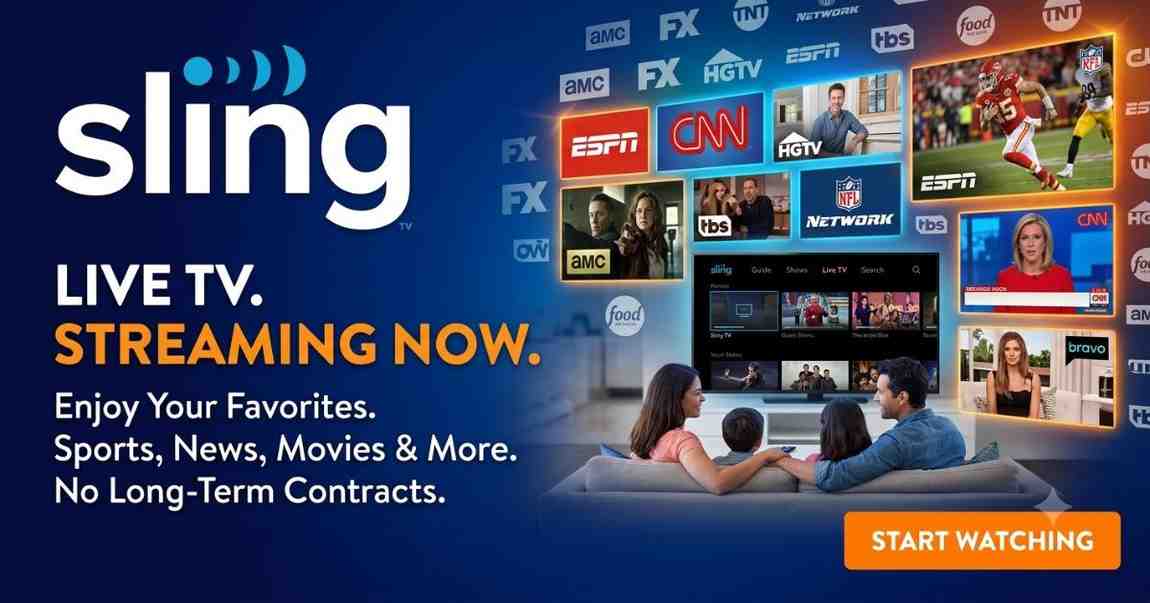
For viewers looking to replace traditional cable without sacrificing access to live television, Sling TV remains one of the most recognized streaming services available in 2026. It offers flexible channel packages, optional add-ons, cloud DVR, and compatibility with many popular streaming devices.
Unlike conventional cable subscriptions, Sling TV lets users choose between multiple base plans and customize their entertainment experience with sports, movies, news, lifestyle, international, and premium channel packages. This flexibility appeals to cord-cutters who want greater control over both content and monthly costs.
Table of Contents
- What Is Best Sling TV?
- How Best Sling TV Works
- Sling TV Plans Explained
- Sling TV Pricing
- Sling TV Channel Lineup
- Sports Coverage
- Entertainment Channels
- News Channels
- Kids & Family Programming
- Premium Add-ons
- Cloud DVR Features
- Supported Devices
- Streaming Quality
- User Experience
- Sling TV Pros and Cons
- Sling TV vs Competitors
- Who Should Subscribe?
- Frequently Asked Questions
- Final Verdict
What Is Best Sling TV?
Sling TV is an internet-based live television streaming service that delivers cable-style channels without requiring a traditional cable or satellite subscription. Subscribers stream content using a compatible internet connection through smart TVs, streaming devices, smartphones, tablets, computers, and gaming consoles (availability varies by platform).
Instead of offering a single large bundle, Best Sling TV focuses on customizable packages. Users can begin with a base plan and expand their lineup through optional add-ons that include sports, movies, kids’ programming, news, international channels, and premium networks.
Key characteristics include:
- Live television streaming
- On-demand programming
- Optional cloud DVR
- Month-to-month subscription
- No annual contract
- Multiple streaming device support
- Customizable channel packages
This approach gives viewers more flexibility than many traditional television providers.
How Best Sling TV Works
Getting started with Sling TV is straightforward.
After creating an account and selecting a subscription plan, users can stream live television through the Best Sling TV application or a supported web browser. Since the service operates entirely over the internet, there is no cable installation, technician appointment, or rental equipment required.
The general setup process includes:
- Create a Sling TV account.
- Choose a base plan.
- Add optional channel packages if desired.
- Install the Sling TV app on your preferred device.
- Sign in and begin streaming.
A stable broadband connection helps deliver a smoother viewing experience, particularly for HD content and multiple devices.
Best Sling TV Plans Explained
One of the Best Sling TV’s defining strengths is its flexible package structure. Instead of forcing subscribers into a single channel bundle, the platform offers different base plans that appeal to different viewing habits.
Sling Orange
Sling Orange is designed primarily for viewers interested in entertainment and sports programming. It includes a curated lineup of popular channels and is often chosen by households that prioritize major sports networks and family entertainment.
This plan is suitable for:
- Casual sports fans
- Individual viewers
- Entertainment-focused households
Typical benefits include:
- Live television
- On-demand content
- Cloud DVR support
- Optional premium add-ons
Sling Blue
Sling Blue offers a different selection of channels, with greater emphasis on news, entertainment, and regional availability in certain markets. It is often selected by households that want broader live TV options across multiple categories.
This plan may be ideal for:
- Families
- News viewers
- Lifestyle programming enthusiasts
- Households with multiple viewers
Advantages generally include:
- Larger entertainment selection
- Multiple news channels
- Expanded device streaming flexibility
- Access to optional add-on packages
Sling Orange + Blue
Subscribers who want the broadest channel lineup can combine both base plans into a single subscription.
This option provides access to channels available in each package, reducing the need to choose between sports, entertainment, and news offerings.
Many households find this combined plan offers the best overall balance between channel variety and customization, especially when paired with optional extras.
Sling TV Pricing
Best Sling TV uses a month-to-month subscription model, allowing customers to cancel without long-term commitments. Pricing varies depending on the selected base package, promotional offers, regional availability, and optional add-ons.
Factors that influence the monthly cost include:
- Selected base plan
- Premium channels
- Sports packages
- International programming
- Additional DVR storage (where applicable)
Unlike traditional cable providers, subscribers can modify or remove many optional packages as their viewing preferences change.
What Makes Sling TV Different?
Several characteristics distinguish Sling TV from many competing live TV streaming platforms.
Flexible Channel Packages
Instead of paying for hundreds of unwanted channels, subscribers can build a package that better matches their interests.
Lower Entry Cost
Many users appreciate the ability to start with a relatively small base package and expand only if necessary.
Extensive Add-On Library
Rather than requiring a larger subscription tier, Best Sling TV allows viewers to add specific genres such as:
- Sports
- Kids
- Lifestyle
- Hollywood movies
- International programming
- Premium movie networks
No Long-Term Contract
Subscribers generally have the flexibility to start, pause, or cancel service without annual commitments.
Broad Device Support
The service works across a wide range of modern streaming platforms, making it accessible whether users prefer smart TVs, streaming sticks, mobile devices, or desktop browsers.
Key Features at a Glance
| Feature | Availability |
|---|---|
| Live TV | Yes |
| On-Demand Content | Yes |
| Cloud DVR | Yes |
| Month-to-Month Billing | Yes |
| Premium Add-ons | Yes |
| Sports Packages | Yes |
| News Channels | Yes |
| Entertainment Channels | Yes |
| Kids Programming | Yes |
| International Content | Yes |
| Multiple Device Support | Yes |
Sling TV Channel Lineup
One of the biggest factors when choosing a live TV streaming service is channel availability. Best Sling TV focuses on giving subscribers flexibility by allowing them to select packages based on their viewing habits instead of paying for a large bundle of channels they may never watch.
The exact channel lineup can vary depending on the selected plan, location, and available add-ons. However, Sling TV provides access to popular categories including sports, news, entertainment, lifestyle, movies, and family programming.
Sling TV Sports Coverage
Sports remain one of the main reasons many viewers continue choosing live TV streaming services. Best Sling TV provides access to a variety of sports networks and add-on options designed for fans who want live games without a traditional cable subscription.
Sports availability depends on the selected package and regional restrictions.
Popular sports categories available through Sling TV include:
- Football coverage
- Basketball programming
- Baseball content
- Hockey coverage
- College sports
- International sports
- Combat sports
- Golf programming
Sling TV for Sports Fans
Sling TV can be a good choice for viewers who want access to specific sports networks while avoiding expensive traditional cable bundles.
Sports-focused subscribers should consider:
- Which networks broadcast their favorite teams
- Whether regional restrictions apply
- Which add-on packages provide the channels they need
- Whether cloud DVR is useful for recording live games
For occasional sports viewers, Sling TV’s customizable approach can be more affordable than larger live TV packages.
Entertainment Channels on Sling TV
Entertainment programming is another major strength of Best Sling TV. Subscribers can access a range of channels covering movies, television series, reality programming, comedy, lifestyle shows, and general entertainment.
Entertainment options may include categories such as:
- Drama series
- Comedy shows
- Reality television
- Movie channels
- Lifestyle programming
- Popular television networks
The ability to add entertainment-focused packages makes Sling TV attractive for viewers who want more control over their subscription.
News Channels Available Through Sling TV
Live news remains one of the most important reasons people choose streaming television services.
Best Sling TV provides access to news-focused channels covering:
- National news
- Business updates
- Weather information
- Political coverage
- International news
For users replacing cable primarily for news access, Sling TV’s live channel approach offers a familiar television experience while keeping the flexibility of internet streaming.
Kids and Family Programming
Families often look for streaming services that provide safe and entertaining content for children. Sling TV offers optional packages designed around family viewing.
Available categories may include:
- Educational programs
- Animated shows
- Family entertainment
- Children’s networks
- Teen programming
Parents should review current channel availability and parental control options before subscribing.
Sling TV Premium Add-Ons
A major advantage of Best Sling TV is its add-on system. Instead of upgrading to a much larger subscription tier, users can customize their service by adding specific content categories.
Common add-on categories include:
Sports Add-Ons
Designed for viewers who want additional sports coverage beyond their base package.
Examples include:
- Extra sports networks
- Specialty sports programming
- Tournament coverage
Movie Add-Ons
Movie fans can expand their subscription with additional movie-focused channels and entertainment options.
Lifestyle Add-Ons
These packages can include channels focused on:
- Home improvement
- Cooking
- Travel
- Reality programming
- Personal interests
International Packages
Best Sling TV also serves viewers interested in international programming by offering specialized packages for different languages and regions.
Sling TV Cloud DVR Review
Cloud DVR is an important feature for anyone who cannot always watch live television.
With cloud DVR, subscribers can:
- Record programs
- Watch shows later
- Save favorite content
- Skip scheduled viewing times
The DVR experience makes Sling TV more similar to traditional cable while maintaining the convenience of streaming.
Benefits of Cloud DVR
Advantages include:
- Watch recordings from supported devices
- Record live programs
- Build a personalized library
- Avoid missing important broadcasts
DVR Considerations
Before subscribing, users should review:
- Available storage limits
- Recording restrictions
- Channel compatibility
- Account limitations
Supported Devices
Best Sling TV works with many popular streaming platforms, making it accessible for most modern households.
Supported device categories generally include:
| Device Category | Sling TV Availability |
|---|---|
| Smart TVs | Yes |
| Streaming Players | Yes |
| Smartphones | Yes |
| Tablets | Yes |
| Computers | Yes |
| Web Browsers | Yes |
| Gaming Devices | Limited availability depending on platform |
Common streaming environments include:
- Roku devices
- Amazon Fire TV devices
- Apple TV
- Android devices
- iOS devices
- Smart television platforms
Sling TV Streaming Quality
Streaming quality depends on several factors, including:
- Internet speed
- Device performance
- Network stability
- Video settings
- Household bandwidth usage
For the best experience, users should maintain a reliable internet connection and keep their streaming applications updated.
Ways to Improve Best Sling TV Performance
Try these troubleshooting steps:
- Restart your streaming device.
- Check your internet connection.
- Update the Best Sling TV application.
- Reduce network usage on other devices.
- Restart your home router if needed.
Sling TV User Experience
A successful streaming service needs more than channels. The overall experience matters, including navigation, reliability, search functions, and account management.
Sling TV focuses on:
- Easy subscription management
- Customizable channel selection
- Cross-device access
- Personalized viewing options
The interface is designed for users who want a cable-like experience without the complexity of traditional television providers.
Sling TV Pros and Cons
Pros
Flexible Subscription Options
Best Sling TV allows customers to choose packages based on their interests instead of paying for unnecessary channels.
Affordable Entry Options
The service provides lower-cost ways to access live television compared with many traditional providers.
No Long-Term Contract
Month-to-month flexibility allows users to adjust their subscriptions.
Strong Add-On Selection
Users can expand their channel lineup with specialized packages.
Wide Device Compatibility
Best Sling TV works across many popular streaming devices.
Cons
Channel Availability Varies
Some channels may depend on location, package selection, or add-ons.
Local Channel Limitations
Availability of local broadcast channels can vary by market.
Interface Learning Curve
New users may need time to understand package customization.
Sports Restrictions
Certain sports content may depend on network availability and regional rules.
Sling TV Comparison Table
Best Sling TV vs Traditional Cable
| Feature | Sling TV | Traditional Cable |
|---|---|---|
| Installation Required | No | Usually Yes |
| Contract | Month-to-month | Often Required |
| Customization | High | Limited |
| Equipment Rental | No Cable Box Required | Often Required |
| Streaming Access | Yes | Varies |
Best Sling TV vs Other Streaming Services
| Feature | Sling TV | Other Live TV Services |
|---|---|---|
| Flexible Packages | Strong | Varies |
| Add-On Options | Extensive | Varies |
| Contract-Free Plans | Yes | Usually |
| Customization | High | Medium |
Who Should Choose Sling TV?
Best Sling TV is a strong option for viewers who:
- Want a cable alternative
- Prefer customizable channel packages
- Watch specific live channels
- Want month-to-month flexibility
- Need streaming across multiple devices
- Want to reduce traditional television costs
It may not be the best choice for viewers who want every local channel or the largest possible channel bundle without customization.
Sling TV Buying Guide: How to Choose the Right Plan
Choosing the right Best Sling TV plan depends on your viewing habits, preferred channels, and budget. Since Sling TV focuses on customization, there is no single package that works best for every household.
Before subscribing, consider the following factors.
1. Identify the Channels You Watch Most
The best Sling TV plan starts with understanding your must-have channels.
Ask yourself:
- Do you mainly watch sports?
- Do you need live news?
- Are entertainment channels your priority?
- Do you need kids programming?
- Do you watch international content?
Selecting a plan based on your actual viewing habits helps avoid paying for channels you rarely use.
2. Compare Sling TV Plans Carefully
Before choosing a subscription, compare:
- Included channels
- Available add-ons
- DVR options
- Device compatibility
- Streaming limitations
A lower-priced package may work well for casual viewers, while households with multiple interests may benefit from a larger combination plan.
3. Check Device Compatibility
Make sure your preferred streaming device supports Sling TV before subscribing.
Consider:
- Smart TV compatibility
- Streaming player support
- Mobile access
- Browser availability
- Internet requirements
A reliable device and strong internet connection can significantly improve the streaming experience.
4. Consider Cloud DVR Needs
If you regularly miss live programs, sports events, or television episodes, cloud DVR can add significant value.
DVR is especially useful for:
- Busy households
- Sports fans
- Viewers who travel frequently
- People with unpredictable schedules
Common Sling TV Mistakes to Avoid
Many new subscribers make simple mistakes when selecting a streaming service. Avoiding these issues can help you get better value from Best Sling TV.
Mistake 1: Choosing a Plan Without Checking Channels
A common mistake is subscribing based only on price.
Always verify:
- Available networks
- Regional availability
- Add-on requirements
- Sports access
Mistake 2: Ignoring Internet Requirements
Because Sling TV streams online, internet quality directly affects performance.
Users should consider:
- Connection speed
- Wi-Fi strength
- Number of connected devices
- Router performance
Mistake 3: Forgetting Additional Costs
Although Sling TV offers flexible packages, optional extras can increase monthly costs.
Before subscribing, calculate:
- Base subscription cost
- Add-ons
- Premium channels
- DVR upgrades
Mistake 4: Not Using Available Features
Some subscribers do not take advantage of features such as:
- Cloud DVR
- Personalized recommendations
- Multiple device access
- Add-on packages
Understanding the platform helps users get more value.
Conclusion
Sling TV remains one of the most flexible live TV streaming services for viewers who want more control over their television subscription.
Its biggest advantage is customization. Instead of paying for a large traditional cable package, users can select plans and add-ons that better match their interests.
Sling TV is particularly appealing for:
- Cord-cutters
- Budget-conscious viewers
- Sports fans who need specific networks
- Households wanting flexible subscriptions
- Users who prefer streaming over cable installation
However, viewers who want every local broadcast channel, the largest possible channel lineup, or a traditional cable replacement experience may want to compare other services before making a decision.
Overall, Sling TV provides a practical balance between affordability, flexibility, and live television access. For many viewers, it offers a smarter alternative to expensive cable packages while keeping the convenience of live programming.
Frequently Asked Questions
What is Sling TV?
Sling TV is a live television streaming service that allows users to watch internet-based TV channels without a traditional cable subscription. It offers customizable plans, add-ons, and streaming access across supported devices.
Is Sling TV cheaper than cable?
Sling TV is often considered a more flexible alternative to cable because users can select smaller packages and avoid traditional equipment fees or long-term contracts.
Does Sling TV have live sports?
Yes, Sling TV offers access to various sports channels and packages. Sports availability depends on the selected plan, add-ons, location, and network agreements.
Does Sling TV include local channels?
Local channel availability varies by location. Users should check current availability in their area before subscribing.
Can you watch Sling TV on multiple devices?
Sling TV supports many popular streaming platforms, including smart TVs, streaming devices, smartphones, tablets, and computers. Device availability can vary.
Does Sling TV offer DVR?
Yes, Sling TV provides cloud DVR features that allow users to record and watch selected programs later.
Is Sling TV good for sports fans?
Sling TV can be a good choice for sports fans who need specific networks and want more flexibility than traditional cable packages.